


Polls let you quickly gather opinions from your community directly inside a post. Whether you’re making decisions or running lightweight surveys, polls provide instant feedback with real-time results.
This guide walks you through creating polls, setting durations, and how members interact with them.
Overview
A poll is a special type of post that includes multiple answer options for members to vote on.
Key Features:
- Real-time vote counting
- Percentage-based results display
- Single or multiple choice voting
- Time-based expiration
Polls are ideal for:
- Quick feedback
- Community decisions
- Engagement boosting
Before You Start
- ZenCommunity Pro is required
- The Poll option appears only when Pro is active
👉 See: License Activation if needed
Creating a Poll
Follow these steps:
- Open the post composer (Feed or Space)
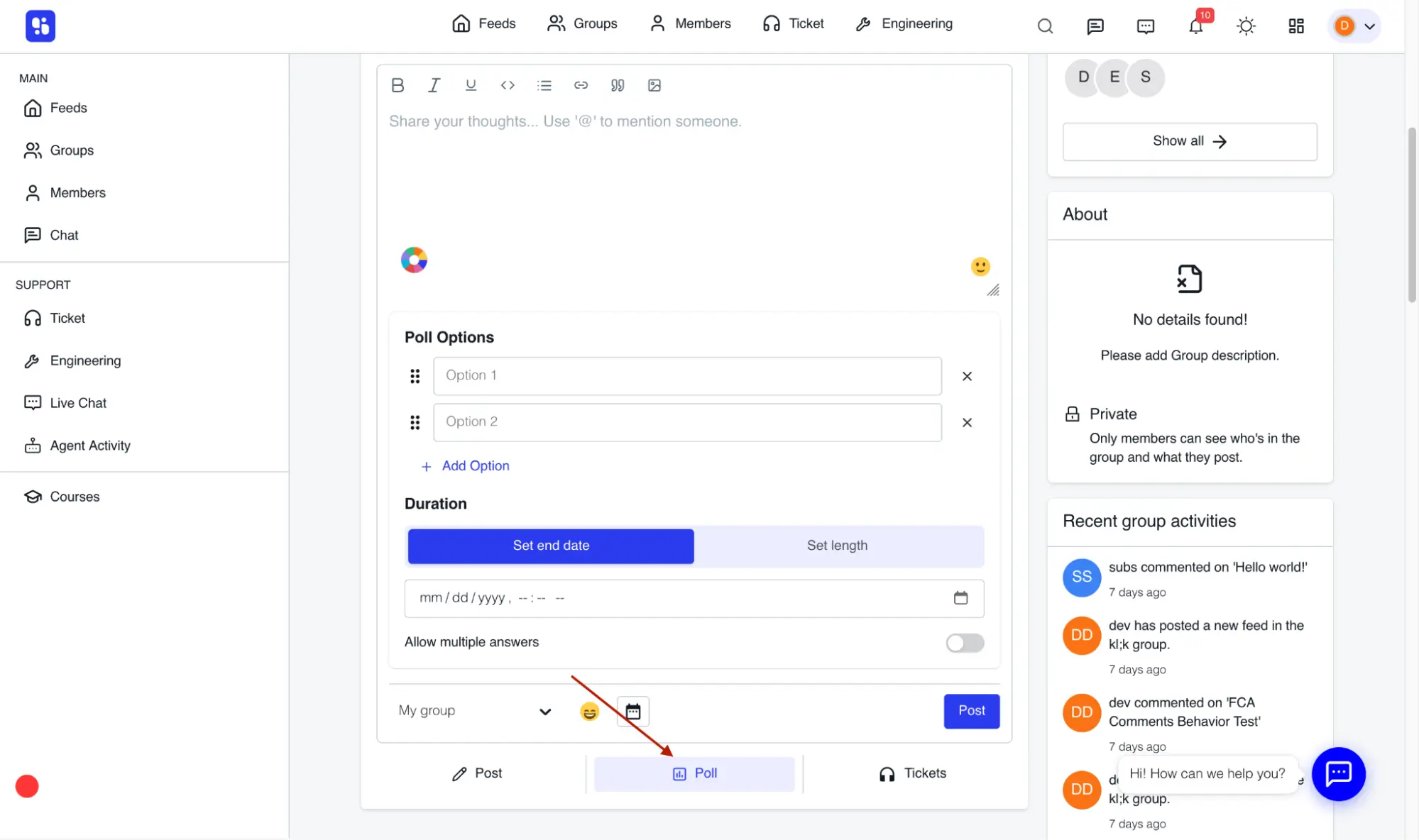
- Add your Poll Options:
- Minimum: 2 options
- Click Add Option to add more
- Drag to reorder
- Click ❌ to remove
- Set the Duration
- Toggle Allow multiple answers (optional)
- Add post text (optional)
- Click Publish
Setting Poll Duration
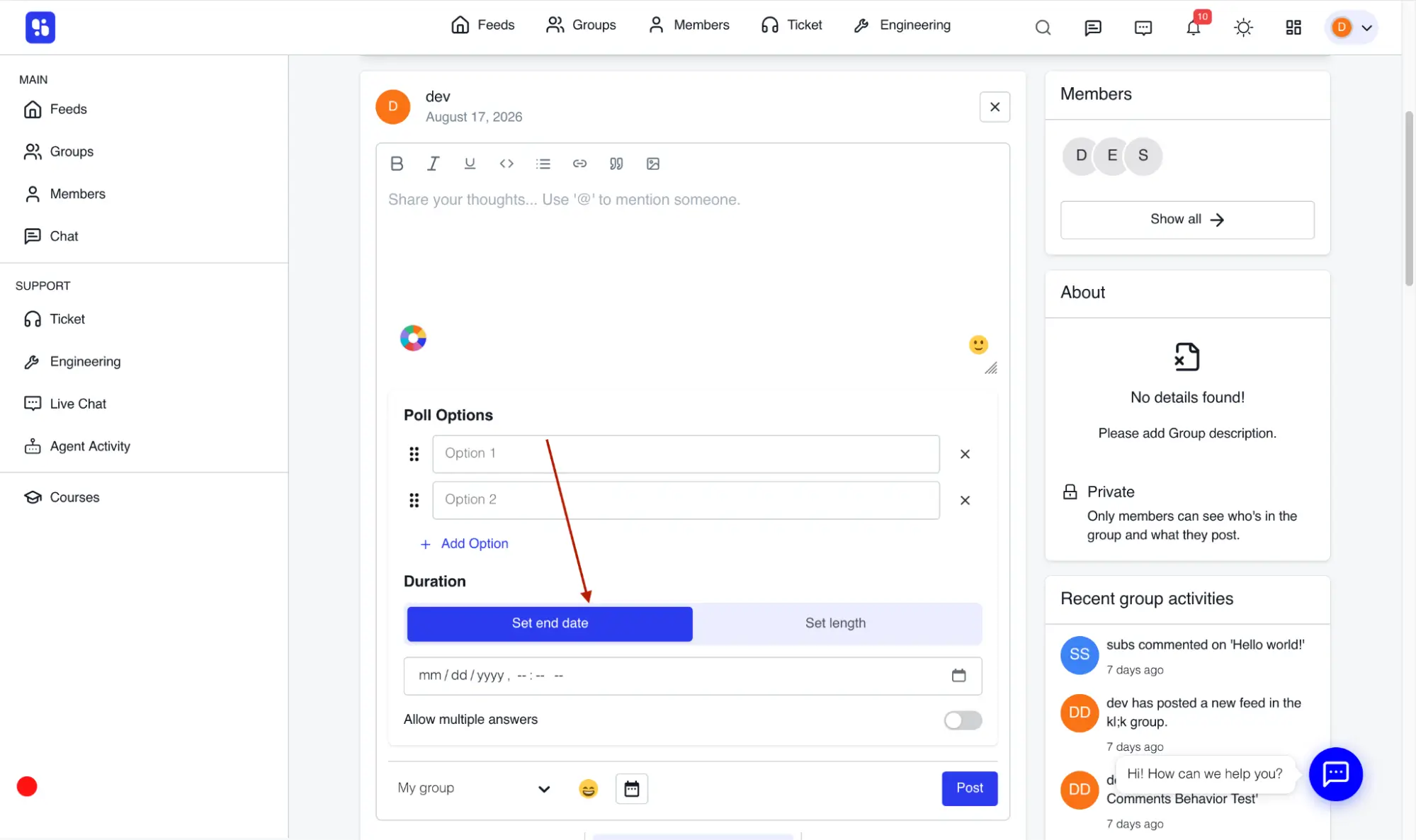
Option 1: Set End Date
You can control how long voting stays open.
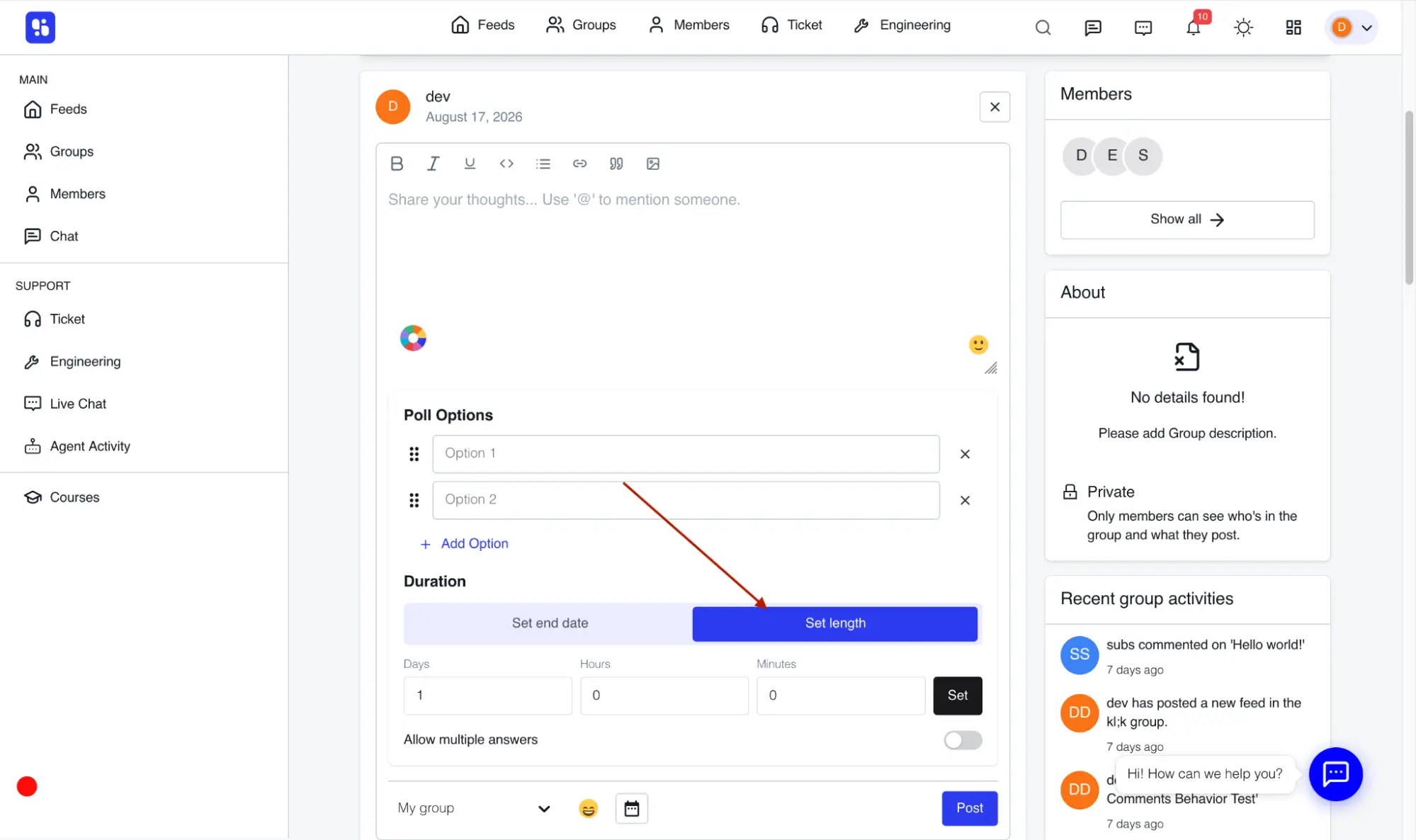
- Define duration using:
- Days
- Hours
- Minutes
- Click Set to apply
💡 Shorter polls increase participation.
How Members Vote
Once published:
- Members click an option to vote
- Voting behavior depends on settings:
Single Choice (Default)
- Only one option allowed
- Clicking another option changes the vote
- Clicking again removes vote
Multiple Choice Enabled
- Members can select multiple options
- Clicking again removes selection
- Members can use Remove Vote to reset choices (before expiry)
Viewing Results
After votes are cast:
- Each option shows:
- Percentage bar
- Vote count (e.g., 12 votes)
- Poll displays:
- End time (if set)
When Poll Expires:
- Marked as Expired
- Voting is disabled
- Results remain visible
Best Practices
- Keep polls short and focused
- Use clear, simple options
- Choose single vs. multiple answers wisely
- Use polls regularly to boost engagement
Important Notes
- Minimum of 2 options required
- Votes update in real time
- Members can change votes before expiry
- Results are permanent after poll closes
Tips
- Use polls for quick decision-making
- Add context in post text for better responses
- Use multiple-choice for surveys, single-choice for decisions
Related Documentation
- Create and Manage Posts
- License Activation
- Space Content Types
- Events and RSVPs