


Post Popup Preview from Feed Date Click allows users to instantly open a post in a responsive pop-up window by clicking on the post date from the feed. Instead of redirecting to a new page, the full post content appears in a modal, ensuring a smooth and uninterrupted browsing experience.
The pop-up displays the post title, content, featured image, and essential post details, helping users quickly review information without leaving the feed. This feature enhances user engagement, reduces page reloads, and provides a seamless content viewing experience within the ZenCommunity feed.
How to work post pop-up preview from Feed Date Click
To view the post preview pop-up, first create a group and make sure you’ve joined it. Then, go to your ZenCommunity feed section and click on the Post option to write your post.
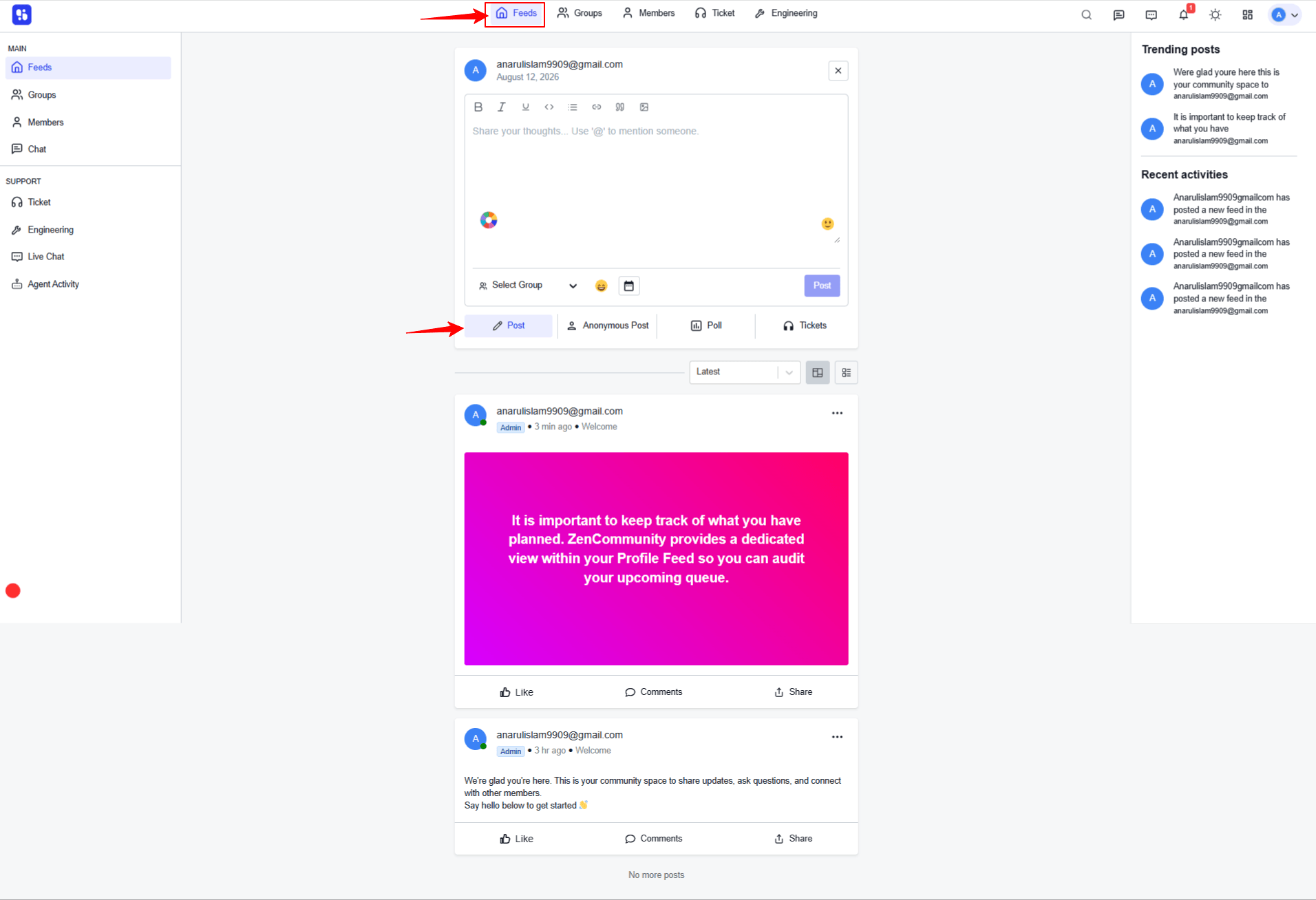
After clicking the Post option, an editor will appear. Here, you can add content such as text, images, PDF files, and more. Select the group where you want to publish the post, then click the Post button to submit it.
Once submitted, click on the publishing date section under your profile to view the post submission preview pop-up.
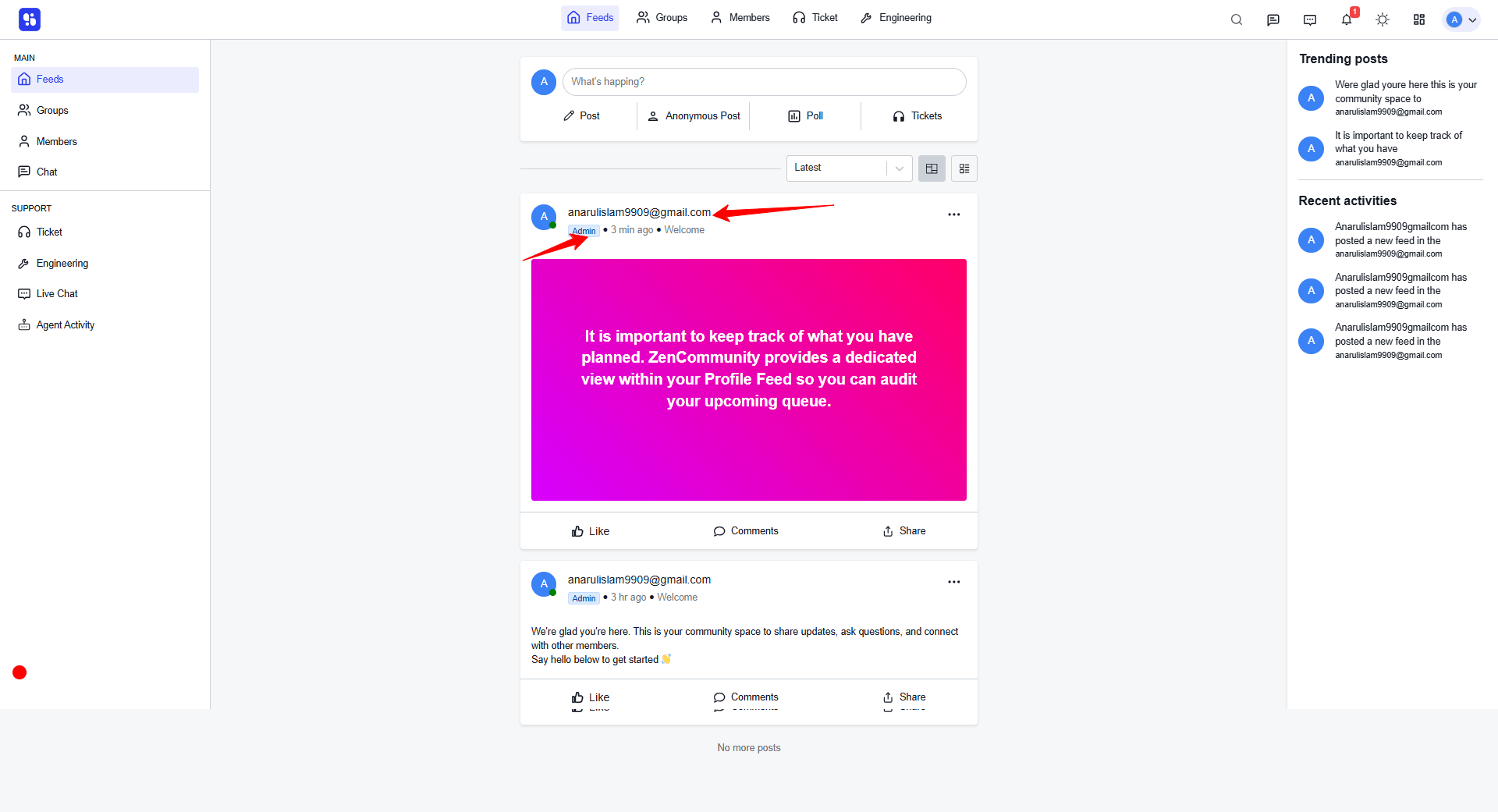
When you click the publishing date section under the menu, a post submission preview pop-up will appear in your browser.
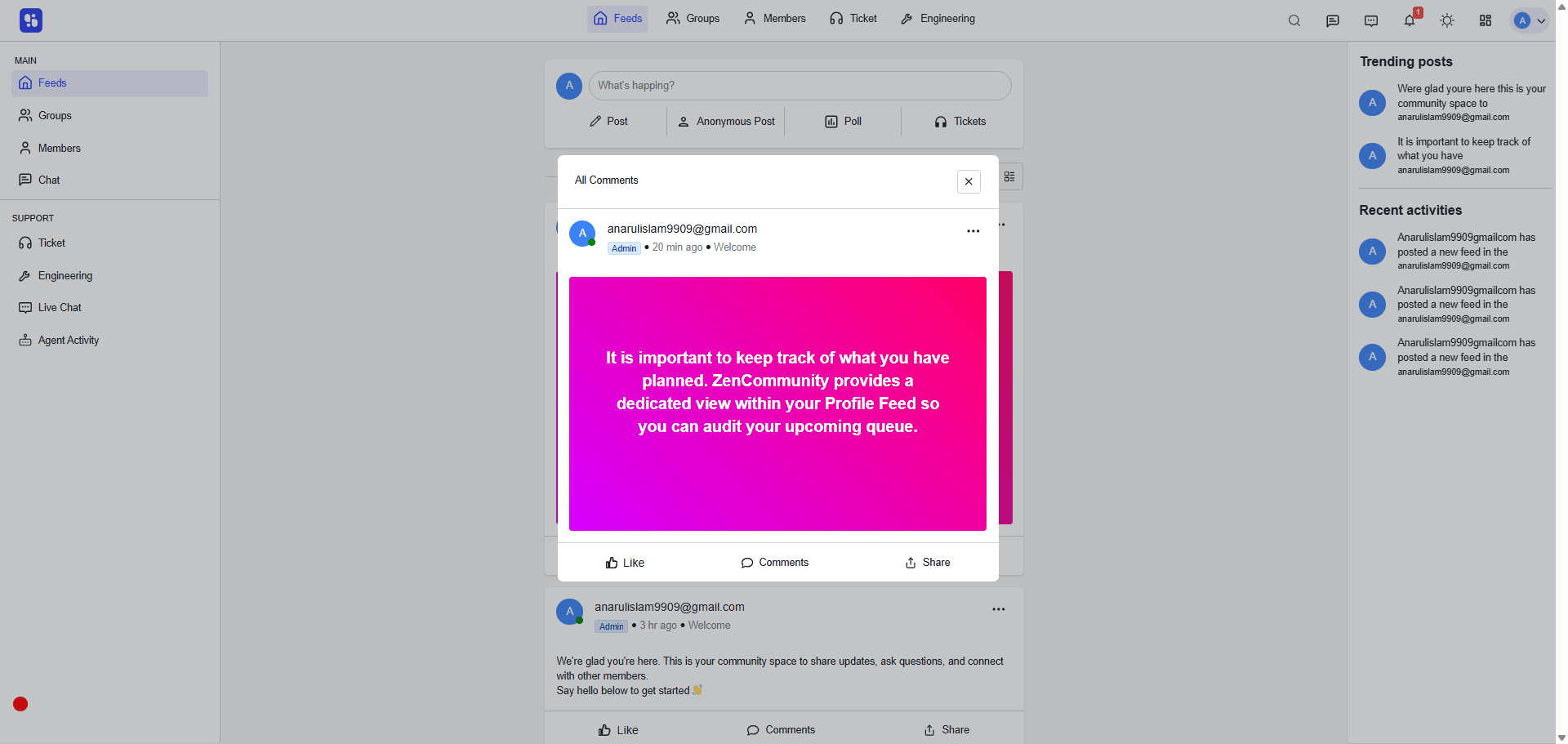
The “Post Popup Preview” feature simplifies content viewing by keeping users on the same page while allowing quick access to full post details. It improves usability, enhances engagement, and ensures a smooth, user-friendly experience.