


ZenCommunity allows users to easily manage their scheduled posts directly from their profile. This feature helps you review, publish, or reschedule posts without navigating to multiple sections.
Access Scheduled Posts from Your Profile
Follow these steps to view your scheduled posts:
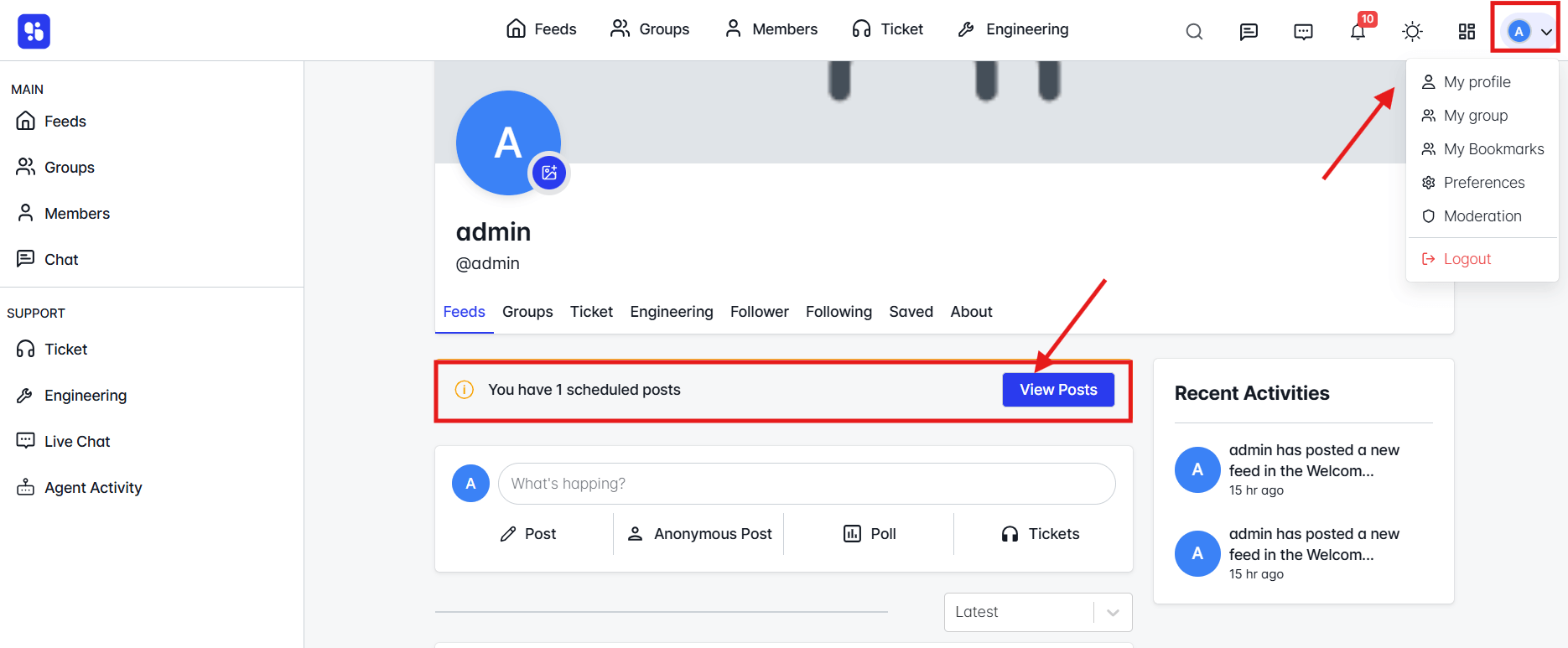
- Click your profile avatar in the top-right corner of the navigation bar.
- Select My Profile from the dropdown menu.
- On your profile page, you will see a notification banner showing the number of scheduled posts (if any).
- Click View Posts to open the Scheduled Posts page.
Scheduled Posts Page Overview
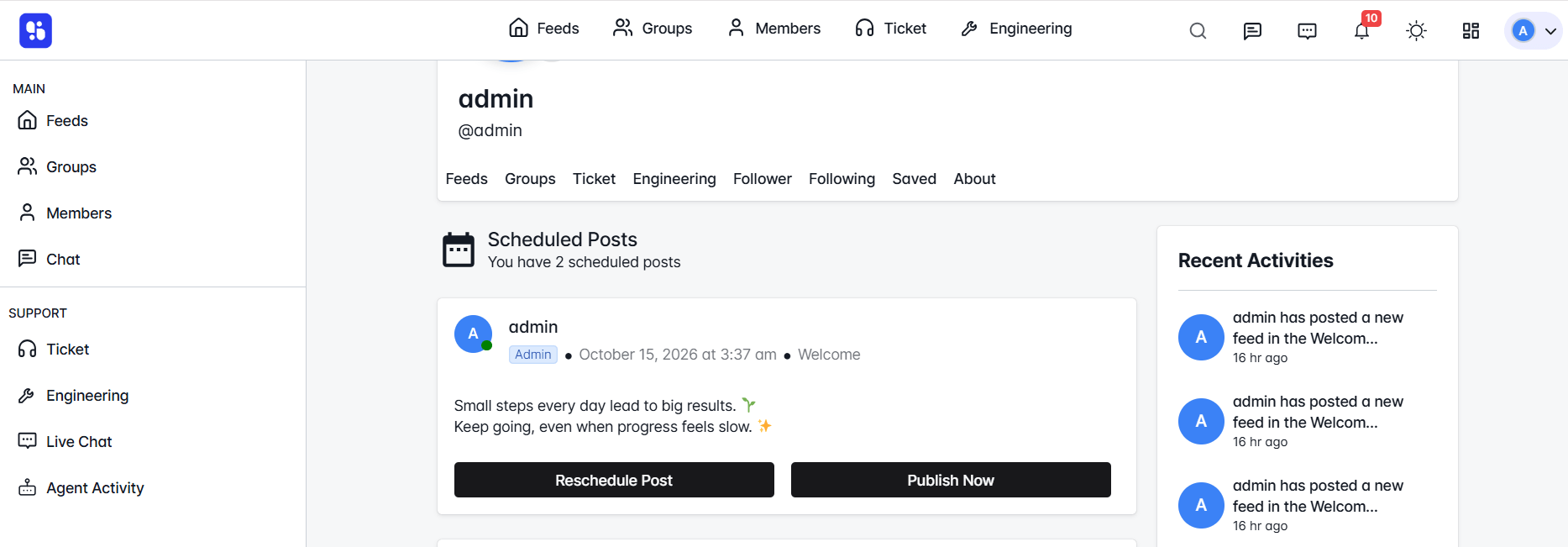
On the Scheduled Posts page, you can see:
- Post content preview
- Scheduled date and time
- Associated group or community
- Action buttons to manage the post
Available Actions
You can perform the following actions on each scheduled post:
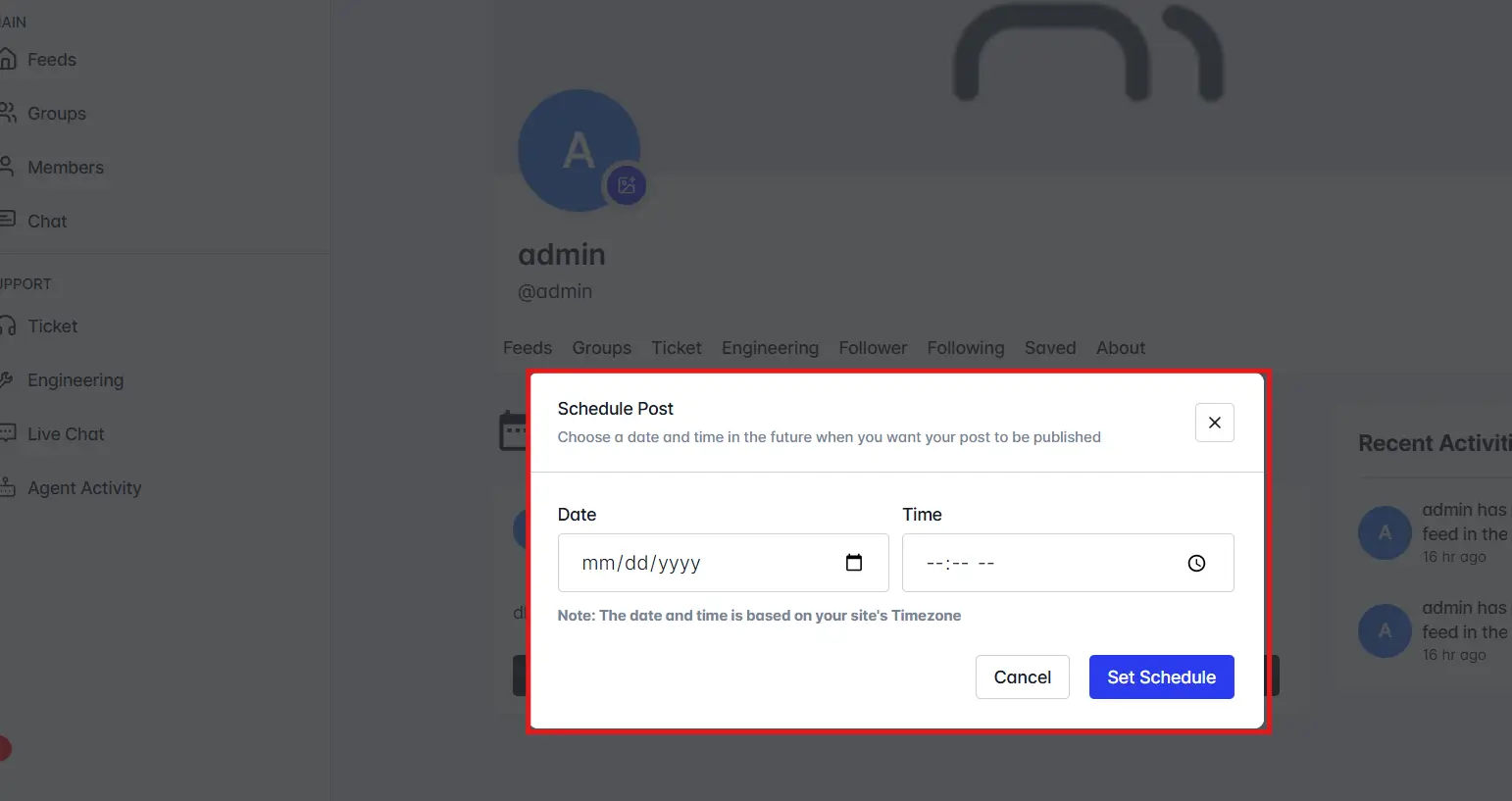
Reschedule Post
- Click Reschedule Post.
- Choose a new date and time.
- Save the changes to update the schedule.
Publish Now
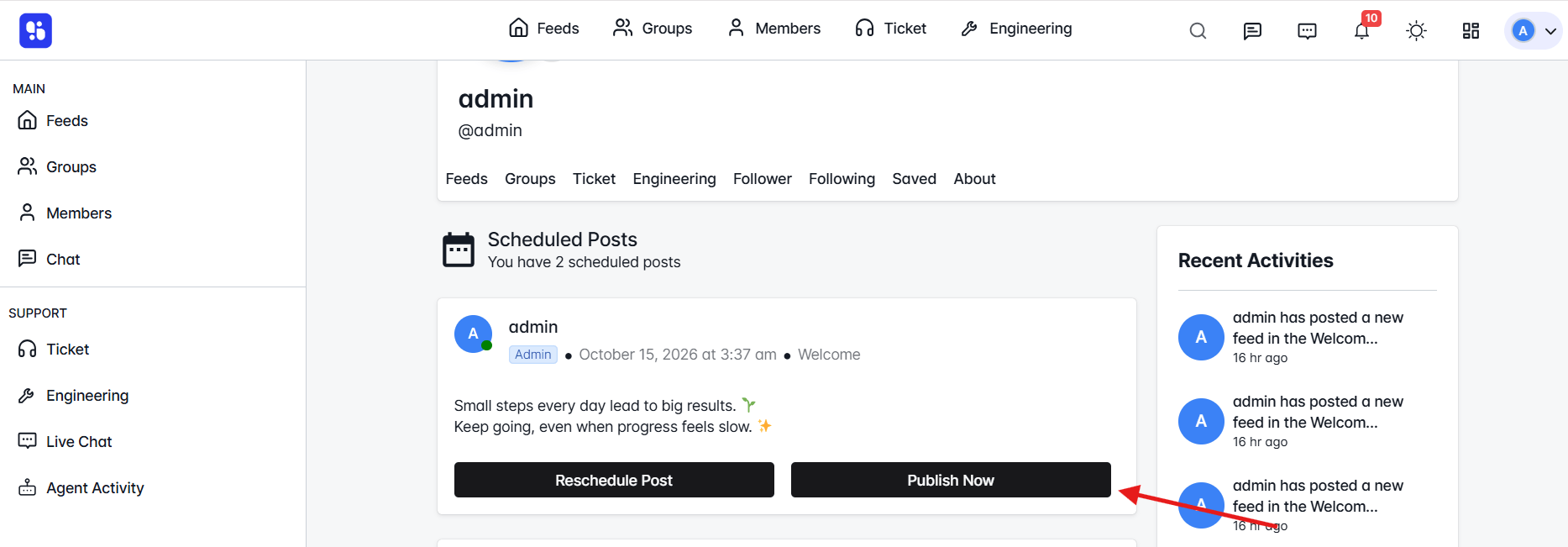
- Click Publish Now to immediately publish the post instead of waiting for the scheduled time.
Benefits of Managing Scheduled Posts from Profile
- Quick access to upcoming posts
- Easy editing and publishing controls
- Centralized post management from one location