


In ZenCommunity, you don’t always have to publish content the moment you create it. Our scheduling feature allows you to maintain an active presence in your community by planning your content in advance.
How to Create a Scheduled Post
The process for scheduling is consistent across all feed types. Follow these steps to plan your content:
1. Compose Your Content
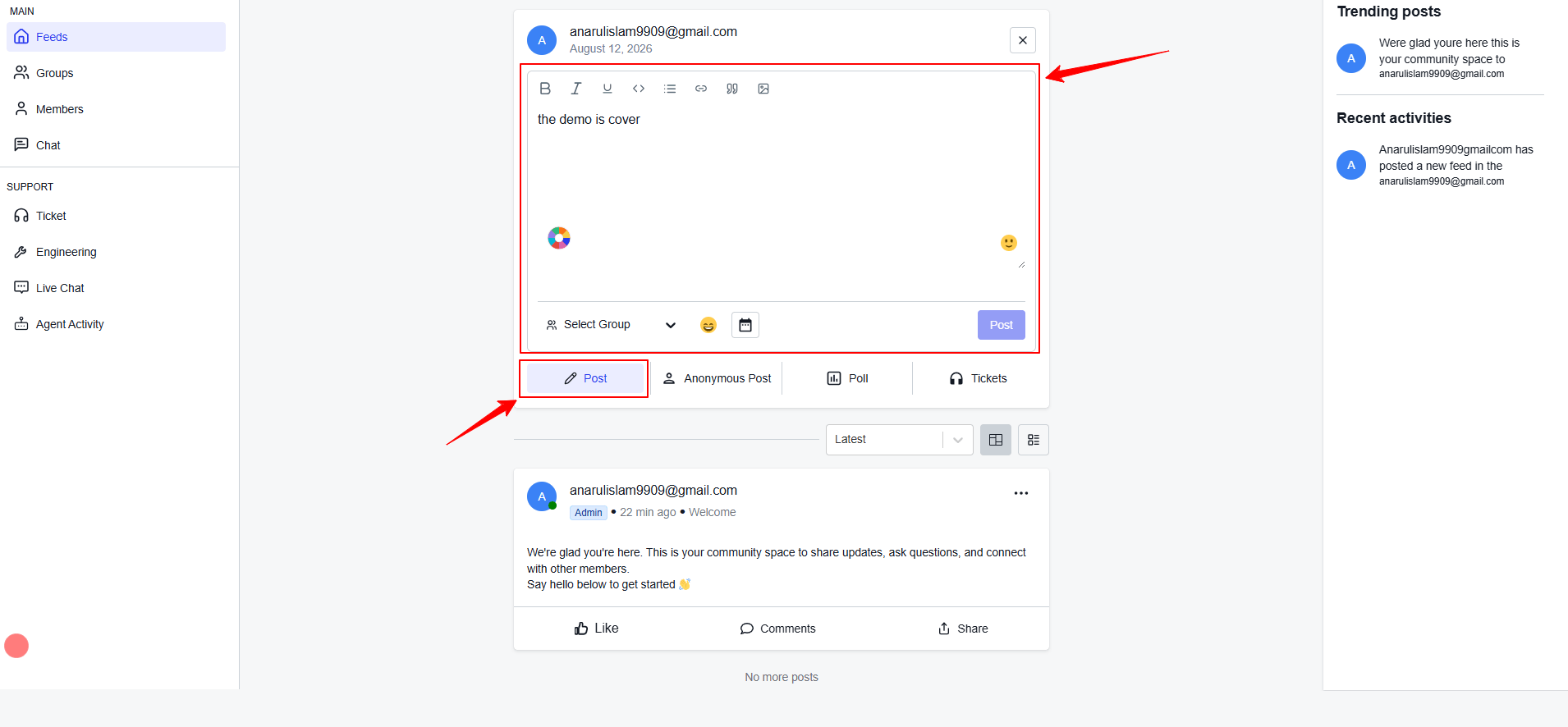
Navigate to the feed where you wish to post. Click on the post composer box and add your text, feelings, images or videos.
2. Access the Schedule Settings
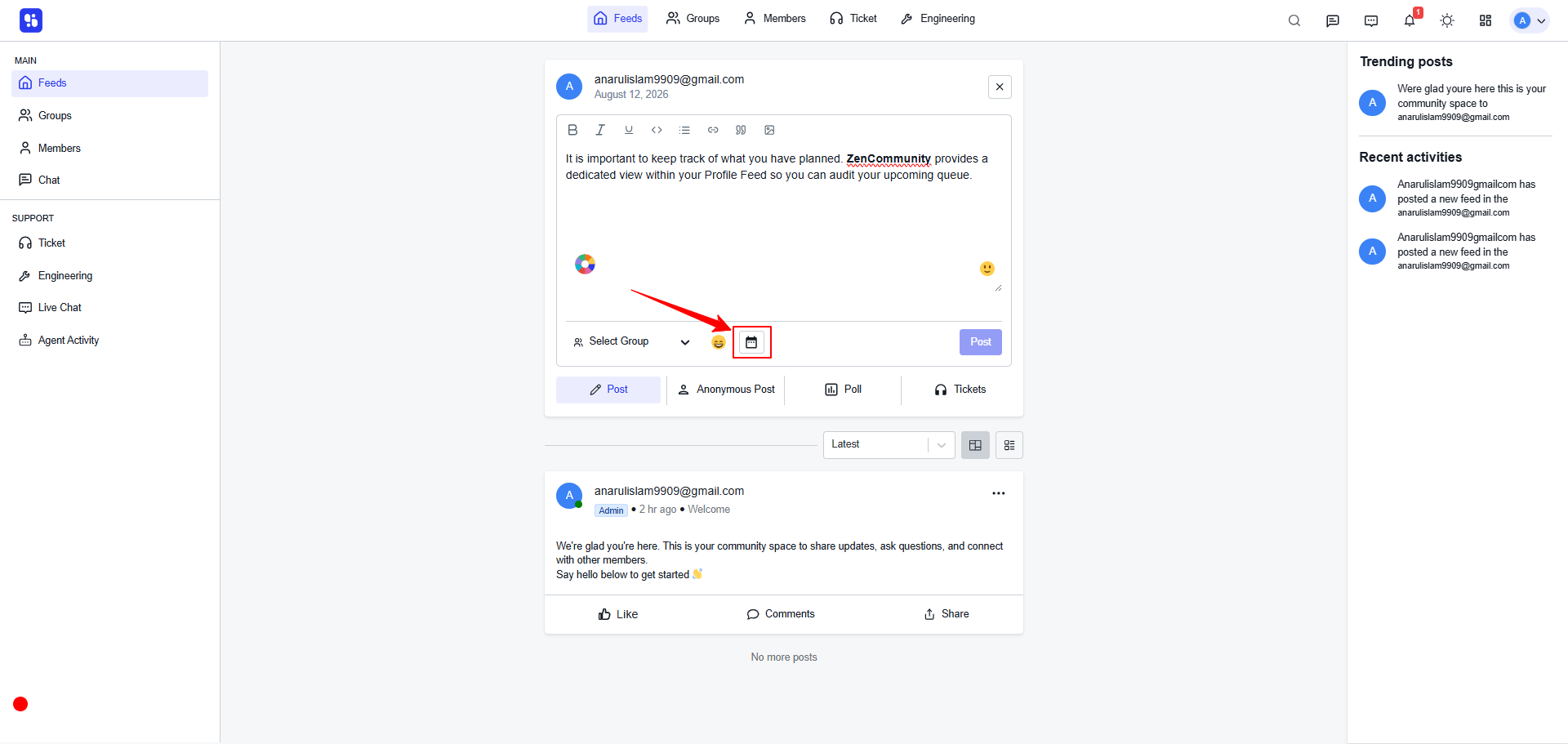
Instead of clicking the Post button immediately, look for the Celender Icon (Schedule) located next to the cross button.
3. Set Date and Time
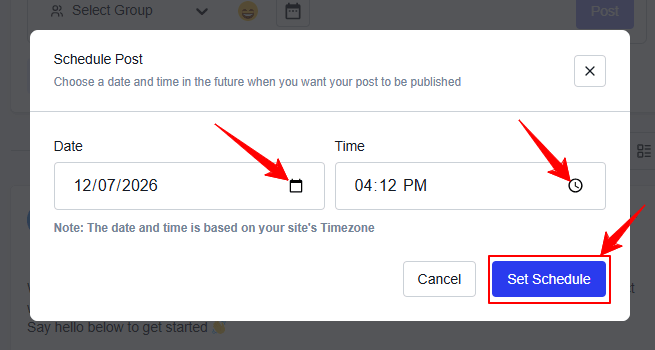
A calendar picker will appear.
- Select Date: Choose the day you want the post to go live.
- Select Time: Set the exact hour and minute.
- Timezone: ZenCommunity automatically uses your site’s global timezone settings (ensure these are correct in your WordPress General Settings).
4. Confirm the Schedule
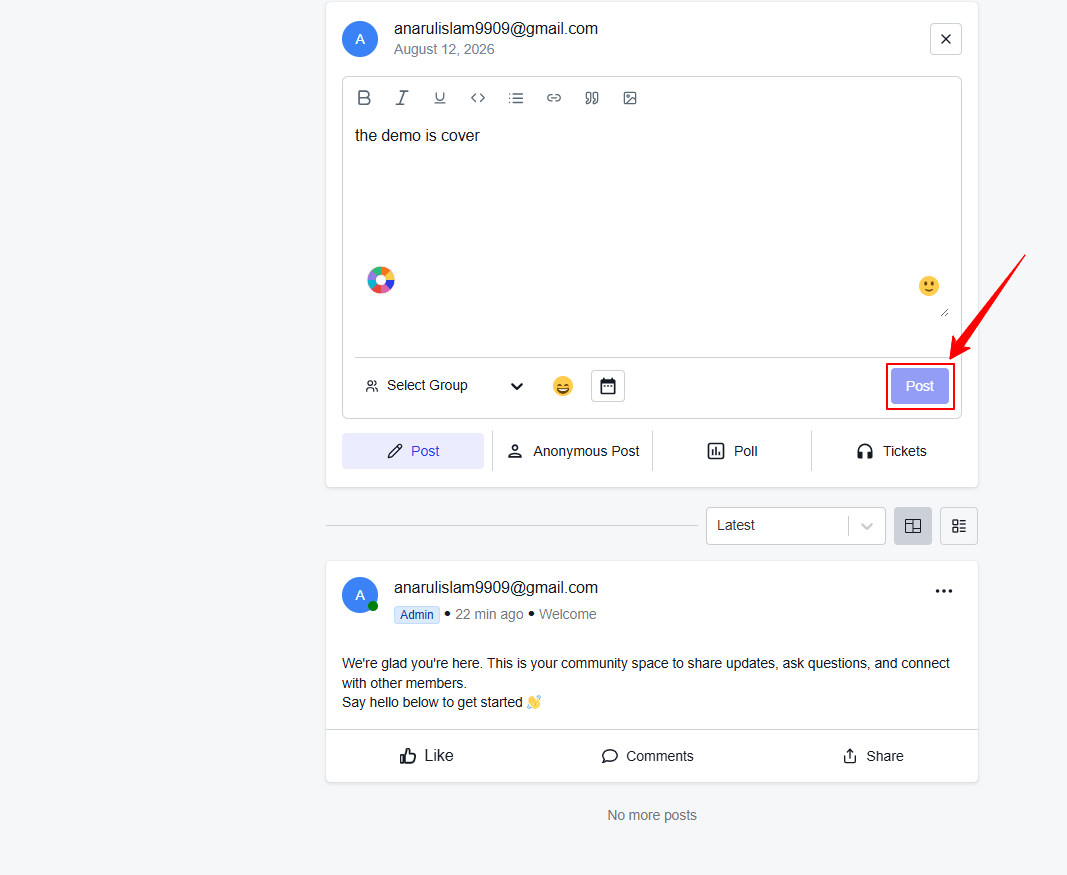
Click Confirm Schedule. The “Post” button will now change to Schedule Post. Click it to finalize.
Viewing and Managing Your Scheduled List
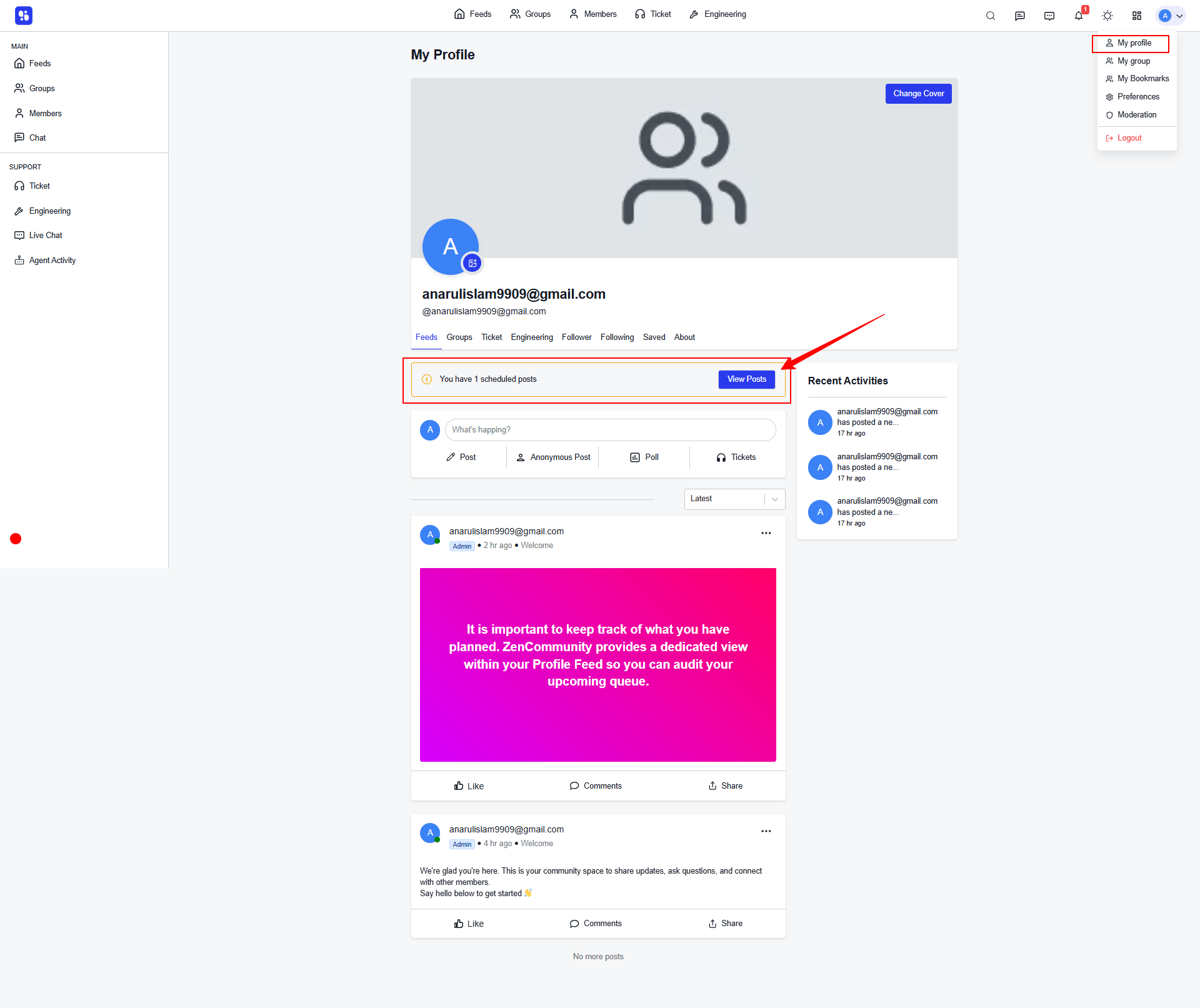
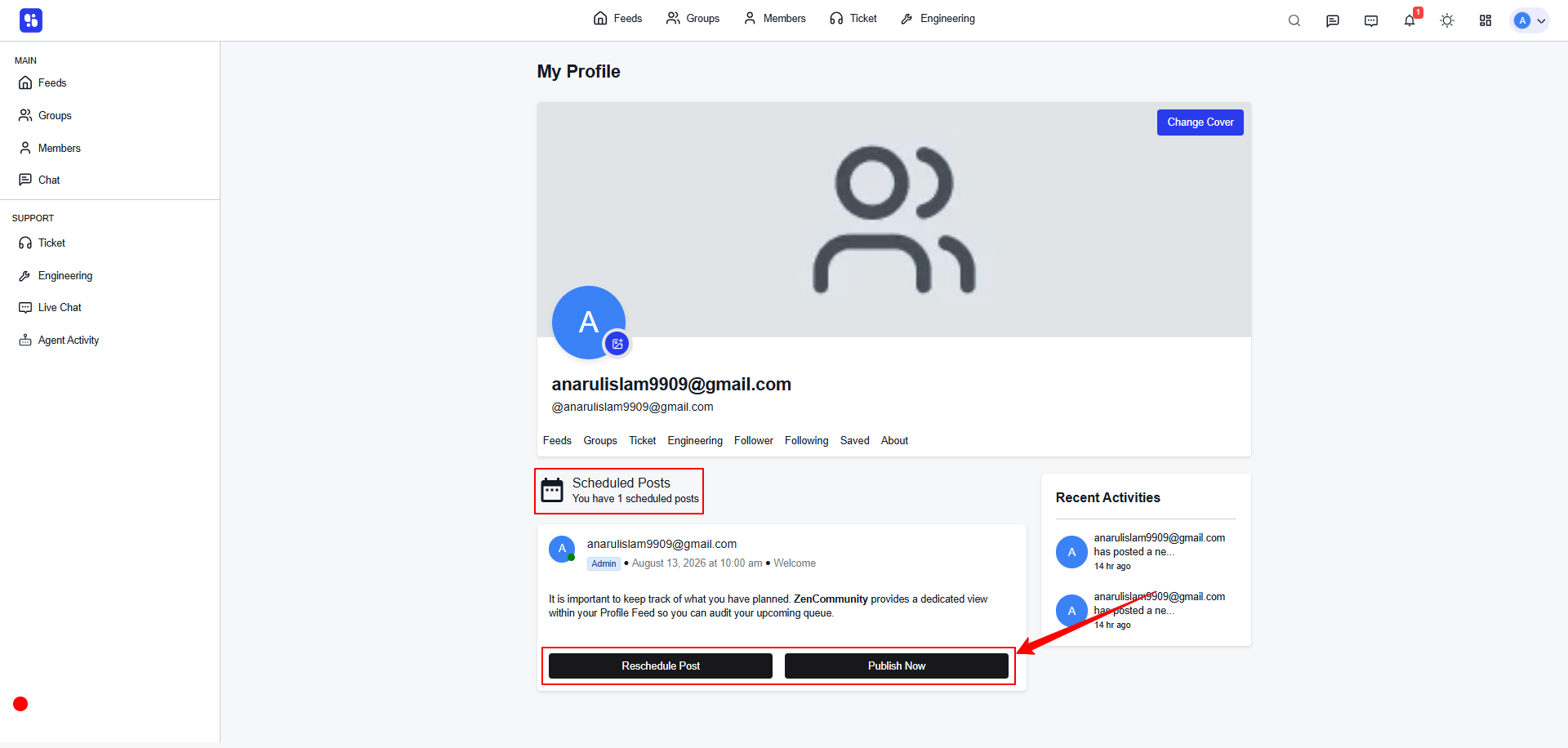
It is important to keep track of what you have planned. ZenCommunity provides a dedicated view within your Profile Feed so you can audit your upcoming queue.
How to Access Your Scheduled Queue
- Navigate to your Profile Page.
- Look for the Scheduled option (usually located in the Posts/Feed section).
Important Considerations
- Media Processing: If you are scheduling a post with large video files, ensure the upload is 100% complete before hitting “Schedule.”
- Editing: If you edit a scheduled post, the original scheduled time remains unless you manually change it.
- Immediate Publish: You can choose to “Publish Now” at any time by opening a scheduled post and clicking the dropdown menu to override the timer.
Scheduling posts in ZenCommunity is a powerful way to stay consistent without being glued to your screen. By strategically planning content for your Global, Group, and Profile feeds, you can ensure your community stays engaged 24/7, regardless of your timezone.