


ZenCommunity includes two important features to improve live chat quality and security: email verification (OTP) and satisfaction feedback (CSAT).
This guide explains how both features work from the visitor’s perspective.
Overview
These features work automatically once Live Chat is set up:
- Email Verification (OTP)
Confirms that a visitor owns the email address they entered (only for existing members) - Satisfaction Feedback (CSAT)
Collects user ratings after AI-handled chats to measure performance
💡 No extra configuration is required—both features are enabled by default.
Before You Start
Make sure:
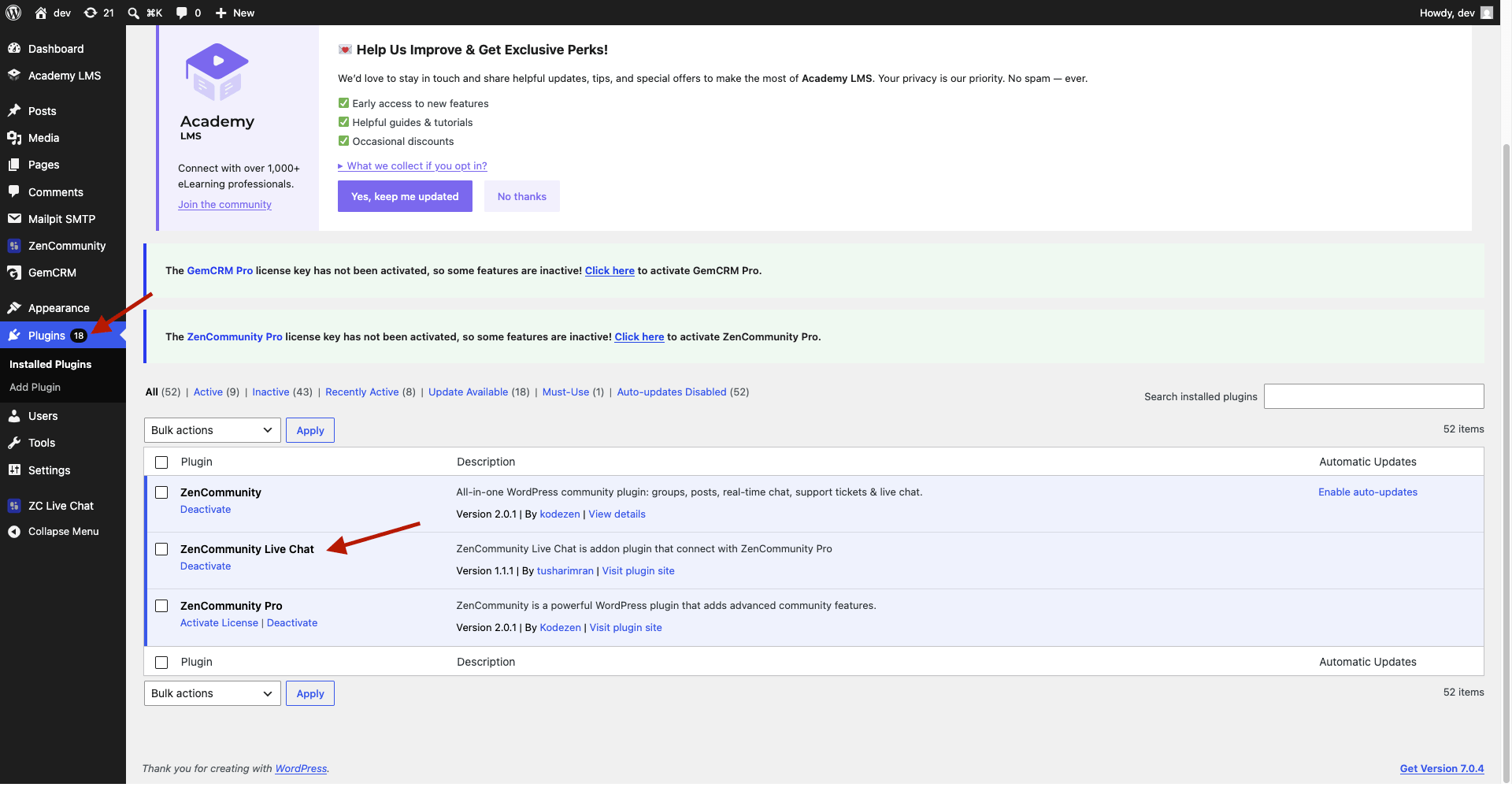
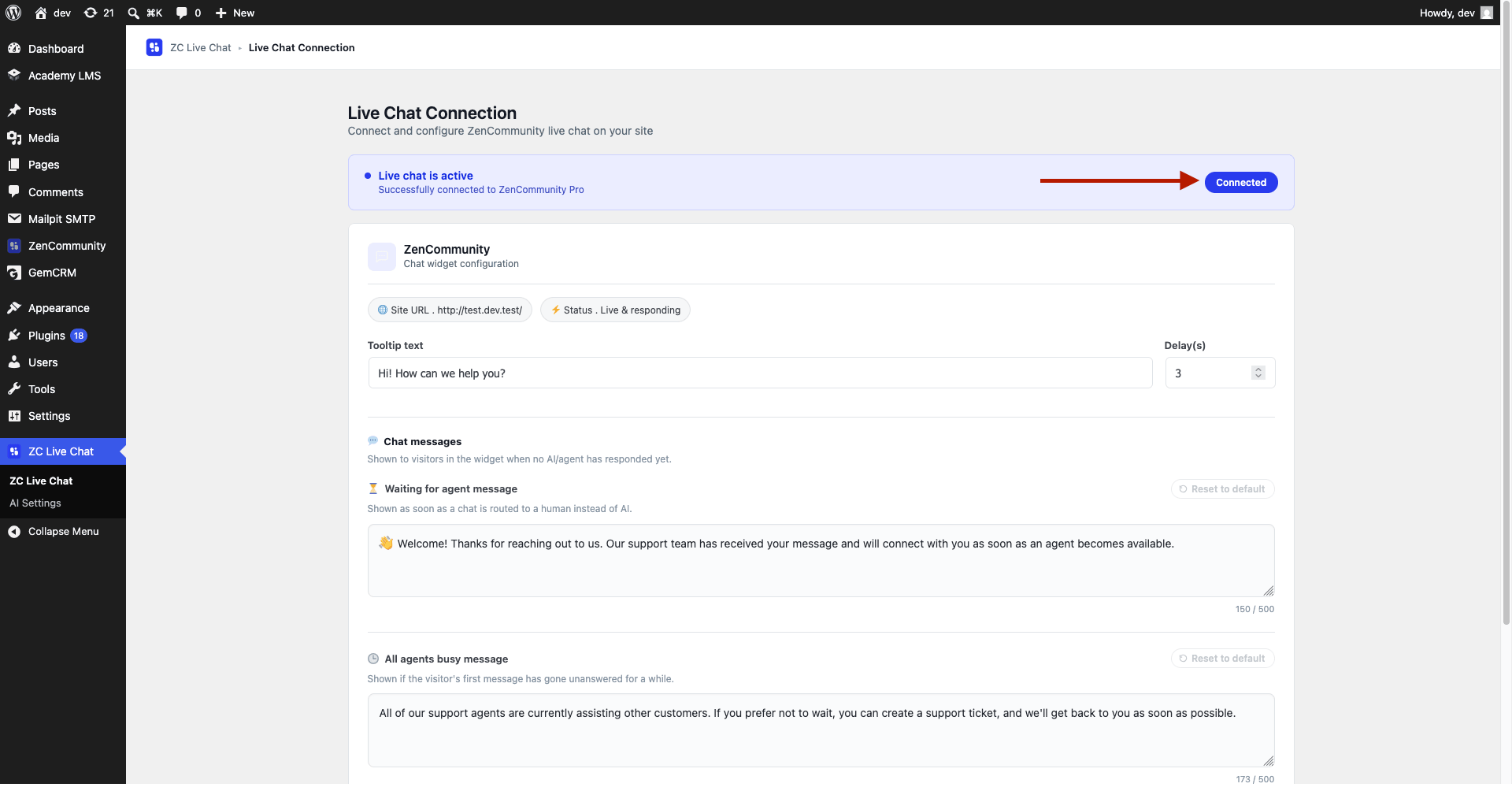
- Live Chat addon is installed and active
- Your website can send emails properly
⚠️ OTP and feedback emails depend on your site’s email delivery system.
Email Verification (OTP)
OTP (One-Time Password) ensures that only real account owners can start chats using their registered email.
How It Works
- If the email belongs to an existing user → OTP verification is required
- If the email is new → Chat starts instantly without verification
Visitor Experience
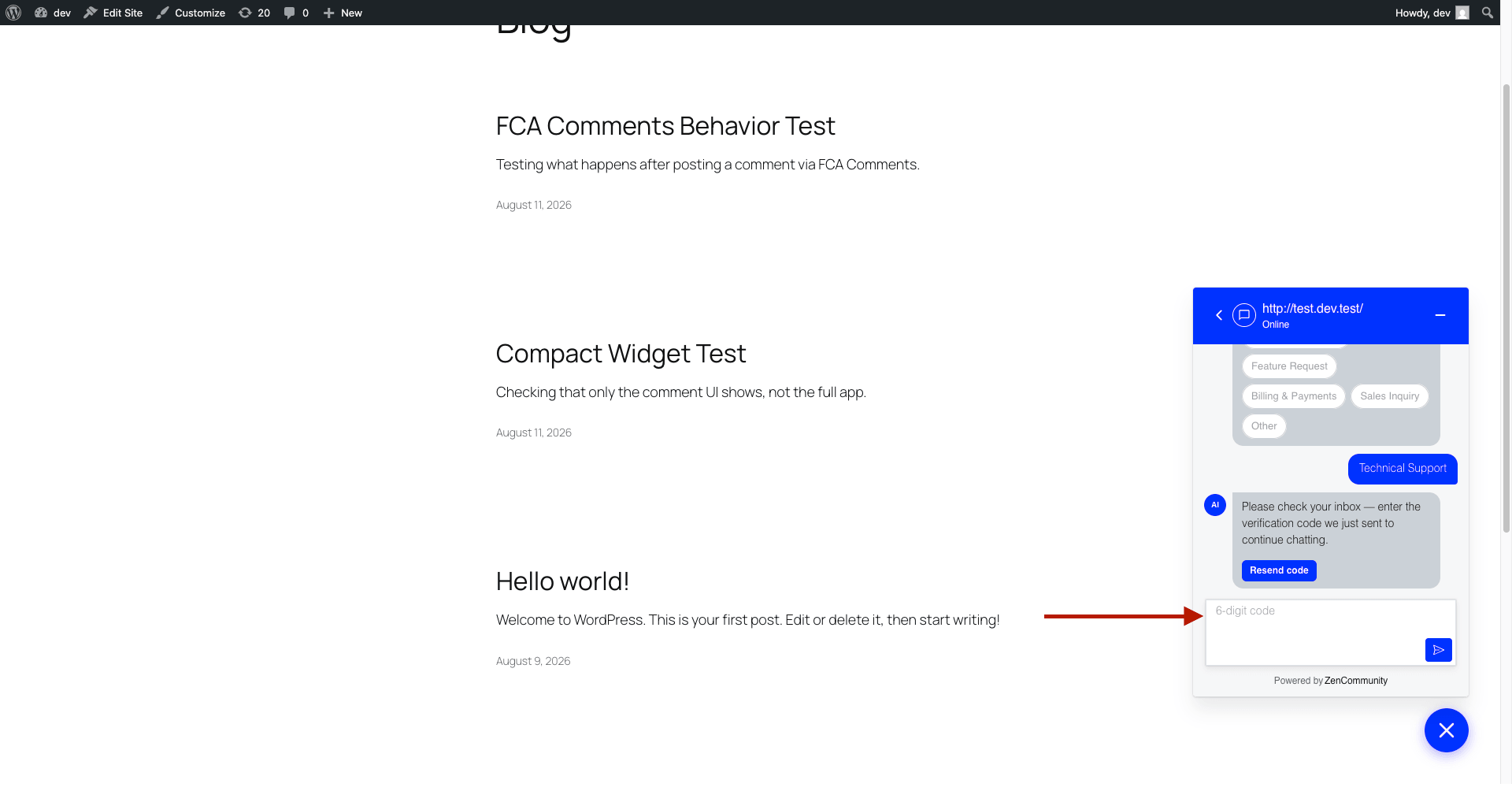
- A verification message appears
- User receives a 6-digit code via email
- User enters the code
- Chat starts after successful verification
Important Rules
- Code expires after 15 minutes
- New code can be requested every 60 seconds
- Too many wrong attempts temporarily block verification
- The system does not reveal whether an email exists (privacy protection)
💡 If users don’t receive codes, check your email configuration.
Satisfaction Feedback (CSAT)
CSAT helps measure how well your AI is performing.
After an AI chat ends, users are asked to rate their experience.
Visitor Experience
- Chat ends
- User receives an email with a “Rate your experience” link
- Clicking opens a feedback page
- User selects:
- Rating (1–5 stars)
- Optional comment
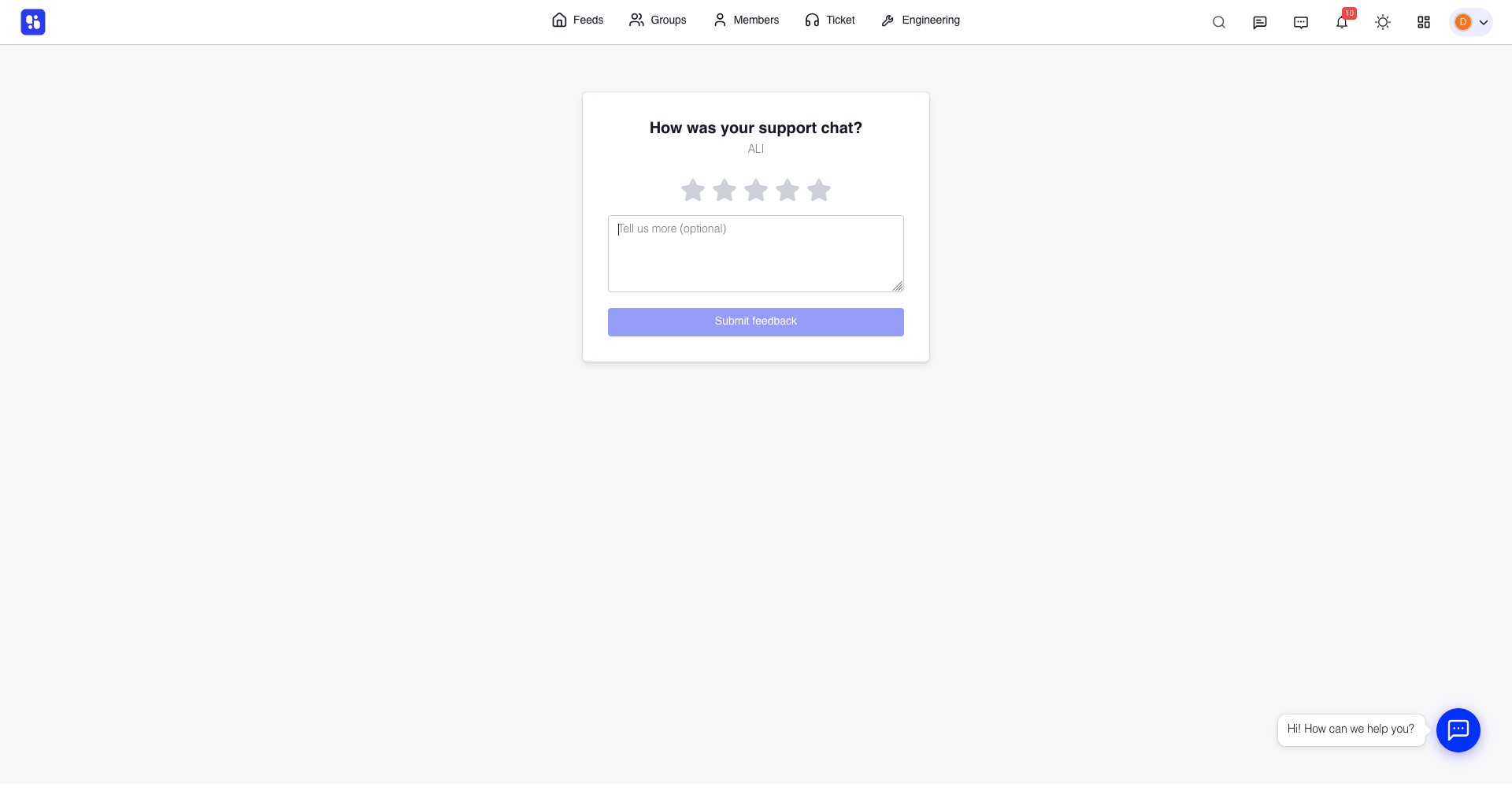
- Submission shows a confirmation message
What You See
- Admins and agents receive notifications when feedback is submitted
- Chats with feedback are flagged
- You can review comments for quality insights
Important Rules
- Feedback link is single-use
- Link expires after 7 days
- Feedback is only collected for AI-handled chats
- Each feedback link is tied to a specific chat
Why These Features Matter
- OTP Verification
- Prevents impersonation
- Protects user accounts
- CSAT Feedback
- Measures AI performance
- Helps improve support quality
Best Practices
- Ensure reliable email delivery (SMTP recommended)
- Monitor feedback regularly
- Improve AI responses based on user ratings
- Assist users who face OTP issues quickly
Related Documentation
- Setting Up the AI Agent for Tickets & Live Chat
- Live Chat Categories and AI Routing
- Customizing Live Chat Widget Messages
- Enable Live Chat
- Email Notification Setup