


ZenCommunity is an all-in-one WordPress solution for community building, support ticketing, and live chat, helping you connect, engage, and support your users effortlessly — all inside your website.
Below is an overview of its major features and how each one empowers your online community:
1. Community Building
ZenCommunity makes it easy to build an interactive and engaging online community directly within your WordPress site. You can create member profiles, discussions, and group spaces where users can connect, collaborate, and share ideas. This feature brings social networking and collaboration together — helping you grow a thriving user base around your brand.
Key Highlights:
- Create and manage user profiles.
- Enable discussions and activity feeds.
- Build meaningful engagement through posts and reactions.
2. Group Creation
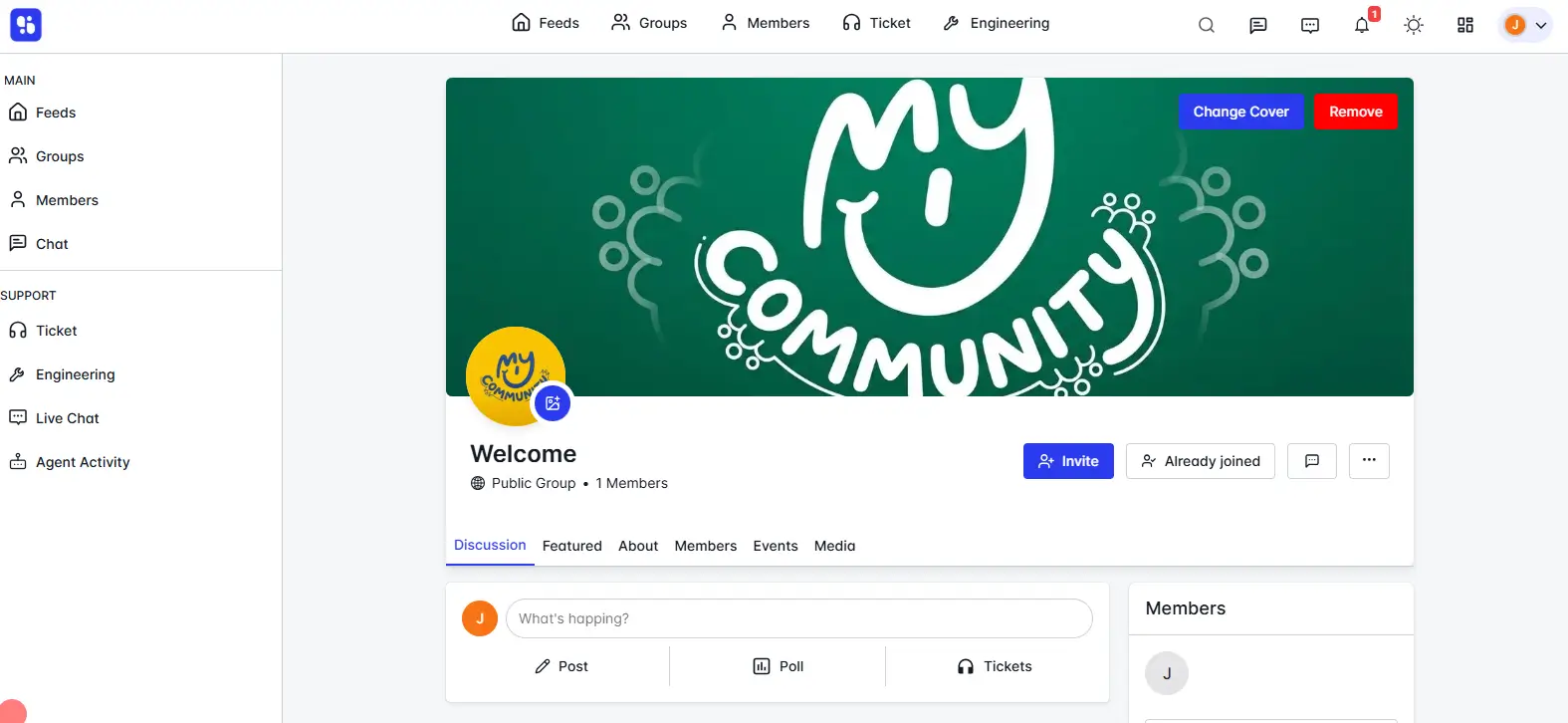
Organize your community into groups to make conversations more focused and relevant.
Each group can represent a specific topic, product, course, or interest area — allowing members to connect with like-minded people.
Key Highlights:
- Create and manage multiple groups.
- Assign each group to a collection (category).
- Set group visibility as Public, Private, or Hidden.
- Add custom cover photos, icons, and featured images.
3. Group Chat
Every group comes with a real-time group chat where members can communicate instantly.
It’s perfect for collaboration, announcements, or quick discussions — all without leaving your website.
Key Highlights:
- Real-time messaging inside groups.
- Instantly share messages, links, and ideas.
- Engage your members with live discussions.
4. One-to-One Chat Between Members
ZenCommunity also supports private one-to-one messaging between members.
Users can directly communicate with each other without posting publicly in groups, fostering personal connections and better collaboration.
Key Highlights:
- Secure, private chat between members.
- Instant message delivery (with Socket enabled).
- Helps build stronger member relationships.
5. Support Ticketing System
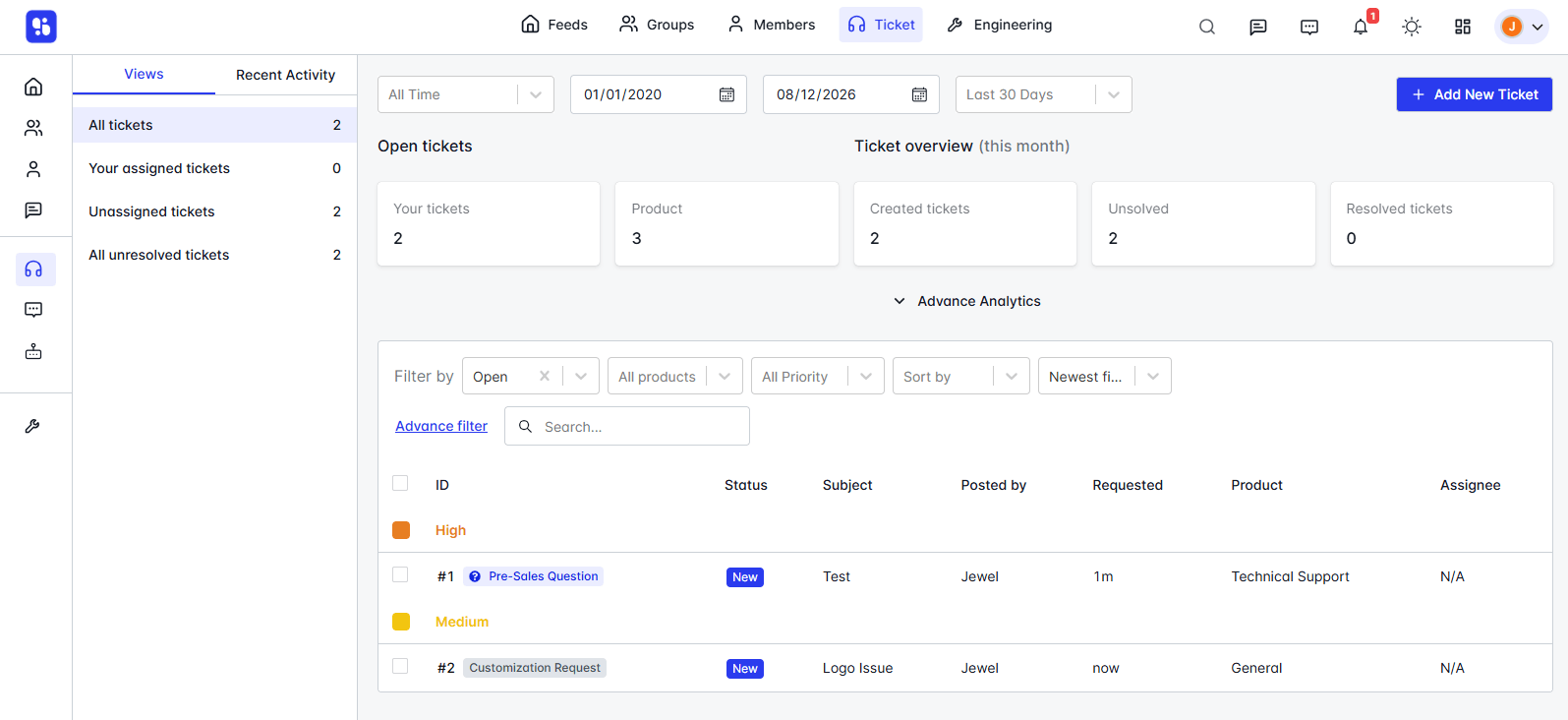
Handle all your customer and member support queries efficiently with ZenCommunity’s built-in ticketing system.
It lets users create tickets, categorize them by priority and type, and assign them to support agents for faster resolution.
Key Highlights:
- Create, assign, and manage support tickets.
- Add custom ticket priorities and types.
- Internal note-taking for private team discussions.
- Organized ticket management from one place.
6. Live Website Chat for Support
ZenCommunity offers a live website chat system that allows your users to contact your support team instantly.
It’s integrated directly into your website, giving visitors quick access to real-time help without using third-party tools.
Key Highlights:
- Real-time chat widget on your website.
- Seamless integration with your support agents.
- Faster responses and improved customer experience.
- Optional Socket integration for instant messaging.
Summary
With ZenCommunity, you can:
- Build an engaged community.
- Enable real-time conversations.
- Offer powerful support experiences.
All from one WordPress platform — no extra tools needed.