


The ZenCommunity Follower & Blocker Addon allows community members to follow other users and block unwanted interactions. Once activated, it enhances user profiles and the members directory with follow and block features, improving engagement and user control.
Features
- Follow and block options appear on user profiles.
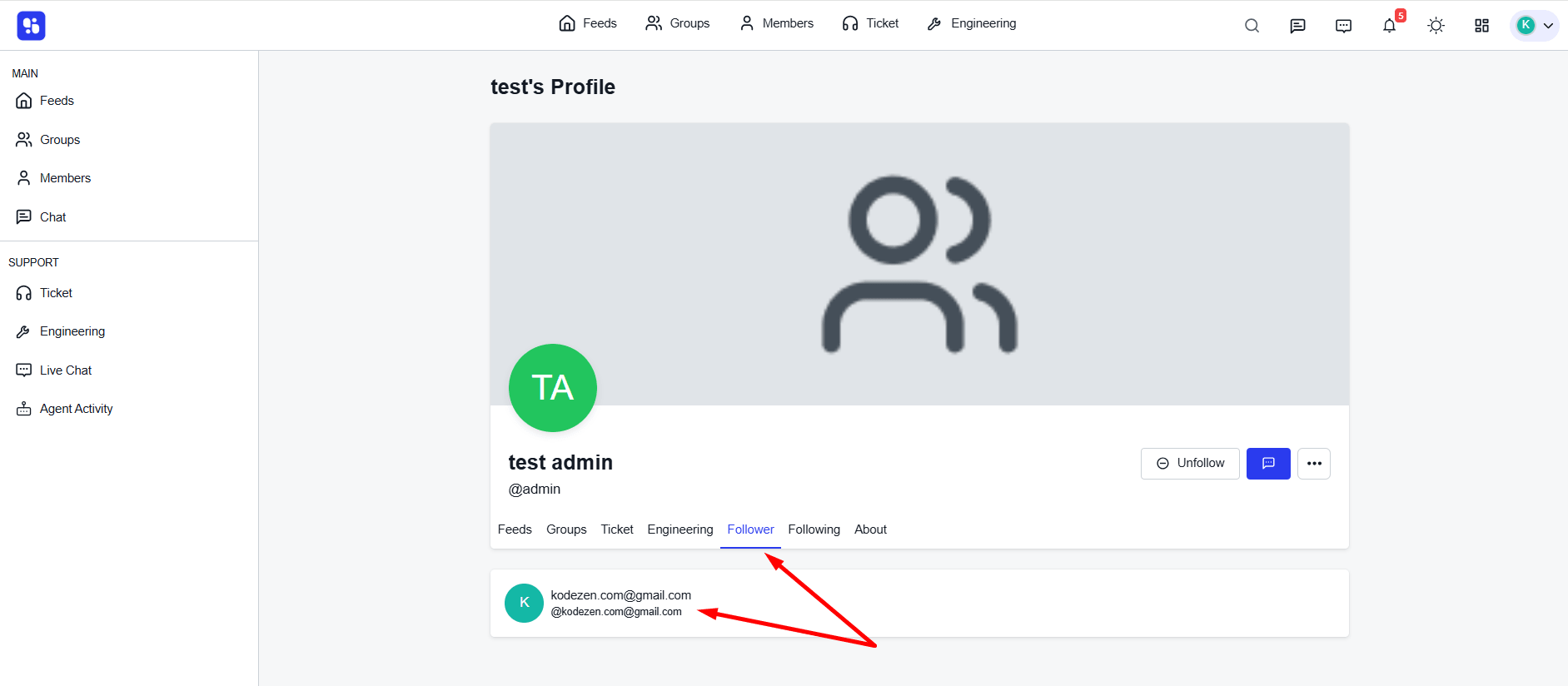
- Members can view their Followers and Following lists.
- Follow buttons are available on the Members Page.
- Users receive activity-related notifications when someone they follow posts or interacts.
- Blocked users’ activities become completely hidden until they are unblocked.
Activation
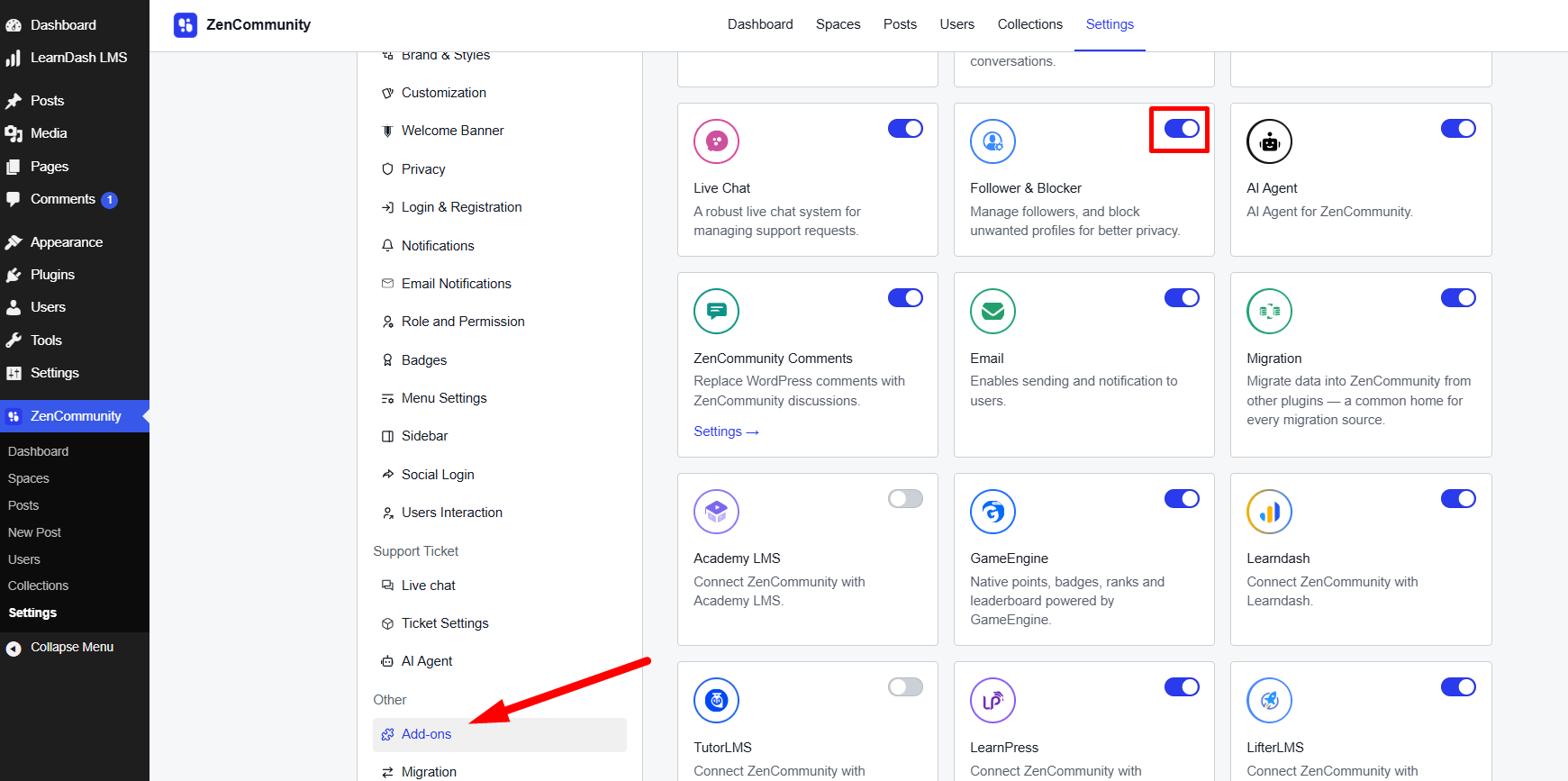
- Go to ZenCommunity → Addons.
- Enable the Follower & Blocker Addon.
Profile Level Features
After activating the addon, each user profile will display:
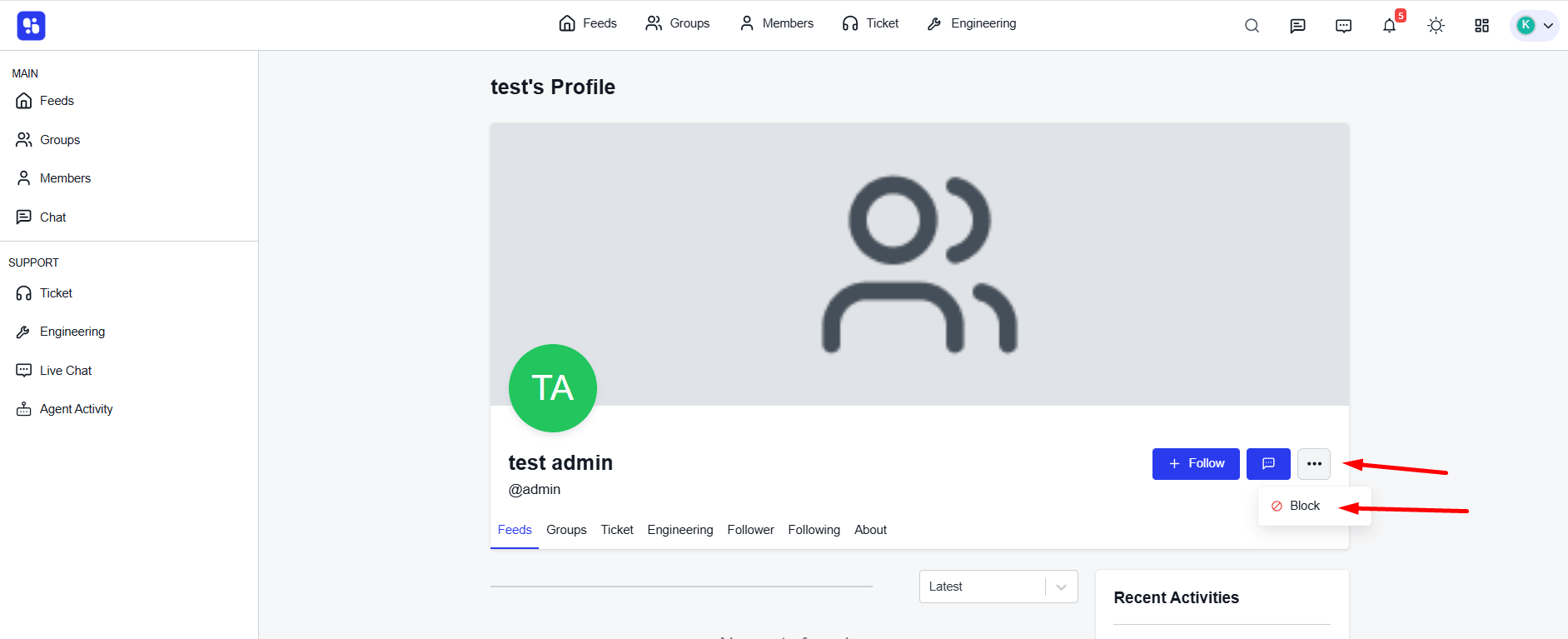
- Follow Button — lets members follow each other.
- Block Button — allows blocking specific users.
- Follower & Following Count — shows how many users are connected.
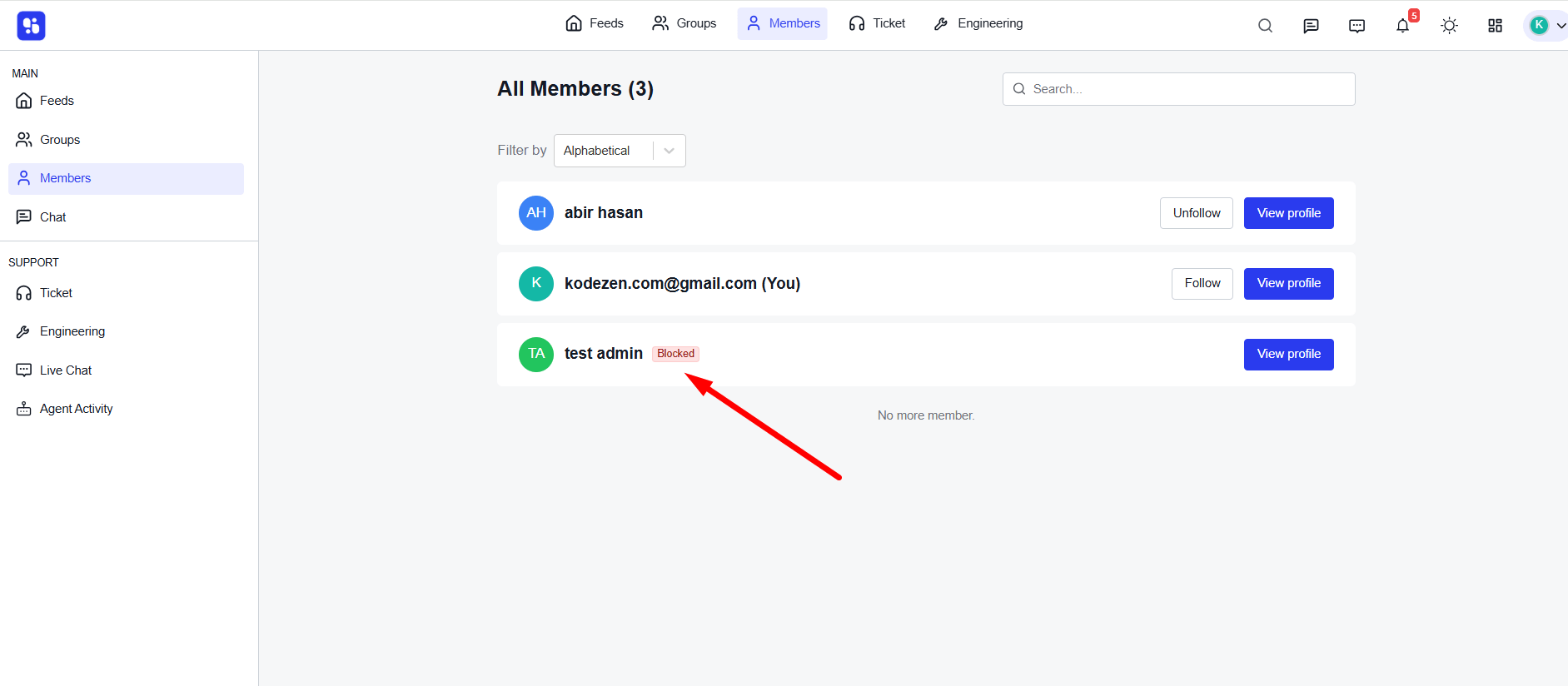
Members Directory Features
On the Members Page:
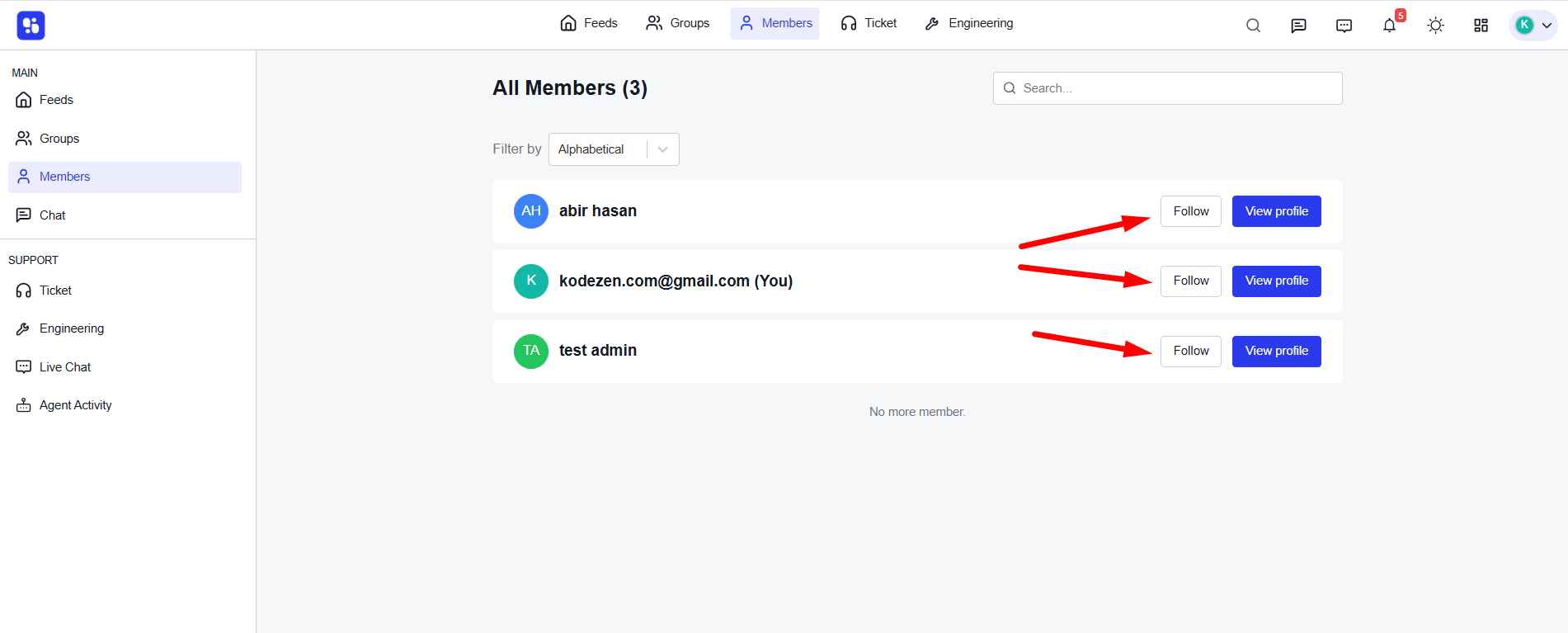
- Each member will have a Follow Button beside their name.
- If a user is blocked, a Blocked label will appear next to their name.
- Members can follow or block users directly from this page.
Notifications
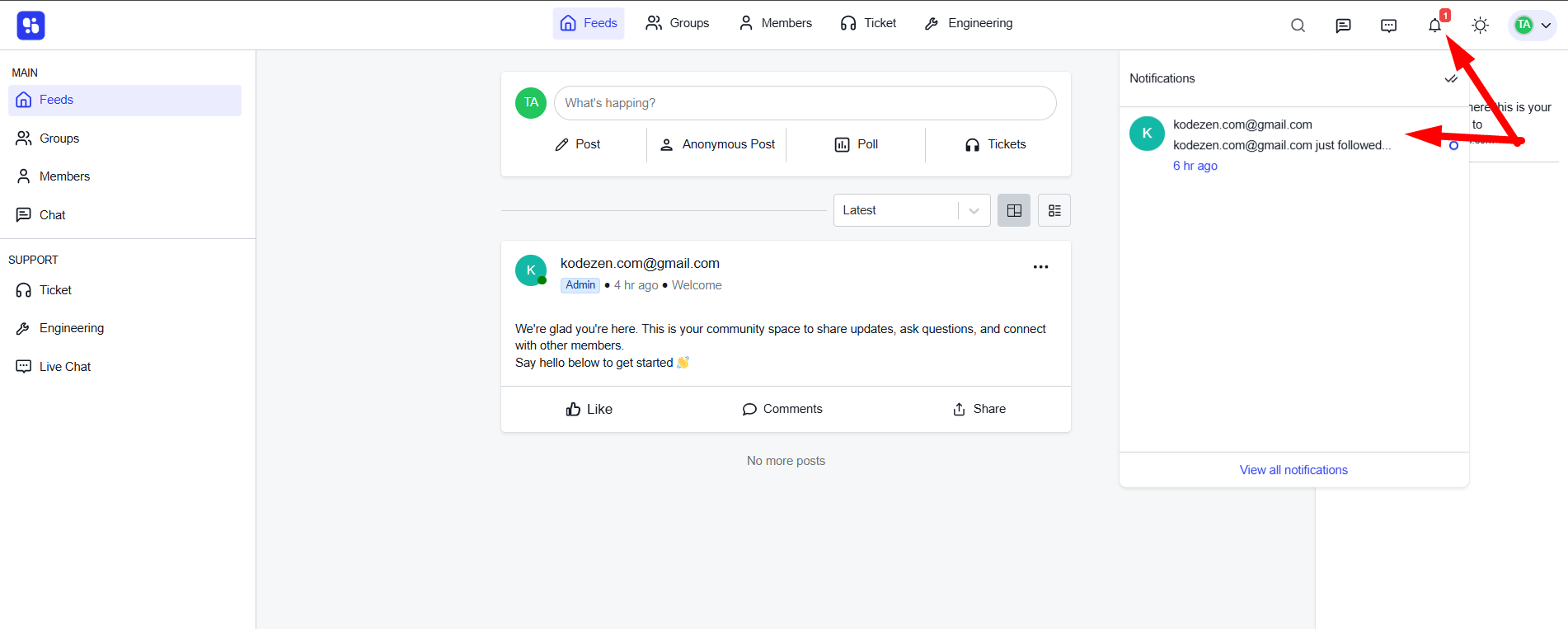
When a user follows another member:
- They will receive notifications for that member’s:
- Posts
- Comments
- Community activities
Blocking System
When a user blocks another member:
- The blocked user’s activities, posts, and interactions will not be visible.
- The block remains active until the user is manually unblocked.
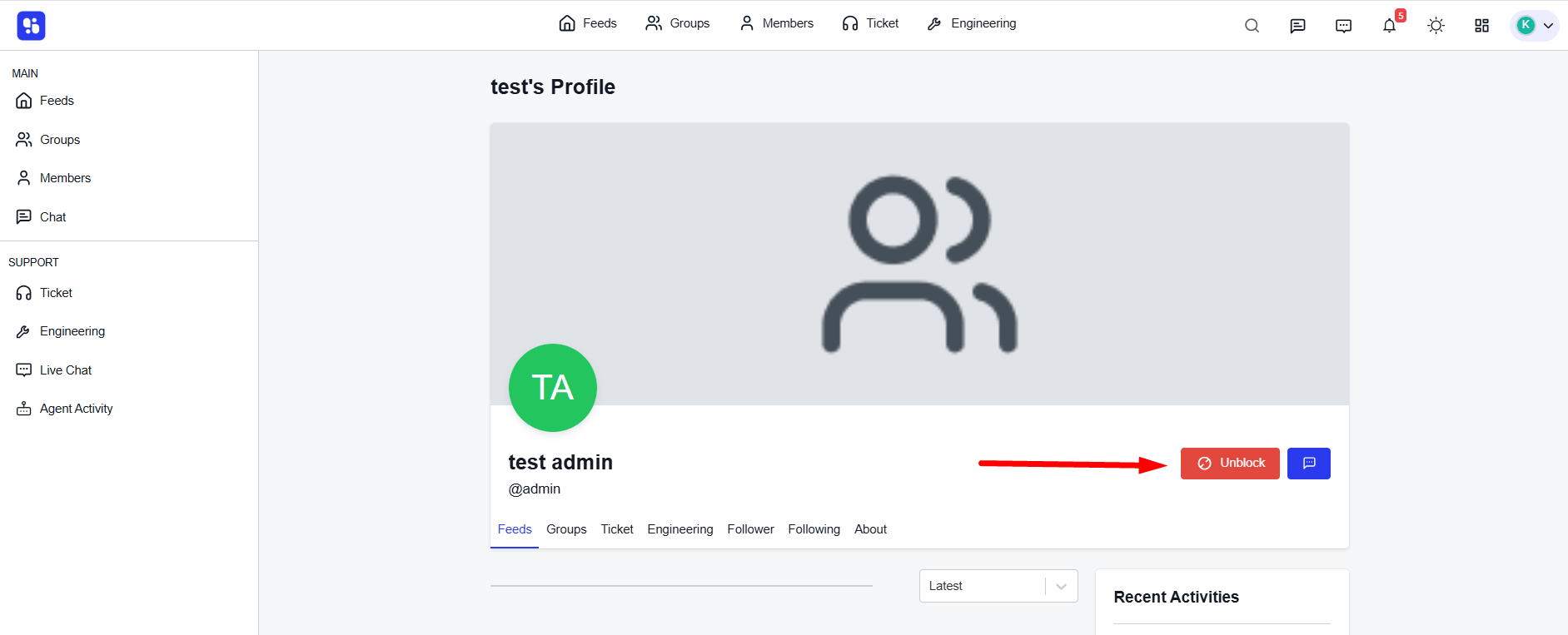
Unblocking Users
- Visit the blocked user’s profile.
- Click Unblock.
- Their activities will become visible again.
Conclusion
The ZenCommunity Follower & Blocker Addon is designed to enhance both user interaction and personal control within your community. By enabling follow functionality, it encourages members to stay connected and receive real-time updates from the people they care about. At the same time, the blocking feature ensures that users can protect their experience by hiding unwanted activities. Together, these tools create a safer, more engaging, and user-friendly community environment.