


ZenCommunity allows logged-out (guest) users to switch between Light Mode and Dark Mode directly from the frontend interface. This feature improves accessibility and user experience by letting visitors choose their preferred viewing theme before logging in or creating an account.
Feature Highlights
- 🌞 Light Mode and 🌙 Dark Mode support
- Available for logged-out (guest) users
- Instant theme switching
- No login required
- Improves accessibility and usability
Theme Switcher Location
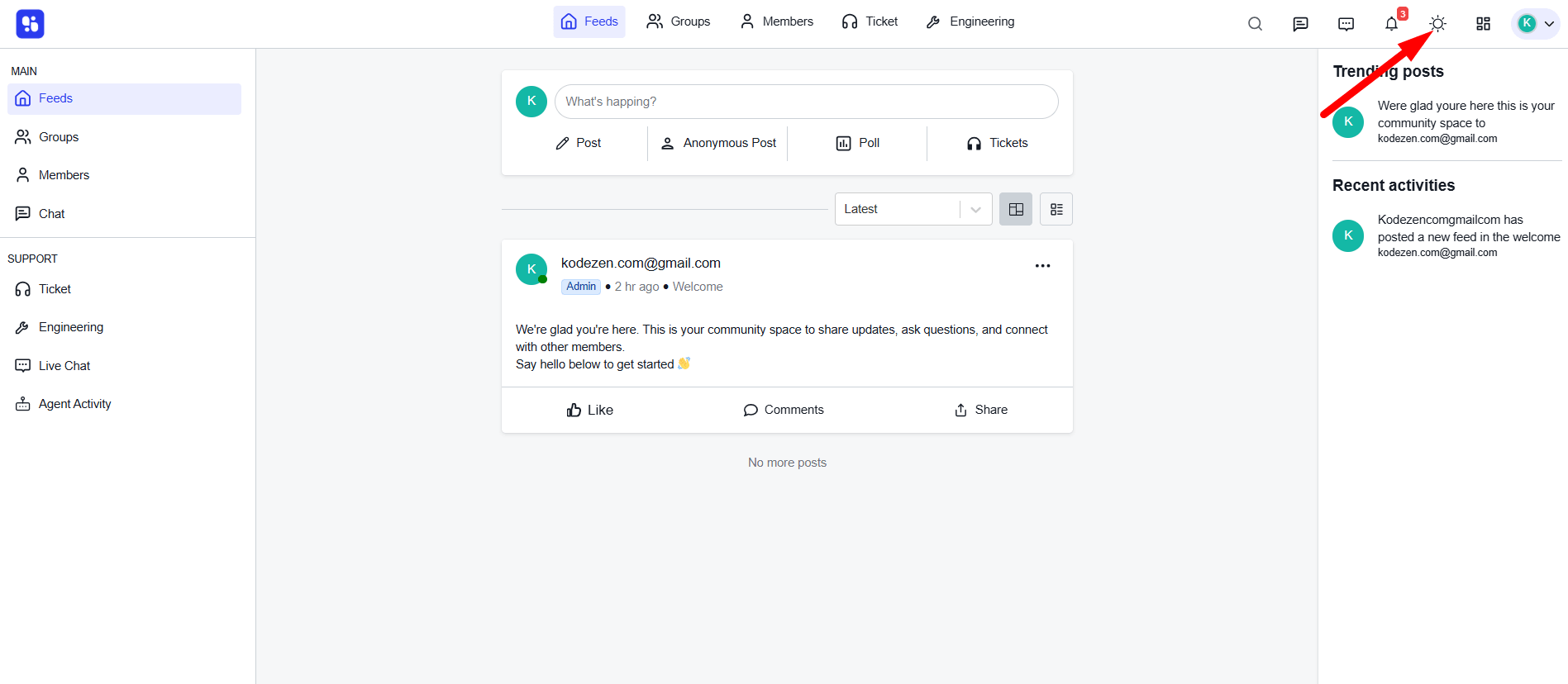
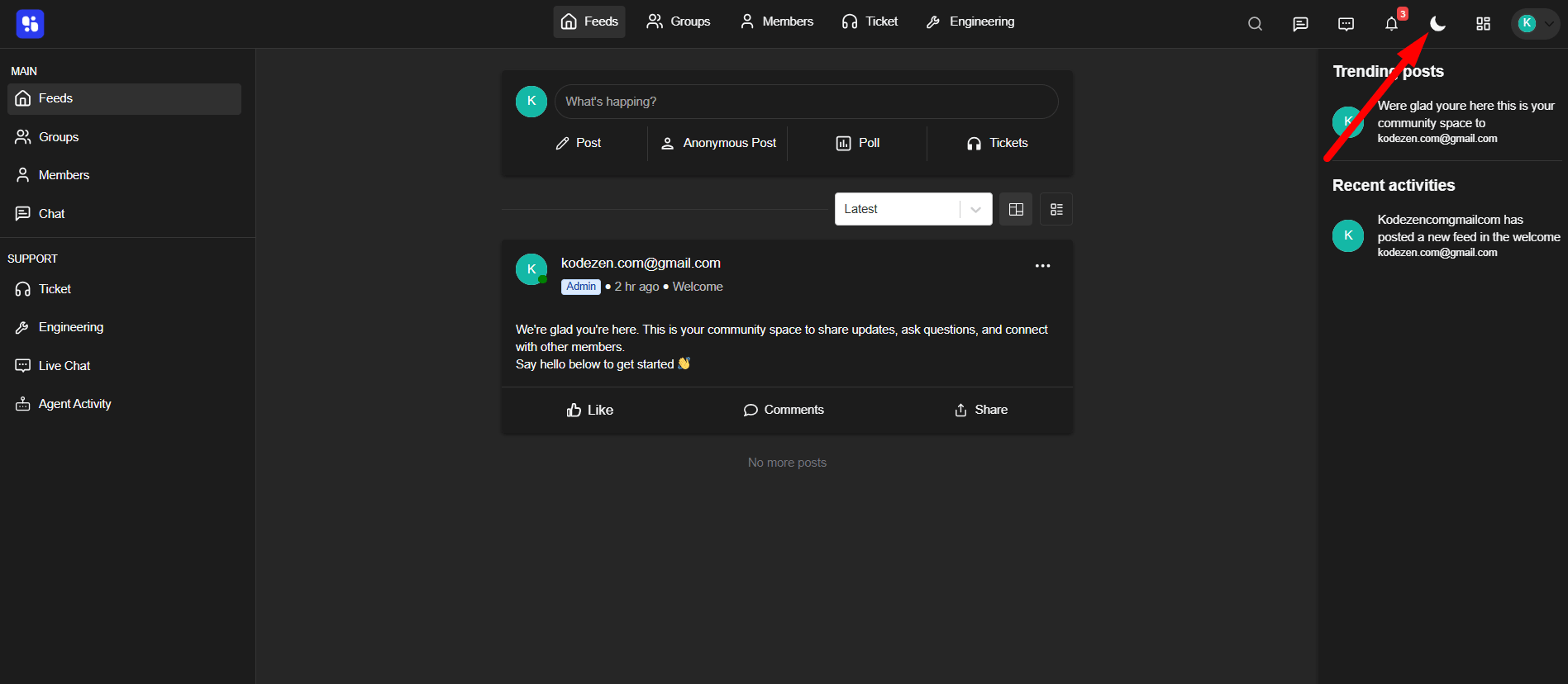
The theme switcher icon is located in the top-right corner of the community interface.
- A Sun icon indicates Light Mode is active.
- A Moon icon indicates Dark Mode is active.
- Clicking the icon toggles between themes instantly.
How Guest Users Switch Themes
- Visit the community page without logging in.
- Locate the theme switcher icon in the top-right corner.
- Click the icon.
- The interface will instantly change between Light and Dark modes.
No page reload is required.
Conclusion
Theme Switching for logged-out users in ZenCommunity ensures a more flexible and user-friendly browsing experience. By allowing guests to toggle between Light and Dark modes, your community becomes more accessible, modern, and visually comfortable for all visitors.