


As your community grows, finding the right content quickly becomes essential. The built-in search feature helps members locate posts, discussions, and people in seconds.
This guide explains how search works for logged-in users and what content it covers.
Overview
Logged-in members can use the search icon in the community header to find content instantly.
Search allows you to:
- Find posts and discussions
- Discover content across groups
- Locate specific members
Results update in real time as you type, making it fast and easy to navigate your community.
⚠️ This guide is for logged-in users. For public/visitor search, see: Visitor Search in Header.
Using the Header Search
The main search feature is available directly from the community header.
Steps:
- Click the search icon in the header
- Start typing your keyword
- Results will appear instantly (no need to press Enter)
- Click any result to open it
What you’ll see in results:
- Post title
- Author name (with Admin or Moderator tag if applicable)
- Group name
- Post date
- Like and comment counts
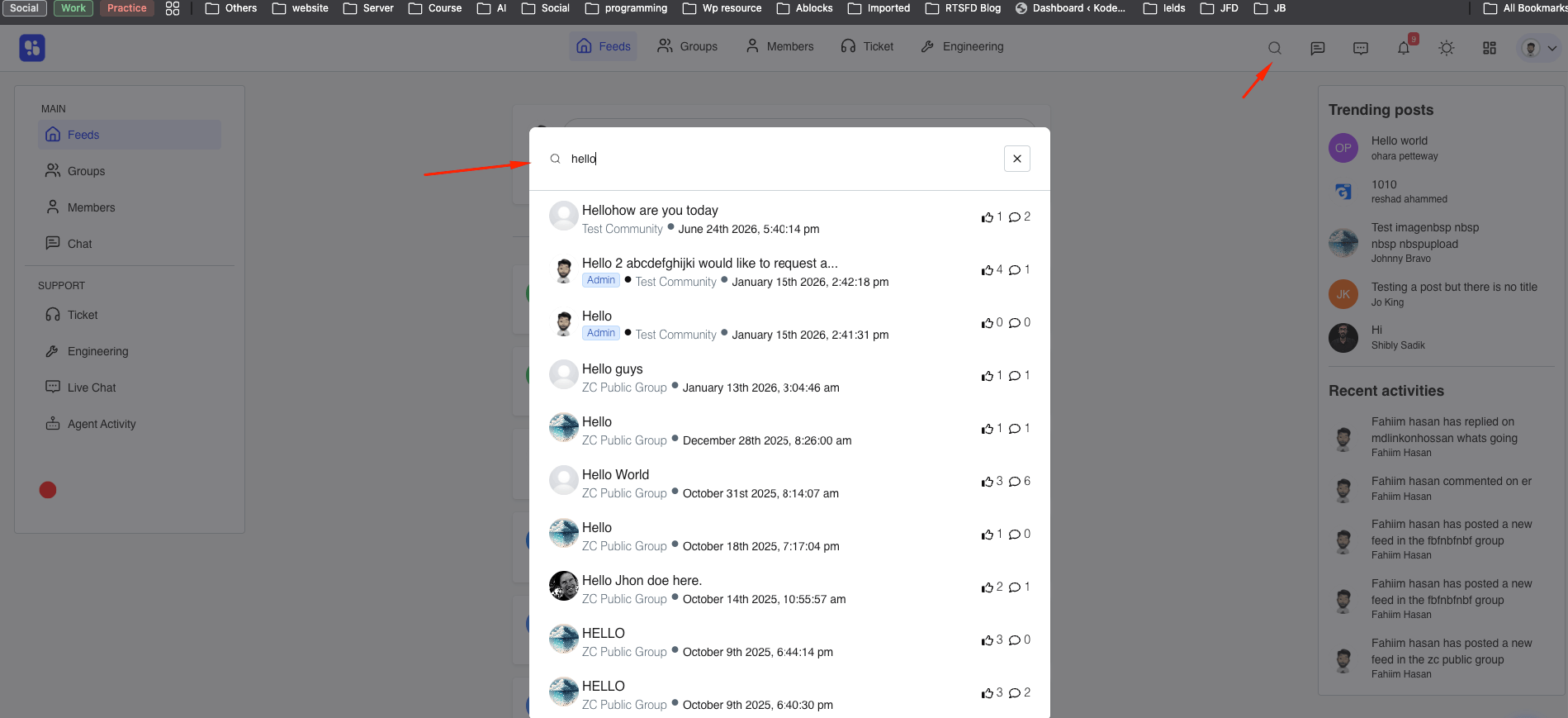
Before typing, you’ll see a prompt:
“Search in community” — encouraging you to search posts, comments, groups, and more.
💡 Tip: Use specific keywords from the post or discussion for more accurate results.
Searching for Members
If you’re looking for a person instead of content, use the member search feature.
Steps:
- Go to the All Members page
- Use the Search… field at the top
- Type a name — the list filters instantly
- Click View Profile to open a member’s profile
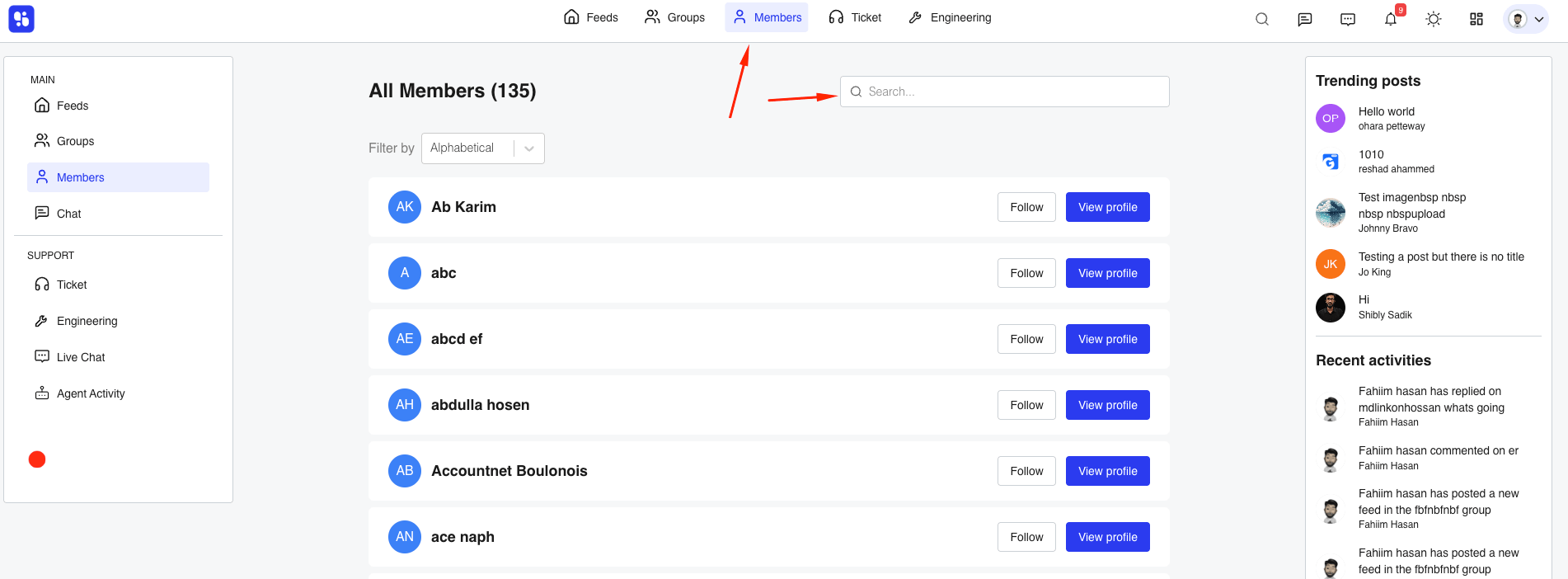
This is the fastest way to find and connect with other community members.
How Search Works
- Search scans community content like posts and discussions
- Results update dynamically as you type
- If no results match, the list will remain empty
- You can refine your keyword to improve results
Best Practices
- Use clear and unique keywords
- Avoid overly generic terms
- Try multiple variations if you don’t find results
- Use member search when looking for people specifically
Related Documentation
- Member Directory and User Profiles
- Creating and Managing Posts
- How to Create a Group