


The LifterLMS integration with ZenCommunity transforms your WordPress-based learning platform into a vibrant social learning hub. This powerful connection enables you to share course activities and learner achievements directly within your community groups, fostering engagement and collaboration among students.
When you integrate LifterLMS with ZenCommunity, learners can view important updates—including new enrollments, course completions, lesson progress, and quiz results—right in their community feeds. This creates a dynamic learning atmosphere where students can celebrate milestones together, encourage one another, and stay connected throughout their educational journey.
Prerequisites
Before setting up the integration, ensure the following:
- LifterLMS is installed and activated on your WordPress website.
- ZenCommunity is installed and activated on your WordPress website.
Both plugins need to be running for the integration to work correctly.
Enable the LifterLMS Add-on in ZenCommunity
To connect LifterLMS with ZenCommunity, you’ll need to activate the integration add-on:
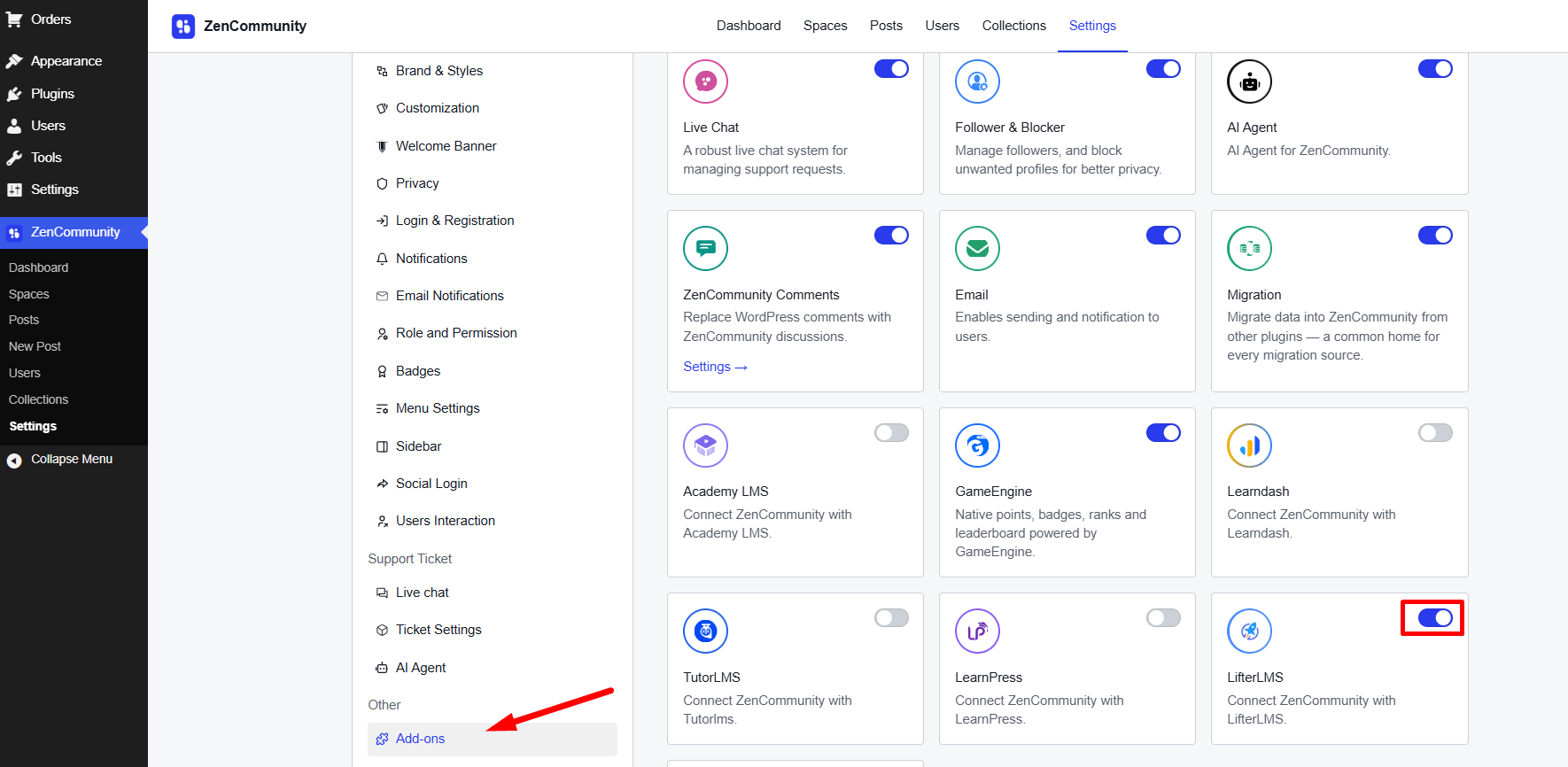
- Navigate to your WordPress dashboard and open ZenCommunity settings.
- Select Settings from the ZenCommunity feeds area.
- Find and click on the Addons menu within the ZenCommunity navigation panel.
- Look for the LifterLMS Add-on in the available addons list.
- Switch the toggle to activate it.
After activation, you’ll notice a new tab labeled LifterLMS Integration in your ZenCommunity settings panel. Click this tab to continue setting up the integration.
Select LifterLMS Activities to Display in Your Community
Once the add-on is active, you can customize which LifterLMS activities will be shared in your ZenCommunity feed.
The integration offers 6 different event types you can connect between LifterLMS and ZenCommunity:
- Course Enrolled
- Course Complete
- User Question
- Question Answer
- Lesson Completion
- Quiz End
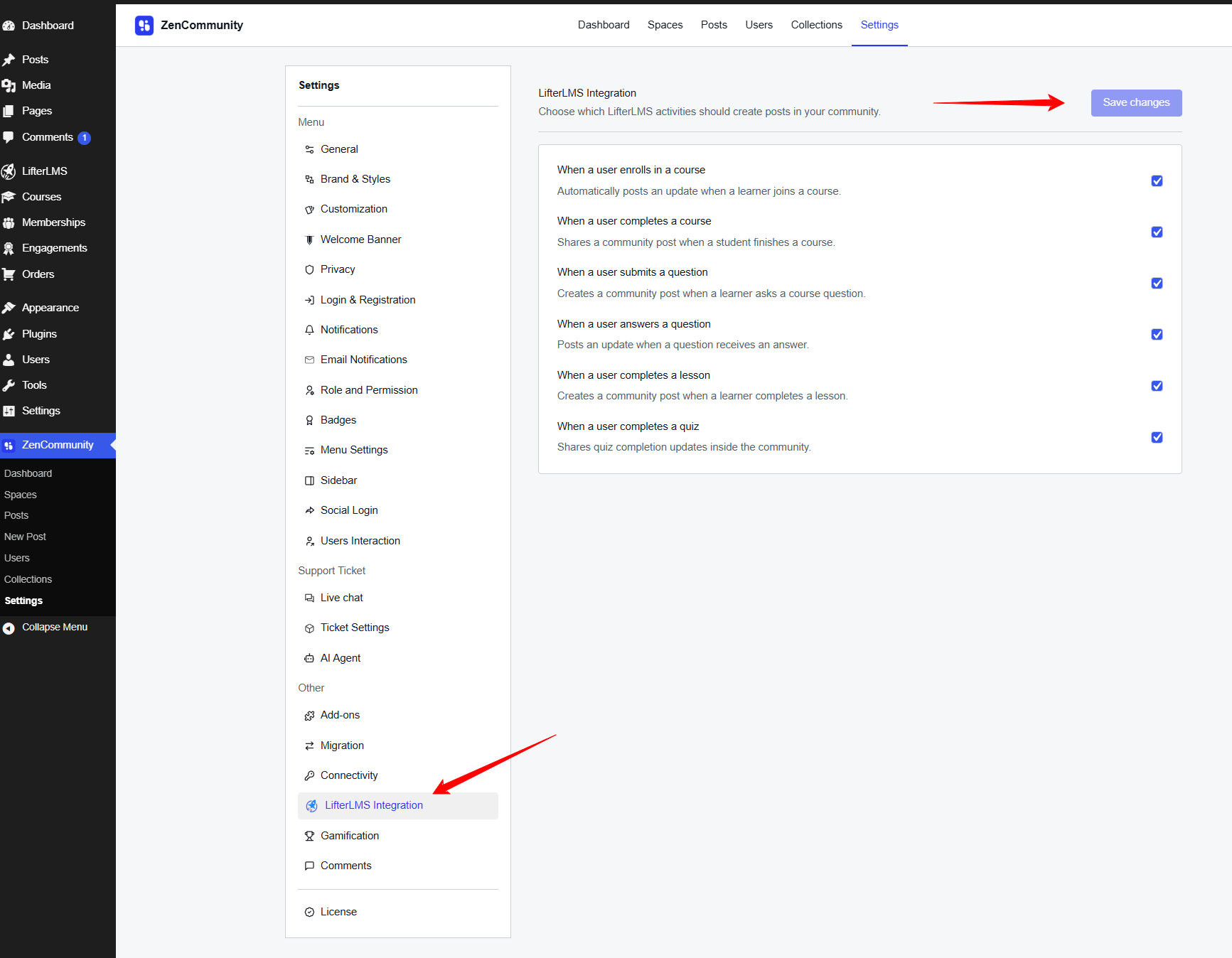
To activate the events you want:
- Mark the checkbox next to each event you’d like to enable.
- Once you’ve made your selections, click Save Changes to update your settings.
Set Up Course Activity Events Within ZenCommunity Groups
Now you’ll configure which course activities appear in specific community groups.
Access your chosen group within ZenCommunity.
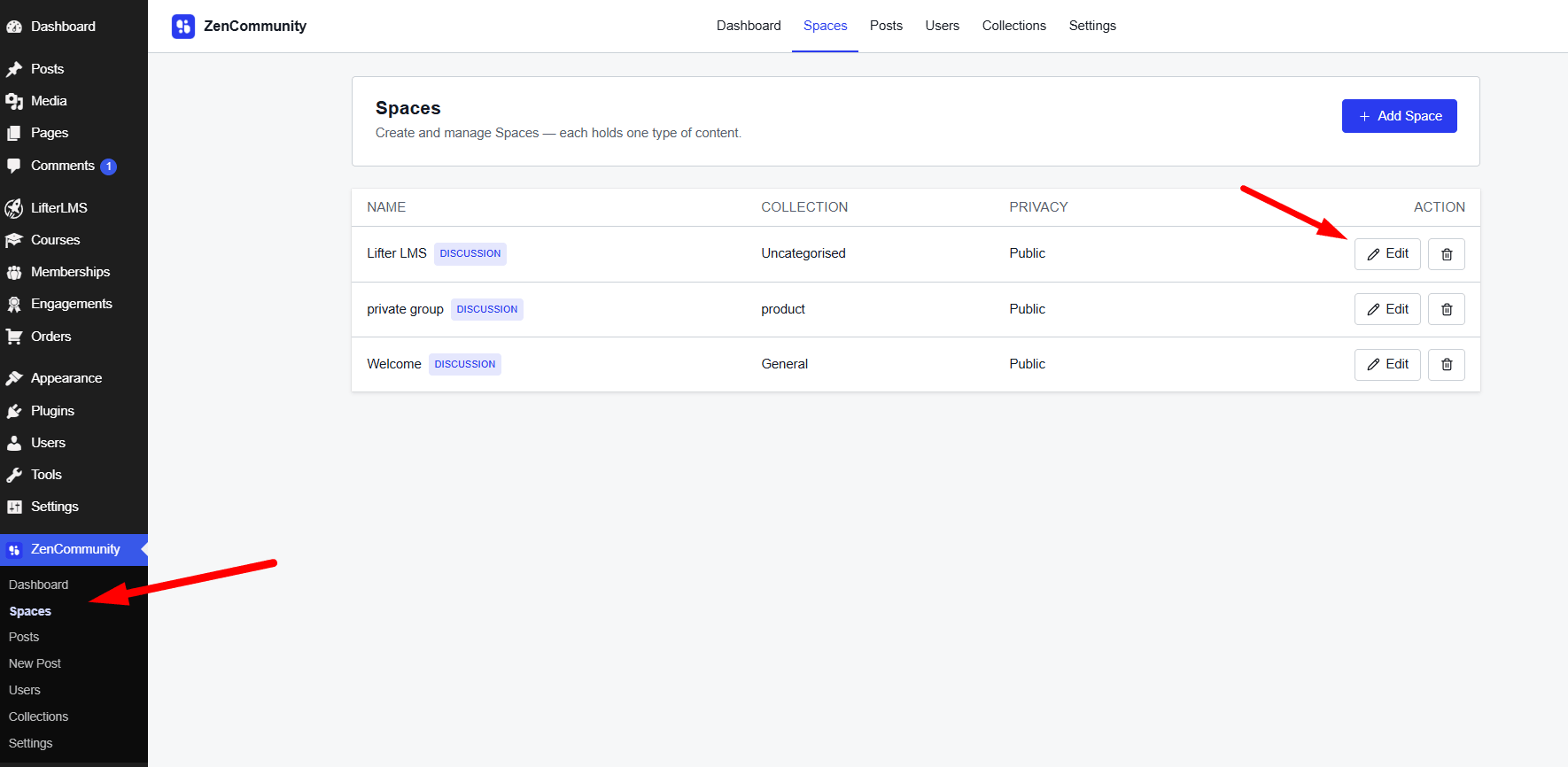
- Click the three-dot menu icon (⋯) located beside the group name.
- Choose Group Settings from the options that appear.
- Scroll to locate the Course Activities Event section.
- Select which events you want visible in this particular group.
- Pick the course(s) you want these activities associated with.
- Click Save Changes to finalize your group configuration.
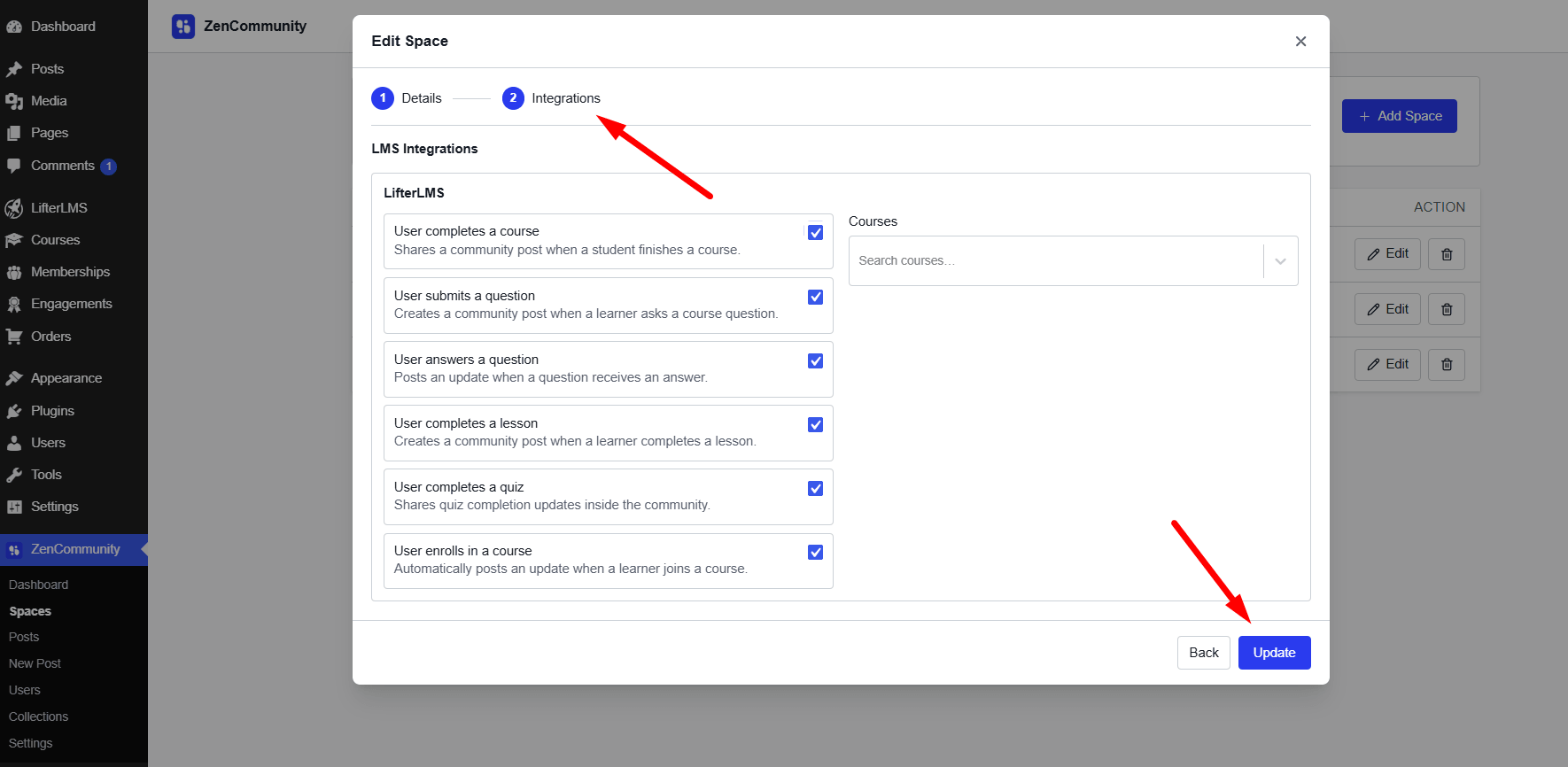
Once configured, selected course events—such as enrollments, quiz completions, or certificates earned—will automatically generate posts in the group’s activity stream.
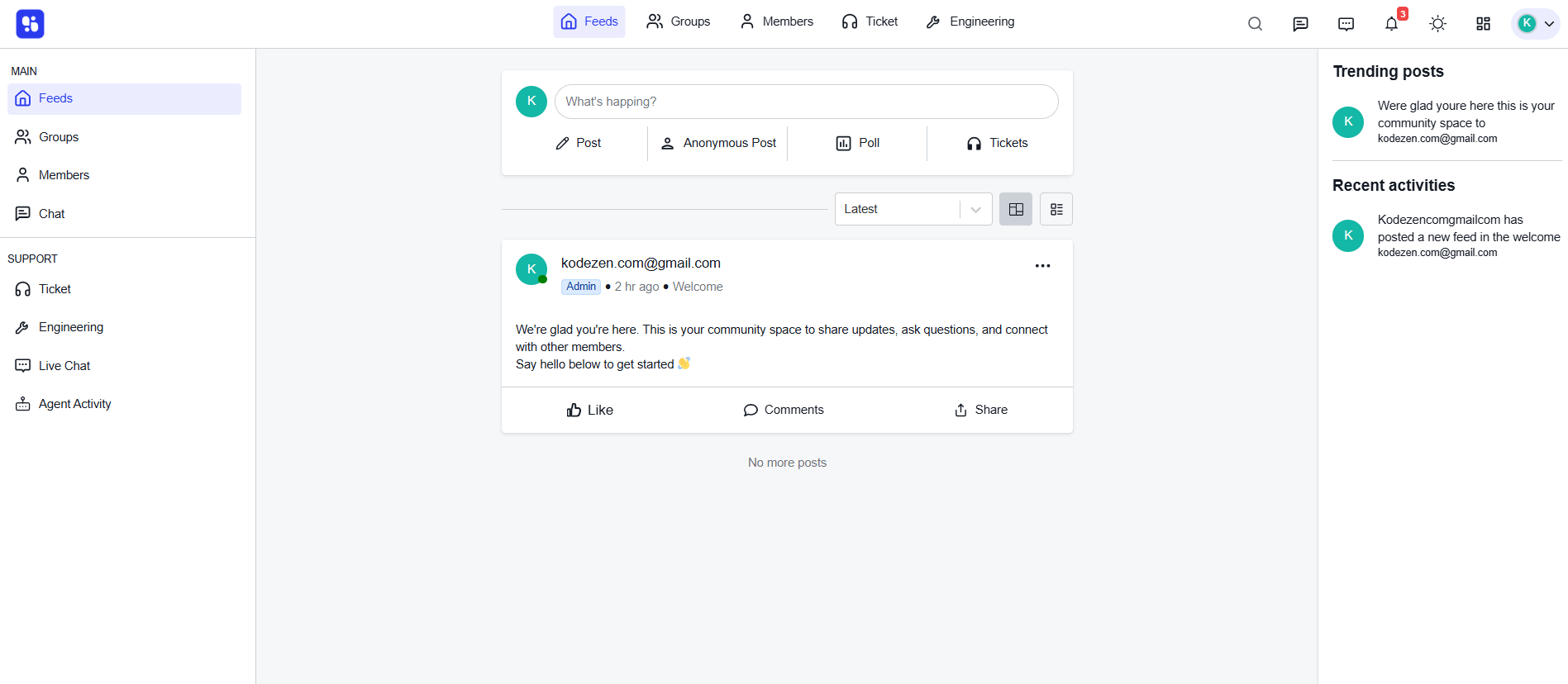
By connecting LifterLMS with ZenCommunity, you create more than just an online course platform—you build a supportive learning community. Students can share their progress, recognize each other’s accomplishments, participate in course discussions, and receive instant updates about learning activities—all within a unified social environment.
This integration makes online learning more collaborative, motivating, and human. Transform your eLearning experience with the seamless LifterLMS and ZenCommunity integration.