


The ZenCommunity–LearnDash integration connects your online courses with your community space, allowing learner activity to automatically appear inside groups and feeds. By linking LearnDash progress with ZenCommunity’s social features, you create a more engaging, interactive learning experience where students can collaborate, celebrate milestones, and stay motivated throughout their learning journey.
Prerequisites
Before starting, ensure that:
- LearnDash is installed and activated on your WordPress site.
- ZenCommunity is installed and activated on your WordPress site.
Both plugins must be active to enable integration and ensure feed events are captured correctly.
Activating the Integration Add-on
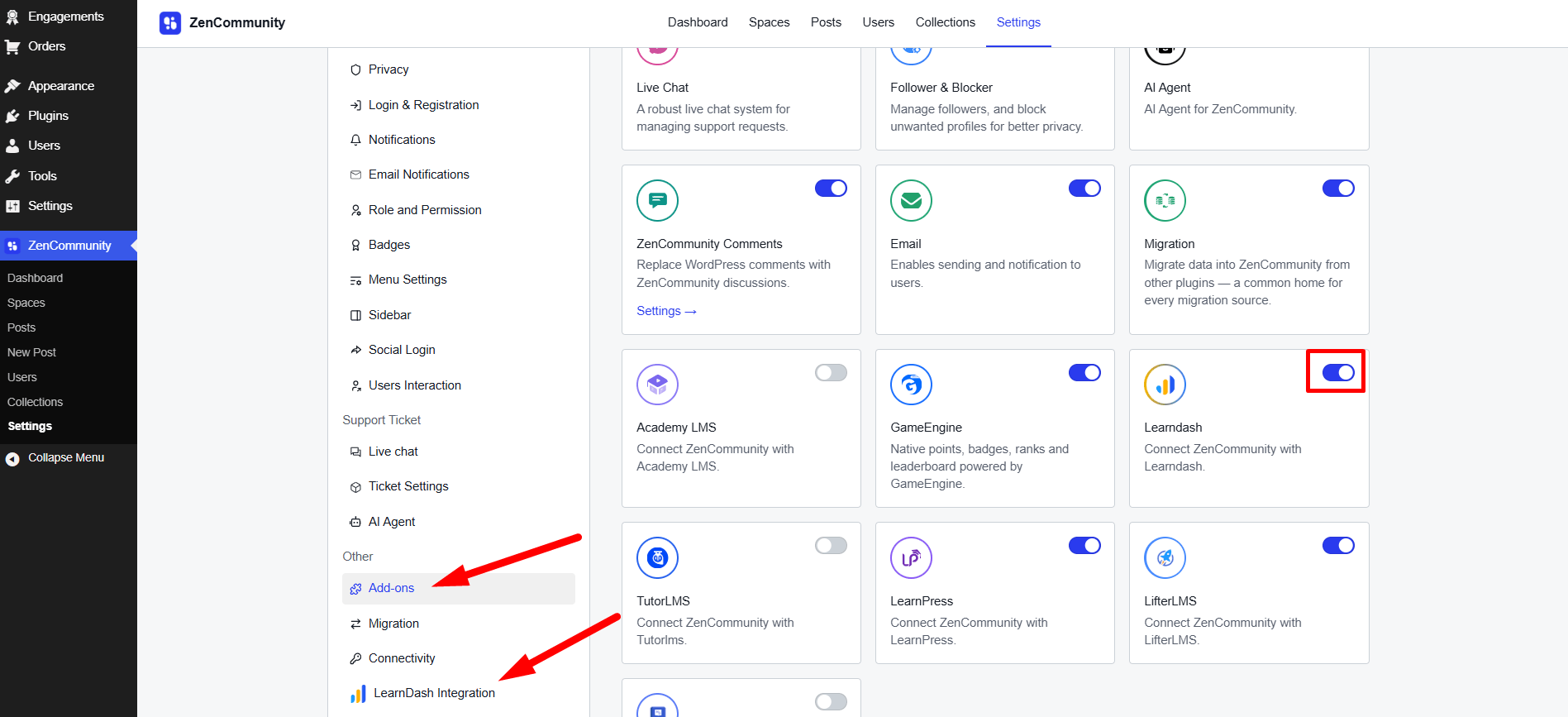
To enable the integration between ZenCommunity and LearnDash, follow these steps:
- From your Community feeds , navigate to ZenCommunity settings.
- In the ZenCommunity navigation panel, locate and click on the Addons menu.
- Find the LearnDash Add-on in the list of available addons.
- Toggle the switch to enable the integration.
Once activated, a new tab called LearnDash Integration will appear in your ZenCommunity settings. Click on this tab to proceed with the configuration.
Configure LearnDash Events for ZenCommunity Feed
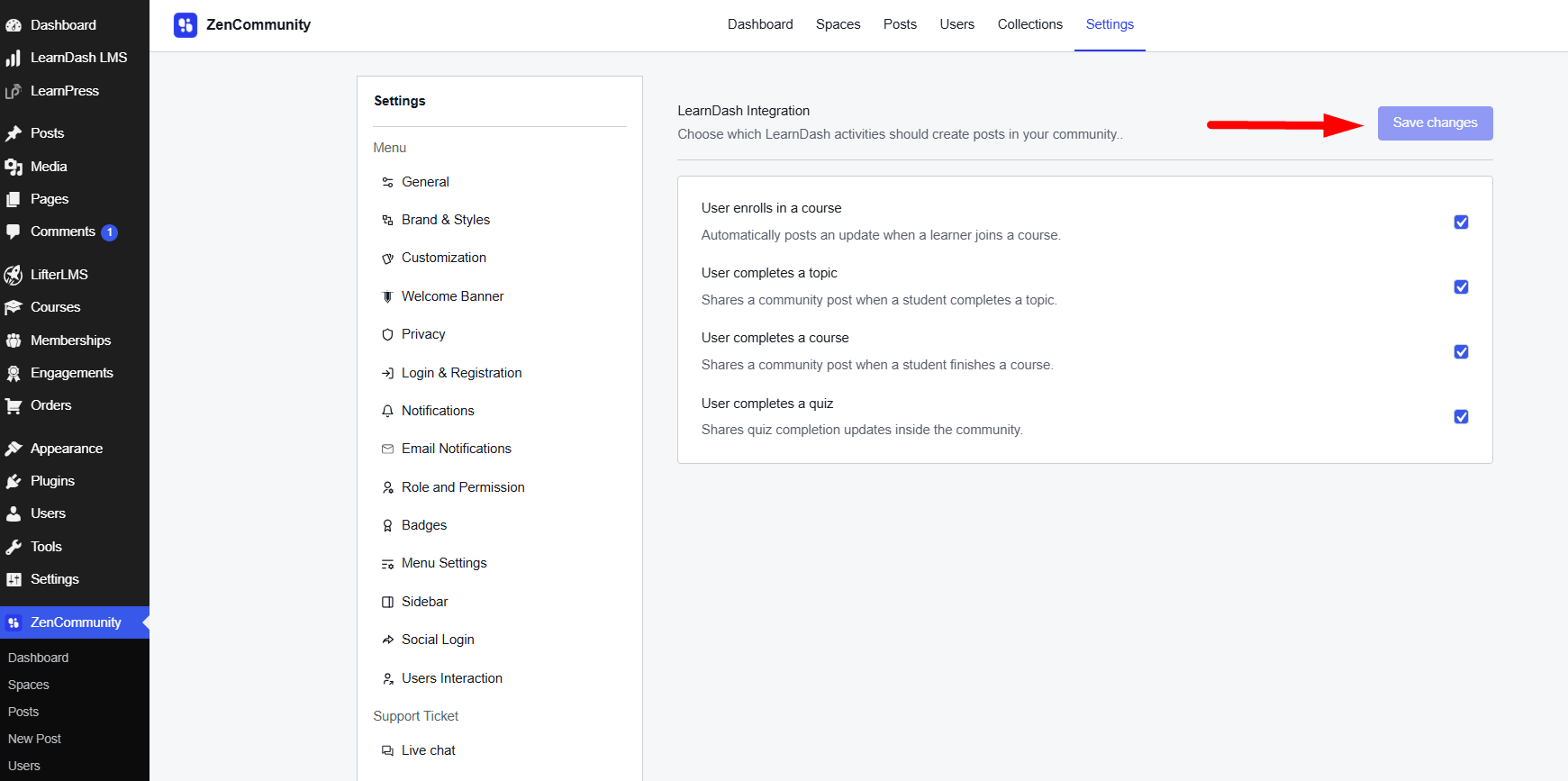
In the “LearnDash Integration” settings (added by the custom add-on), you would list LearnDash activities that can be shared to ZenCommunity. Suggested events include:
- Course Enrolled
- Course Completed
- Topic Completed
- Quiz End
Admin should be able to check/uncheck which events to send to community feed, then click Save Changes to apply.
Optionally, you could support global vs. course-specific triggers (e.g. only share events for certain courses), depending on how granular you want the feed.
This design echoes how the Academy LMS integration lets admins choose from 8 event types.
Configure Event Sharing in ZenCommunity Groups
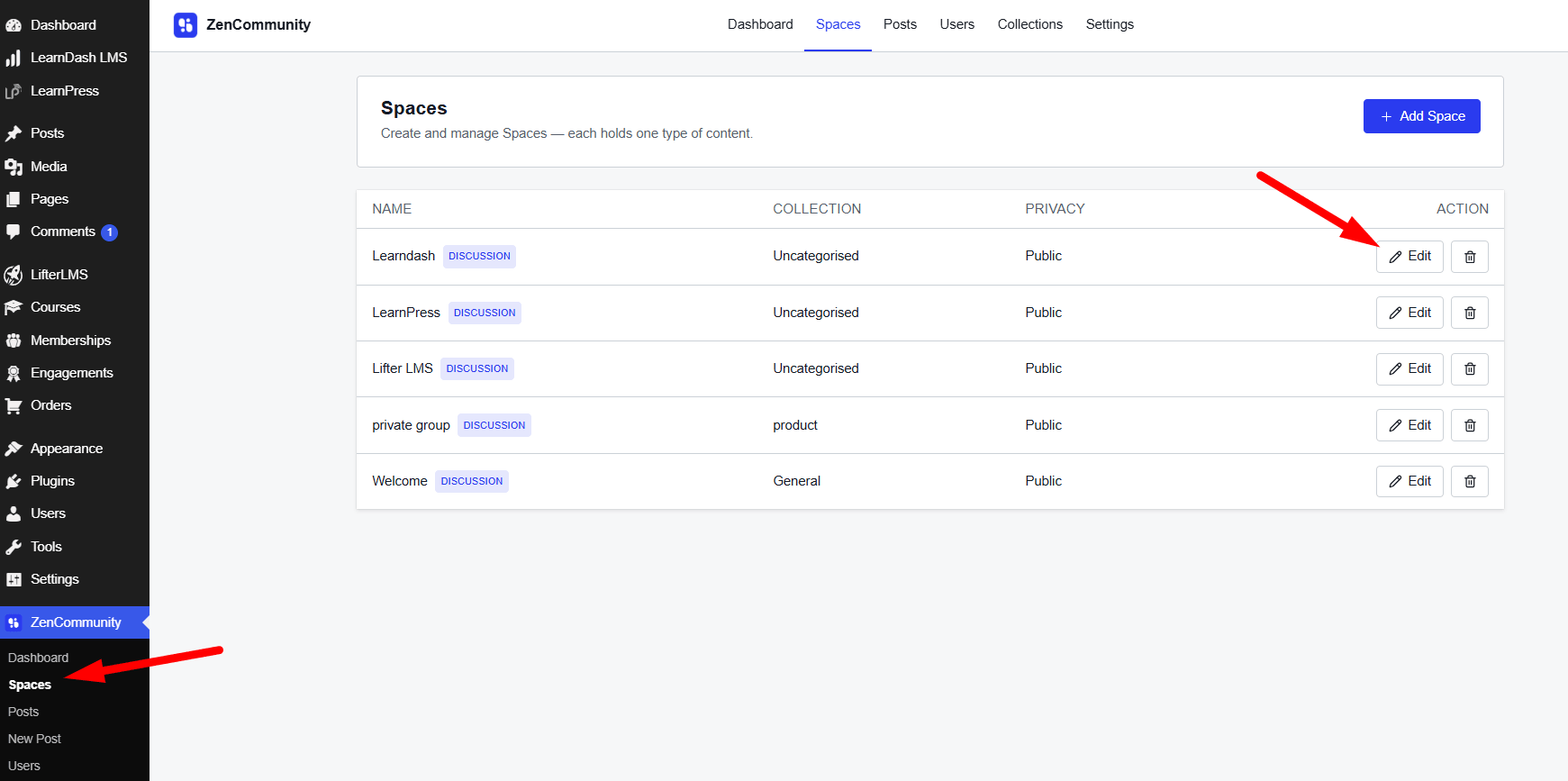
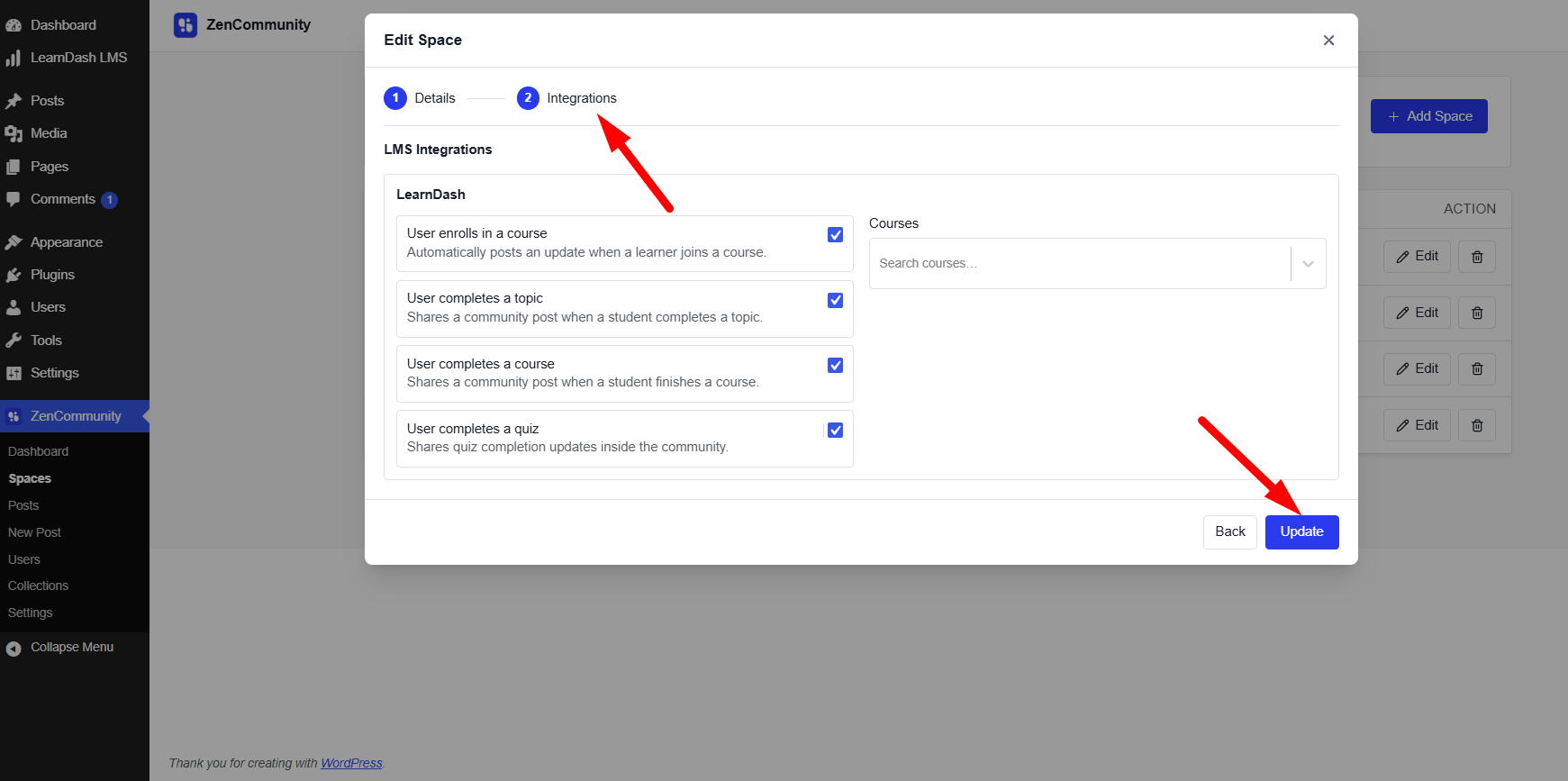
Once event-sharing is enabled globally, allow group-level configuration so that updates appear in the right context:
In ZenCommunity groups, add a “Course Activities / LearnDash Events” section under Group Settings (accessible via ⋯ menu or similar).
In that section, allow group admins to:
Pick which LearnDash events to show in this group’s feed.
Associate specific course(s) with the group (so only events from those courses are shared here).
Save their settings.
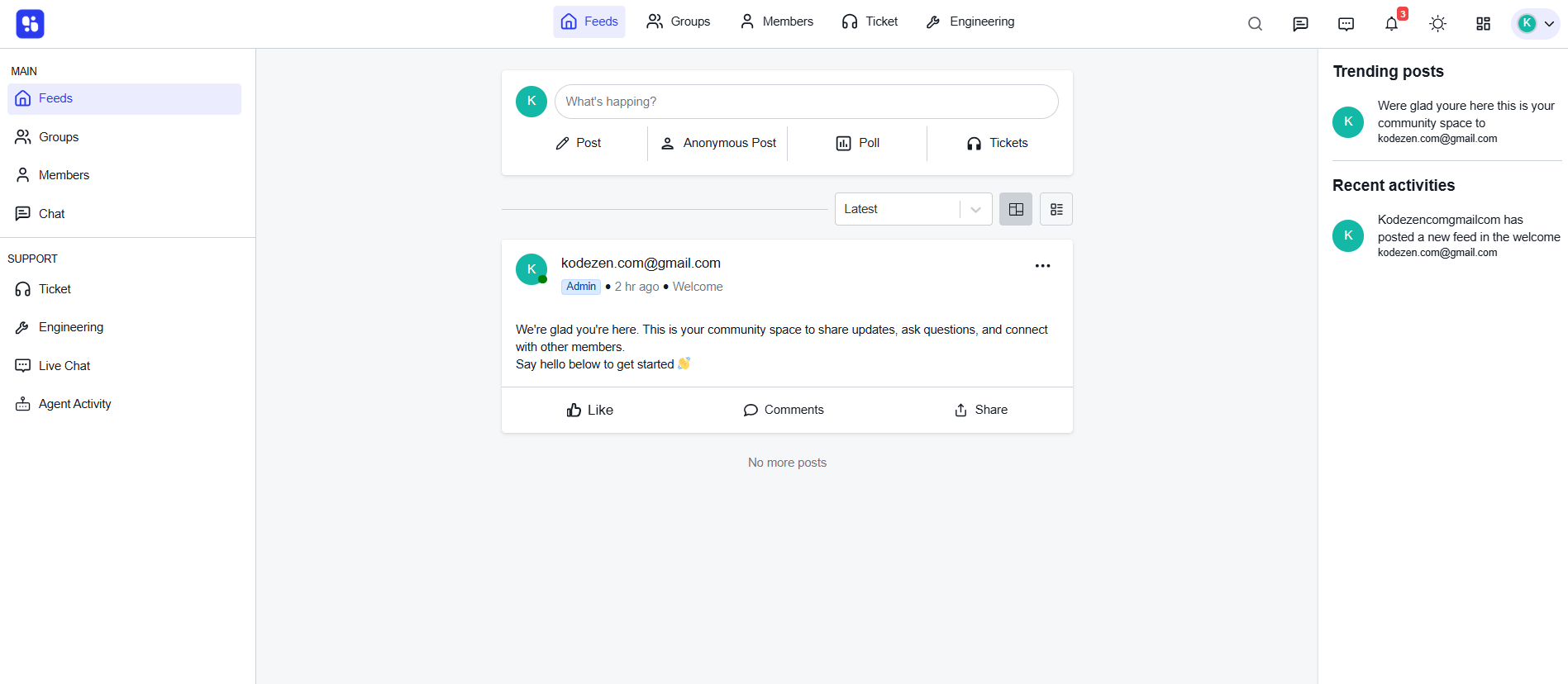
After configuration, whenever a selected LearnDash event occurs (new enrollment, lesson/quiz completion, etc.), an automatic post or feed update appears in the relevant group’s activity feed. This mimics the user-experience defined in the Academy LMS + ZenCommunity integration.
Conclusion
Integrating LearnDash with ZenCommunity brings your courses and community together in one connected experience. By linking learner activity to dynamic group feeds, you empower students to interact, stay motivated, and build meaningful connections throughout their learning journey. With the integration enabled and configured, your platform becomes more engaging, collaborative, and supportive for every learner.