


Great customer support is your secret weapon for online success. But as your WordPress site grows, managing support through regular email becomes a nightmare.
Emails get lost. Team members accidentally reply to the same customer. There’s no way to track if an issue is resolved. Customers get frustrated repeating themselves. A simple contact form just doesn’t cut it anymore.
A WordPress Support Ticket System turns every customer question into a trackable ticket with its own ID, status, and complete conversation history. Nothing gets lost. Nothing gets forgotten.
While dedicated ticketing plugins are powerful, new “all-in-one” solutions like Zen Community are changing the game. These platforms don’t just manage tickets—they build communities where customers help each other, slashing your support volume while building loyalty. If you’re curious about community-first approaches, check out our guide on the best WordPress community plugins in 2026 for a broader comparison.
We’ve tested and compared 1 all-in-one platform and the top 5 dedicated support ticket plugins for 2026. By the end, you’ll know exactly which solution fits your business.
What is a WordPress Support Ticket Plugin? And Why You Need One
Moving Beyond the Contact Form
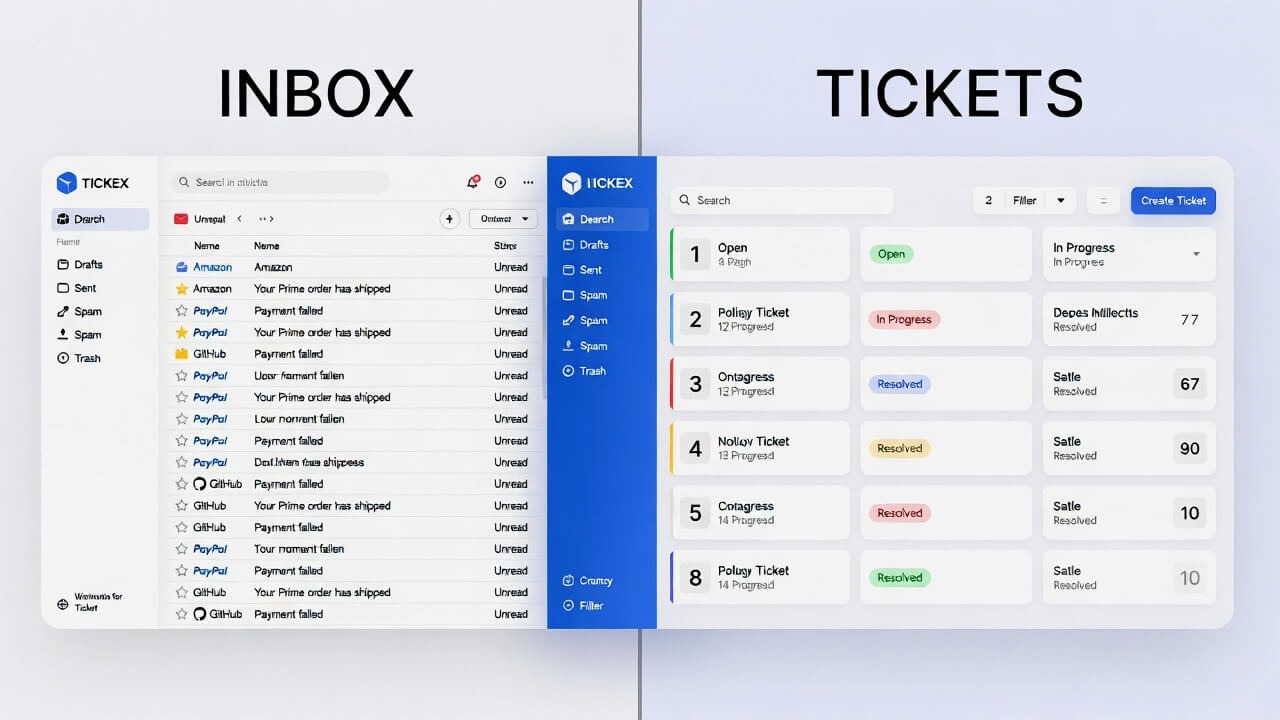
A contact form is like a sticky note. It’s easy to lose and easy to ignore. A ticket system is like a professional case management system. Every inquiry becomes a structured conversation with a unique ID, status (Open, In Progress, Resolved), and complete history.
Key Benefits of a Ticketing System
- Organization:
Every customer inquiry lands in a single dashboard. Say goodbye to hunting through endless email threads. - Accountability:
Assign tickets to specific agents and track response times. Know exactly who’s handling what. - Efficiency:
Use ready-to-use templates and responses for common questions and internal notes for team collaboration. - Customer Satisfaction:
When customers get a ticket number and can track their issue, they feel valued and confident.
Key Features to Look For
- Ticket Management:
Easy creation, assignment, and status updates. - Email Integration:
Reply to tickets directly from your email. - Automation:
Auto-assign tickets, auto-reply, and auto-categorize incoming requests. - Customer History:
See past tickets and purchases for faster, personalized help. - Integration:
Connect with WooCommerce, CRMs, Slack, and other tools.
The 6 Best Support Solutions for WordPress (2026 Edition)
We’ve tested dozens to bring you this carefully selected list. First up: an all-in-one platform that’s redefining support, followed by five dedicated ticketing plugins. For a deeper look at how community platforms compare, read our ZenCommunity vs BuddyPress comparison to see which fits your needs.
[SPECIAL FEATURE] Zen Community – The All-in-One Game Changer (Community + Support)
Beyond Ticketing
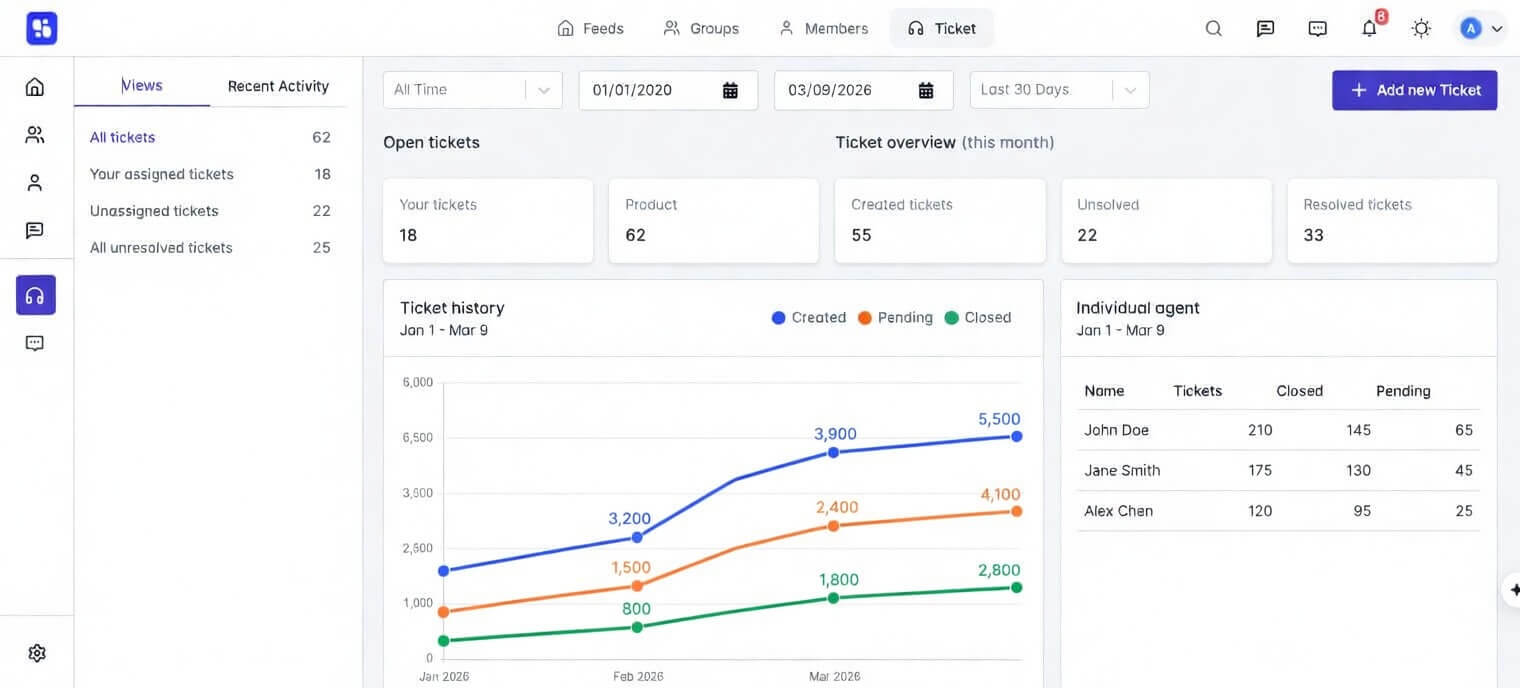
ZenCommunity isn’t just another ticket plugin—it’s a complete platform. It brings together a complete helpdesk and community features—think forums, member directories, and activity streams—all in one place. If you’re running an online school, you might also want to explore how to turn MasterStudy LMS into a community platform with ZenCommunity.
The genius?
Customers find answers from each other before they ever submit a ticket. This approach helps stop support issues before they even start.
Why It’s Special
- Proactive Support:
A customer posts in your forum. Another user provides the solution. The ticket never gets created. Your team never gets interrupted. Support volume drops dramatically. - Unified Customer View:
See a user’s forum activity, past posts, and ticket history in one profile. When a helpful community member finally submits a ticket, your agent knows instantly. - Builds Brand Loyalty:
A community turns customers into advocates. They return regularly. They defend your brand. They become part of your tribe.
Key Features
- Integrated Ticketing System: A modern ticket system that lives alongside your community.
- Community Forums: Built-in forums optimized for peer-to-peer support.
- Private Messaging: Direct conversations between users or with support staff.
- Member Directories: Help members connect and build relationships.
Pros & Cons
Pros:
- Drastically reduces support tickets
- Builds a loyal user community
- Exceptional customer context
- Turns support into community-building
Cons:
- It may be overkill for simple needs
- Requires community management
- Not for businesses avoiding the community
Best For
SaaS companies, online course creators, membership sites, and businesses want loyal followers while reducing long-term support costs. For course creators, we have a detailed guide on how to turn Academy LMS into a Full Community Platform with ZenCommunity.
Now let’s look at the top 5 dedicated support ticket plugins—built purely for helpdesk functionality.
1. SupportCandy – Best Free Version, Highly Customizable

Overview
SupportCandy tops every “best of” list for good reason. Its powerful free version and add-on ecosystem let you build exactly what you need.
Key Features
- Highly Customizable: Create unlimited ticket categories, statuses, and priorities. Design workflows that match your business.
- Powerful Free Version: Includes ticket assignment, internal notes, and email notifications. Run a real support operation for free.
- Add-on Ecosystem: Premium add-ons unlock WooCommerce, advanced automation, and a knowledge base. Buy only what you need.
- Agent Management: Create multiple agents with custom permissions.
Pros & Cons
Pros:
- Genuinely useful free version
- Extremely flexible
- Pay-as-you-grow model
- Intuitive interface
Cons:
- Advanced features cost extra
- Performance can slow down with many add-ons
Best For
Small to medium businesses wanting a powerful free start with room to grow.
2. Awesome Support – Most Feature-Packed, Open-Source
Overview
A long-standing plugin in the WordPress space, Awesome Support is the only “full-featured” helpdesk plugin that’s fully open-source. Its features compete with expensive SaaS helpdesks.
Key Features
- Open Source & Self-Hosted: Complete control over your data. Customize every line of code. No vendor lock-in.
- WooCommerce Integration: Customers create tickets from their order history. Agents see purchase details instantly.
- Internal Helpdesk: Perfect for IT requests, HR inquiries, or any internal ticketing.
- Email Notifications & Assignment: Smart notifications, assignment rules, and canned responses.
Pros & Cons
Pros:
- Enterprise-grade features
- Total data ownership
- Outstanding WooCommerce
- Strong developer community
Cons:
- Interface less modern
- Steeper learning curve
- Some features need paid add-ons
Best For
Developers, agencies, and businesses want maximum flexibility and complete control over data.
3. Fluent Support – Best for Speed and Modern Design

Overview
From the team behind FluentCRM, Fluent Support focuses on what matters most: speed. Built with modern technology (Vue.js), it’s incredibly fast.
Key Features
- Blazing Fast: Navigate tickets instantly—no page reloads, no waiting.
- Beautiful Interface: Clean, easy-to-use dashboard that looks like a modern SaaS app.
- Advanced Email Pipeline: Manage all customer emails from one Gmail-style inbox.
- Deep Integration: Works perfectly with FluentCRM for powerful customer management.
Pros & Cons
Pros:
- Superior speed
- Modern, intuitive design
- Great for Fluent ecosystem users
- Regular updates
Cons:
- Newer, smaller feature set
- Advanced automation maturing
- Best features need the Fluent ecosystem
Best For
WordPress users want a modern, fast interface. Perfect if you already use FluentCRM.
4. Heroic Inbox – Best for Shared Email Accounts

Overview
Heroic Inbox does one thing extremely well: it transforms a shared email address like support@ into a team-friendly helpdesk with zero confusion.
Key Features
- Shared Inbox: Your whole team manages one email address without stepping on toes.
- Collision Detection: See instantly when another agent is viewing or replying to a ticket. No duplicate responses.
- Internal Notes: Leave private notes for teammates on tickets.
- Lightweight: Fast, focused, doesn’t slow your site.
Pros & Cons
Pros:
- Perfect for team email management
- Excellent collision detection
- Simple setup
- Lightweight
Cons:
- Fewer advanced features
- Email-only focus
- No free version
Best For
Small to medium teams whose support runs primarily through email.
5. Hive Support – Best for AI-Powered Automation

Overview
Hive Support is a rising plugin that combines a modern design with AI to automate repetitive tasks.
Key Features
- AI-Powered Automation: Auto-respond to common questions, categorize tickets, and suggest knowledge base solutions.
- Modern Dashboard: Clean, organized, intuitive for everyone.
- Multi-Channel Support: Manage tickets from email, Facebook, and other channels in one place.
- Powerful Reporting: Deep insights into team performance, response times, and customer satisfaction.
Pros & Cons
Pros:
- AI features reduce manual work
- Beautiful interface
- Strong multi-channel support
- Excellent analytics
Cons:
- AI may be overkill for simple needs
- Newer, smaller ecosystem
- Higher premium pricing
Best For
Growing businesses want AI to simplify support and scale efficiently.
Comparison Table of Support Ticket Plugin
|
Solution |
Best For |
Free Version? |
Key Differentiator |
|
ZenCommunity |
Community-Driven Support |
Yes |
Ticketing, Forums, Member Profiles |
|
SupportCandy |
Customizable Free Plugin |
Yes (Excellent) |
Add-on ecosystem |
|
Awesome Support |
WooCommerce & Developers |
Yes (Good) |
Open-source, self-hosted |
|
Fluent Support |
Speed & Modern UI |
Yes (Good) |
Very fast |
|
Heroic Inbox |
Shared Email Teams |
No |
Prevents duplicate replies |
|
Hive Support |
AI-Powered Automation |
Yes (Good) |
Built-in AI |
How to Choose Your Perfect Support Solution
For Community-Focused Brands
Want to build loyal followers and let customers help each other? Zen Community is your strategic choice. It’s an investment in marketing, customer success, and brand advocacy. Learn more about how ZenCommunity helps you build and manage a thriving online community.
For Beginners & Small Blogs
Starting on a budget? SupportCandy‘s powerful free version runs a professional support operation for $0. Add premium features as you grow.
For E-commerce Stores (WooCommerce)
Running an online store? Awesome Support offers the deepest WooCommerce integration. Agents see purchase history instantly—context that transforms support.
For Agencies & Developers
Managing multiple client sites? Two paths:
- Awesome Support for open-source flexibility and data control
- Fluent Support for modern APIs and development experience
For Growing Teams
Team expanding? Heroic Inbox excels at collaboration around shared email. Hive Support uses AI to help small teams handle larger volumes.
Choose Your Path to Better Support
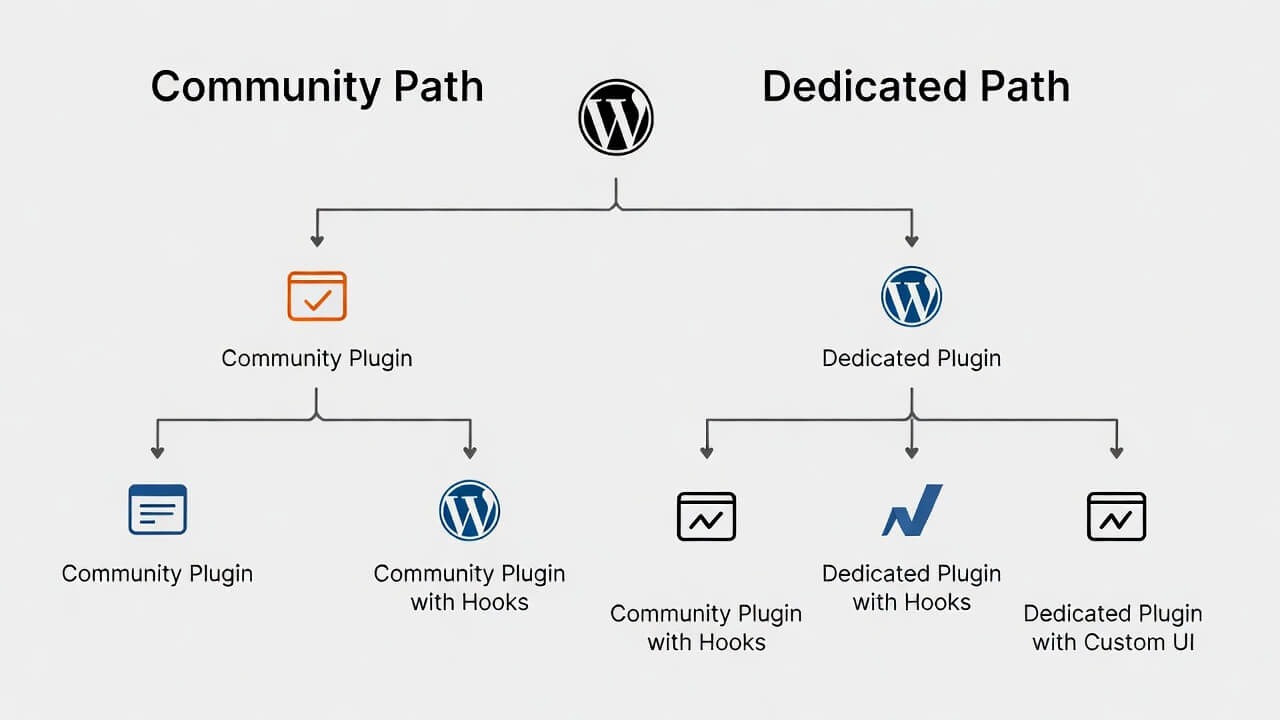
Moving from a contact form to a dedicated support system isn’t optional anymore—it’s essential for growth. The question is which path fits you.
The Community Path:
Want to build brand loyalty and proactively reduce tickets? Choose Zen Community. It’s the long play that pays dividends for years.
The Dedicated Path:
Need a focused helpdesk?
- Start with SupportCandy for unbeatable free features
- Scale with Awesome Support for WooCommerce power
- Modernize with Fluent Support for speed and beauty
- Collaborate with Heroic Inbox for shared email teams
- Automate with Hive Support for AI-powered efficiency
Your next step is simple: Pick the solution that fits your vision, install it, and transform your customer support today. Your customers—and your team—will thank you.
Frequently Asked Questions
Accordion Title 0
Dedicated plugins like SupportCandy focus only on tickets. All-in-one platforms like Zen Community add community features like forums, enabling peer-to-peer support.
Accordion Title 0
Users find answers in existing forum discussions. If not, other community members answer. Only unresolved issues become tickets—significantly reducing your team’s workload.
Accordion Title 0
Most plugins provide a shortcode or block to add a submission form to any page. Users fill it out, and the system creates a ticket with a unique ID.
Accordion Title 0
Absolutely. All plugins allow manual assignment. Most also offer automatic rules based on category, product, or agent workload.
Accordion Title 0
Yes. Plugins like Awesome Support can restrict tickets to logged-in employees—perfect for IT, HR, or facilities requests.
Accordion Title 0
Many do. Awesome Support leads with deep integration, letting customers create tickets from order history pages.
Accordion Title 0
All quality plugins send automated emails to customers (ticket received, status updated) and agents (new ticket assigned).
Accordion Title 0
Yes. Hive Support offers AI automation. SupportCandy and Awesome Support provide saved replies that agents can insert with one click.