


Launching a community in 2026 isn’t as simple as bolting profiles and forums onto a WordPress site and calling it a day. People arrive with expectations shaped by platforms like Facebook, Circle, and BetterMode. They’re used to instant reactions, live notifications, and interfaces that respond the moment they click. Anything slower can feel… dated.
So when you compare ZenCommunity and BuddyPress, you’re not really comparing two feature lists. You’re deciding what kind of environment you want to create.
Do you want a community layer added to WordPress?
Or are you trying to turn WordPress into something closer to a social app?
That distinction runs deeper than it first appears.
Quick Scan: ZenCommunity Vs BuddyPress Features Comparison
|
Feature |
ZenCommunity |
BuddyPress |
|
Activity Feed |
||
|
Public Groups |
||
|
Private Groups |
||
|
Member Profiles |
||
|
Profile Hover Cards |
||
|
Post Reactions |
||
|
Threaded Discussions |
||
|
Real-Time Chat |
||
|
Private Messaging |
||
|
Group Messaging |
||
|
Live Notifications |
||
|
Presence Indicators |
||
|
Member Status Tracking |
||
|
Support Conversations |
||
|
Ticket-style Threads |
||
|
LMS Activity Sync |
||
|
Course Communities |
||
|
Cohort Conversations |
||
|
Social Learning Tools |
||
|
Feed Scheduling |
||
|
Guest Preview Mode |
||
|
Visitor Search |
||
|
Theme-independent UI |
||
|
Moderation Dashboard |
||
|
Centralized Settings Panel |
||
|
Built-in Engagement Engine |
||
|
Plugin Dependency Level |
||
|
Performance Optimization |
||
|
Large Community Scalability |
||
|
Modern UX System |
||
|
Interaction Analytics Ready |
||
|
Engagement Notifications |
||
|
Group-based Workflows |
||
|
Built-in Conversation Types |
||
|
Unified Ecosystem |


Architecture Isn’t Just Technical — It Shapes Behavior
On paper, the overlap is obvious. Both platforms provide:
- Member profiles
- Activity feeds
- Groups
- Messaging
- Notifications
Yet the way these features are delivered changes how they feel.
BuddyPress follows a familiar WordPress pattern: PHP templates, server-side rendering, page refreshes, and occasional AJAX updates. It integrates smoothly with the WordPress ecosystem because it behaves like WordPress. For many sites, that’s exactly what you want.
ZenCommunity takes a different route. Its interface relies on React, with real-time communication powered by WebSockets. Instead of refreshing pages, it updates components dynamically. The result resembles a single-page application more than a traditional site.
That architectural decision affects performance, responsiveness, and even how long users stay engaged. Technology, in other words, subtly shapes community culture.
What BuddyPress Really Offers
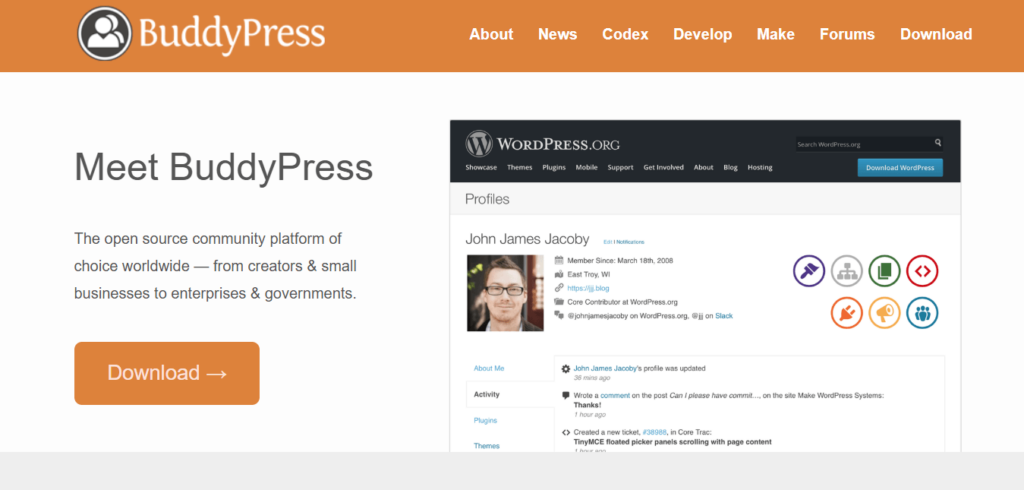
BuddyPress has history. It has been part of the WordPress landscape for over a decade and remains actively maintained. Its core toolkit includes:
- Extended member profiles
- Activity streams
- Groups
- Private messaging
- Notifications
- Hooks for customization
Because it’s deeply embedded in WordPress conventions, it works with most themes and plugins. Developers who know WordPress feel at home almost immediately.
The trade-off? Interaction patterns tend to mirror older web structures. Many actions trigger page reloads. Real-time behavior often requires add-ons or custom work. For membership directories, alumni networks, or low-intensity communities, that may not be a problem at all.
But for users accustomed to Slack-style immediacy, the experience can feel a step behind unless additional systems are layered in.
What ZenCommunity Is Trying to Do Differently
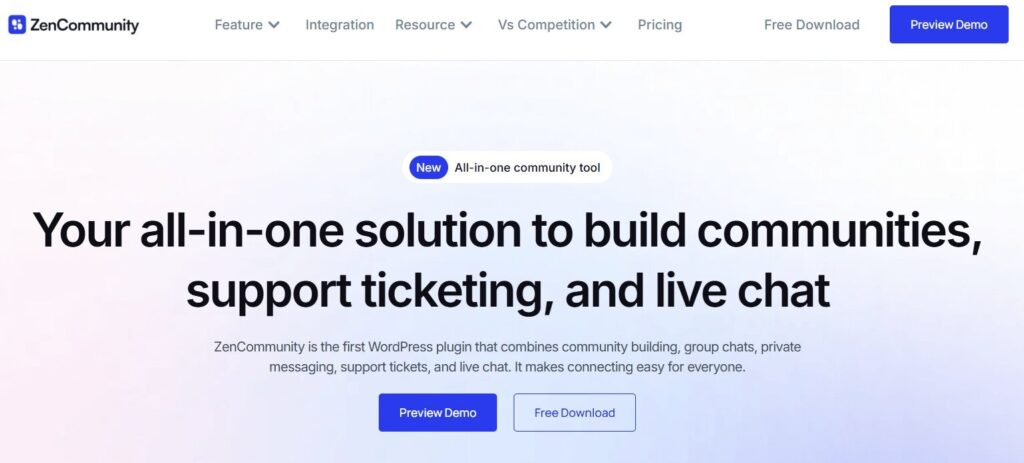
ZenCommunity positions itself less as a plugin and more as a transformation layer. Instead of sprinkling community features into WordPress, it reshapes the front end into something that behaves like a social platform.
Its capabilities typically include:
- Feed-based timelines
- Reactions and mentions
- Live messaging
- Real-time notifications
- Groups and sub-communities
- Integrated support tickets
- Live chat widgets
- LMS integrations
If you’ve worked inside platforms like Circle or BetterMode, the interface may feel familiar. The emphasis is on fluid movement — minimal reloads, immediate feedback, conversational rhythm.
The most notable difference is the use of WebSockets. That persistent browser–server connection allows messages and notifications to appear instantly rather than relying on repeated polling. From a user perspective, it feels natural. From a hosting perspective, it may demand more careful infrastructure planning.
User Experience: Website vs Application
With BuddyPress, you’re still navigating pages. Click. Load. Scroll. Repeat. It behaves like a website that happens to include community tools.
ZenCommunity reduces that friction. Messages appear as they’re sent. Notifications update without refresh. The interface behaves more like an app than a site.
For audiences such as startup founders, creators running paid memberships, SaaS companies supporting customers, or course-based communities, that difference may influence participation rates. Younger users, especially, tend to expect immediacy as a baseline.
Of course, not every community needs that level of interactivity. Sometimes slower spaces encourage more thoughtful discussion. Speed is not inherently superior — but it does change engagement patterns.
Messaging and Notifications: A Clear Divide
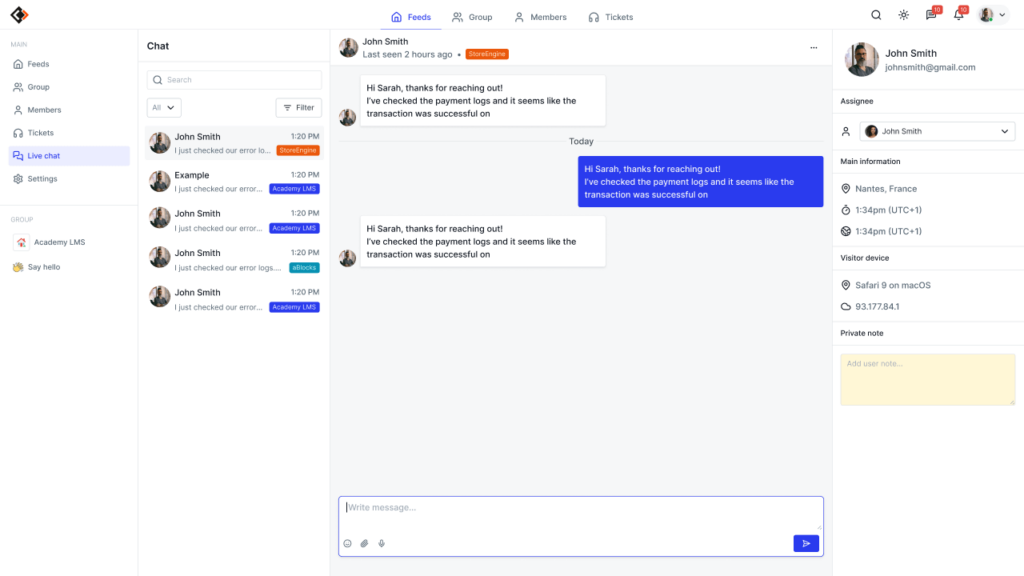
BuddyPress includes private messaging. Real-time behavior, however, often depends on AJAX polling or third-party plugins. That means the browser periodically checks the server for updates.
ZenCommunity’s WebSocket approach maintains an open connection. Messages appear instantly. Typing indicators and presence tracking can be enabled. Notifications update live.
In 2026, many users subconsciously compare messaging systems to tools like Slack or WhatsApp. If a platform feels closer to email than chat, engagement can drop.
There is a cost, though. Persistent connections may require VPS or cloud hosting rather than basic shared plans. Real-time performance depends on proper server configuration.
Built-In Support: An Overlooked Factor
One practical distinction deserves more attention.
ZenCommunity includes a native support ticket system and live chat widget. Conversations can be structured, tracked, and managed within the same ecosystem as the community itself.
BuddyPress does not ship with that functionality. You would typically integrate a separate helpdesk tool, chat plugin, and notification enhancer.
For LMS platforms, coaching businesses, or SaaS companies, consolidating support and community in one system may reduce plugin sprawl. Fewer moving parts often means fewer compatibility headaches.
Performance and Scalability
Performance is rarely just about speed; it’s about how systems behave under pressure.
BuddyPress relies heavily on database queries and server-rendered templates. With proper caching and optimization, it can scale effectively. Large installations, however, often require deliberate performance tuning.
ZenCommunity shifts more work to the front end. React reduces full page reloads. WebSockets minimize repeated polling. The perceived speed can feel higher, particularly in high-interaction spaces.
Still, modern architecture does not eliminate complexity. It simply relocates it. Real-time systems demand stronger hosting environments and closer technical oversight.
Developer Experience
For WordPress-native developers, BuddyPress feels intuitive. It relies on PHP, hooks, and filters — the same mechanics used across the ecosystem. Agencies accustomed to traditional theme customization may find it straightforward.
ZenCommunity leans toward an API-driven structure and JavaScript-heavy customization. Teams comfortable with React will likely appreciate the flexibility. Others may face a learning curve.
So the question isn’t which system is “better.” It’s which aligns with your team’s capabilities.
Cost Isn’t Just the Sticker Price
BuddyPress is free at its core. Yet advanced functionality — especially real-time or helpdesk integrations — may require premium add-ons.
ZenCommunity also offers a free version, with advanced capabilities bundled into a Pro tier. Depending on your needs, that bundling could reduce reliance on multiple third-party plugins.
A “free” stack can become expensive once extensions accumulate. The reverse can also be true. Total cost depends on your configuration, not the marketing page.
When BuddyPress May Make More Sense
Choose BuddyPress if:
- You prioritize WordPress compatibility
- Your hosting environment is modest
- You prefer established architecture
- Your development team works primarily in PHP
- Real-time interaction is not central
It is stable. Predictable. Well-integrated.
When ZenCommunity May Be the Better Fit
Consider ZenCommunity if:
- Real-time messaging is essential
- You’re building an LMS or membership-driven community
- Integrated support matters
- Engagement velocity is a priority
- You want an app-like interface inside WordPress
It is designed for communities where interaction is continuous rather than occasional.
Pricing Comparison: ZenCommunity vs BuddyPress Stack
Real Cost Comparison
|
Pricing Factor |
ZenCommunity |
BuddyPress |
|
Base Plugin |
Free |
Free |
|
Messaging Extensions |
Included |
Paid add-ons |
|
Real-time Chat |
Included |
Third-party tools |
|
Community UI System |
Included |
Premium theme required |
|
Performance Optimization |
Built-in |
External plugins/hosting |
|
Developer Customization |
Minimal |
Often required |
|
Total Predictable Cost |
Fixed |
Variable & scaling |
Final Reflection
This choice isn’t about counting features. Both platforms can host profiles, groups, and discussions.
What differs is the atmosphere they create.
BuddyPress extends WordPress in a conventional direction. ZenCommunity nudges it toward something resembling a social application. In an environment where attention is fragmented and users compare every interface to the fastest tools they use daily, those design decisions can shape growth trajectories.
The better option is the one that matches your long-term intention — not just your current hosting plan.
FAQ
Is ZenCommunity better than BuddyPress?
Not categorically. ZenCommunity may suit high-interaction, real-time communities. BuddyPress may be preferable for traditional WordPress environments with broad plugin compatibility.
Does ZenCommunity use WebSockets?
Yes. Its architecture supports real-time communication through persistent browser–server connections, allowing live notifications and messaging without page reloads.
Is BuddyPress outdated?
No. It is actively maintained. Its rendering model follows traditional WordPress structures, which may feel less app-like but remain stable and extensible.
Which is better for LMS communities?
ZenCommunity may reduce plugin overhead due to integrated engagement and support tools. BuddyPress can serve LMS sites as well, though additional extensions are often required.
Can you migrate from BuddyPress to ZenCommunity?
Migration depends on database compatibility and data mapping. Testing in a staging environment would be advisable before switching.
Which scales better?
ZenCommunity’s architecture may handle high-frequency interactions more efficiently. BuddyPress can scale with optimization but may need more deliberate performance tuning.Is ZenCommunity suitable for SaaS communities? It appears well-positioned for that use case, particularly because of built-in ticketing, chat, and real-time messaging capabilities.