


The big names—PeepSo, BuddyBoss, and BuddyPress—come with major problems. They run slowly when lots of people visit, use hard-to-understand code, and increase in price as your site grows. Site owners feel upset.
Enter ZenCommunity. We made ZenCommunity a simple choice for WordPress users who want the open-source freedom of a free platform with the quality of a paid platform. It’s the first WordPress tool that puts groups, social feeds, help tickets, and live chat into one fast, all-in-one system.
In this article, we’ll look at the WordPress community world, compare the top tools side by side, and show why ZenCommunity is the best PeepSo alternative for 2026.
The State of WordPress Communities in 2026
The WordPress Big Three (BuddyPress, PeepSo, BuddyBoss)
For years, three tools have led the market:
- BuddyPress: This free tool runs on over 100,000 websites. But it feels old and is more like a box of parts than a finished product. You need many add-ons for messaging, forums, and sharing pictures. Updates have slowed, so people worry about its future.
- PeepSo: A newer choice with a nicer look right from the start. But PeepSo is no longer available on WordPress.org. This means no public reviews, no update history, and no public help forums. Many features sit behind paid add-ons.
- BuddyBoss: A big all-in-one tool built on top of BuddyPress. It looks nice and lets you make mobile apps. But people often say it’s too heavy, runs slowly when many users are online, and costs too much.
Why People Want New Choices
Users are saying no to high BuddyBoss costs and PeepSo’s endless paid add-ons. They want faster code, better help, and clear prices. The move toward simpler WordPress setups means people want tools that work with modern tech—not giant systems that tell them how to run their site.
Why You Should Think About Switching from PeepSo
The Problems with PeepSo
- Too Many Paid Add-ons: Key features like Groups, Polls, and Videos cost extra. A fair price quickly turns into a big monthly bill.
- Hard to Make Money: Connecting WooCommerce or membership payments to your social feed is awkward and requires more paid tools.
- Mobile Experience: Does it give you a real mobile app, or just a phone-friendly website that can’t match real apps?
The High Cost and Slow Speed of BuddyBoss
- Bill Shock: Users say renewal costs catch them off guard, especially when auto-payments happen without clear warning.
- Speed Problems: People report “Massive Performance Issues with Buddy Boss” when traffic goes up. Trying to do everything makes the code heavy and slows down whole sites.
- Stuck with One Design: BuddyBoss makes you use its own theme. You’re locked into one look. Switching later means rebuilding your whole site.
What Do You Really Want?
You don’t just want “forums” (you can get those from bbPress or wpForo). What you want is a real social connection: live activity feeds, private messages, and a place where members feel they belong—a tool that simply works without needing 15 different add-ons.
Meet ZenCommunity: A Fresh Take on WordPress Communities
More Than an Add-on, A Way of Thinking
ZenCommunity lives by a simple idea: “Your Community. Your Way.” It is built with modern WordPress standards for speed and easy connection with your current setup.
Built Light for Speed
Unlike heavy tools like BuddyBoss, ZenCommunity is built for speed. No major slowdowns—just fast loading times even when hundreds of users are online. By keeping everything inside WordPress and avoiding outside servers for basic tasks, your community stays fast and smooth.
ZenCommunity vs. The Big Three: A Side-by-Side Look
1. ZenCommunity vs. PeepSo
- Profiles & Member Pages: Both offer nice-looking profiles, but ZenCommunity connects more deeply with your site.
- Pricing Model: One price covers everything vs. PeepSo’s “buy the base, then pay for each extra” model.
- Speed: Clean, simple code means faster loading. This keeps visitors happy and helps your site show up in search results.
2. ZenCommunity vs. BuddyBoss
- Mobile Apps: BuddyBoss offers an app, but charges a lot extra and uses outside companies.
- Heavy vs. Flexible: BuddyBoss tries to do everything, creating heavy, slow code. ZenCommunity is flexible—turn features on or off without breaking your database.
- Support: We offer “Fanatical Support“—real people who truly care about your success—compared to cold ticket systems.
3. ZenCommunity vs. BuddyPress
- Look and Feel: BuddyPress gives you the engine; ZenCommunity gives you the fancy car. Modern designs with Facebook-style posting, live chat, and emoji reactions come ready to use.
- Easy to Use: BuddyPress needs several add-ons to work properly. ZenCommunity gives you a fully working community with activity feeds, groups, and private messaging in just minutes.
Main Features of ZenCommunity for WordPress
Core Community Features
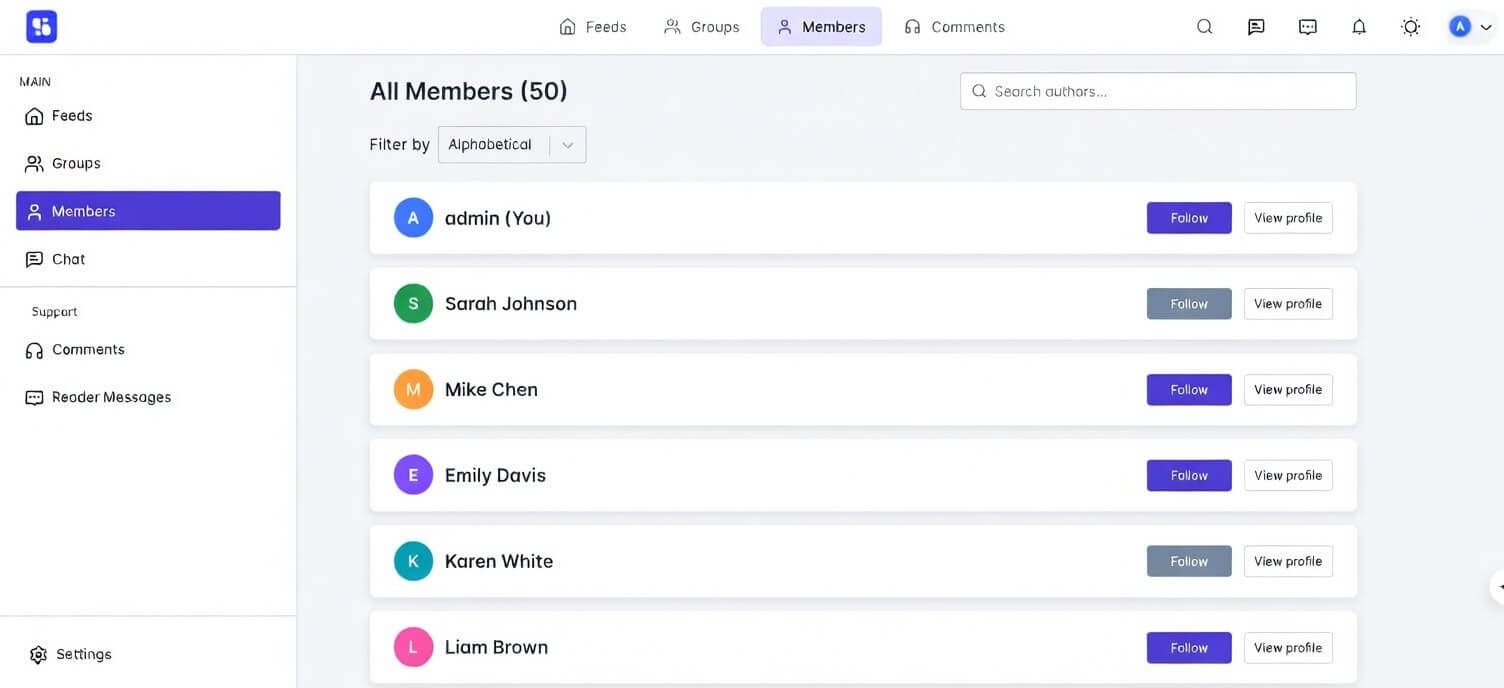
- Full Member Profiles: Personal pages with custom fields, profile pictures, and cover photos.
- Live Activity Feeds: Facebook-style news feed with comment threads, likes, reactions, and easy picture sharing.
- Groups & Messaging: Public or private groups with their own feeds, plus built-in private messaging and live group chat.
Tools to Make Money
ZenCommunity connects smoothly with popular learning management systems. You can easily create paid groups or lock certain areas behind membership paywalls.
Design and Look
- Works with Any Theme: ZenCommunity works with any well-built WordPress theme—you’re not locked in.
The “All-in-One” Bonus: Help Tickets & Live Chat
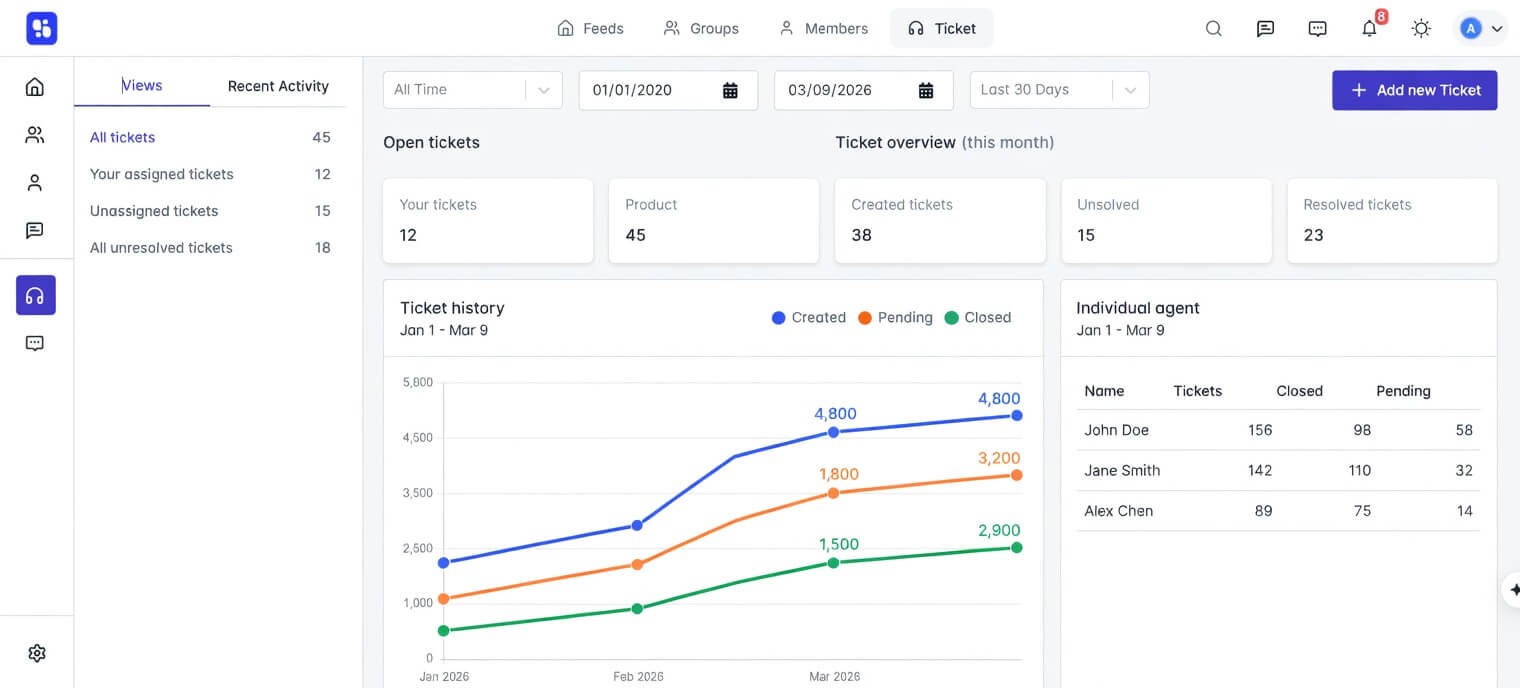
This is where ZenCommunity really shines:
- Help Tickets: Built-in help tickets let you track customer questions easily; a game-changer for businesses that need to handle support right where the conversation happens.
- Live Chat: A fully customizable chat box for instant, real-time help to visitors and members.
What Makes ZenCommunity Different
- Fanatical Support: Real people who care about your community’s success. No more waiting days for someone to answer your ticket.
- Regular Updates: We keep up with WordPress updates, security fixes, and new features, so your site stays safe and modern.
- You Can Pause Anytime: Need to take a break? Just pause your subscription. Core features will work, and there are no surprise charges.
Who Should Use ZenCommunity?
- The Course Creator: Combine popular tools like LearnDash, LifterLMS, or Tutor LMS with ZenCommunity for group learning. When someone signs up or completes a course, it automatically appears in community feeds to spark discussion.
- The Membership Site Owner: Using ARMember or Paid Memberships Pro? ZenCommunity adds the social layer that keeps members around by turning quiet users into active participants.
- The Small Niche Network: Building for special groups like clubs, groups, or faith communities? ZenCommunity gives you freedom without the high cost of hosted platforms like Mighty Networks.
- The Coach or Brand: Create professional coaching spaces with members-only content, group talks, and client help tickets—all from one WordPress dashboard.
How to Move to ZenCommunity
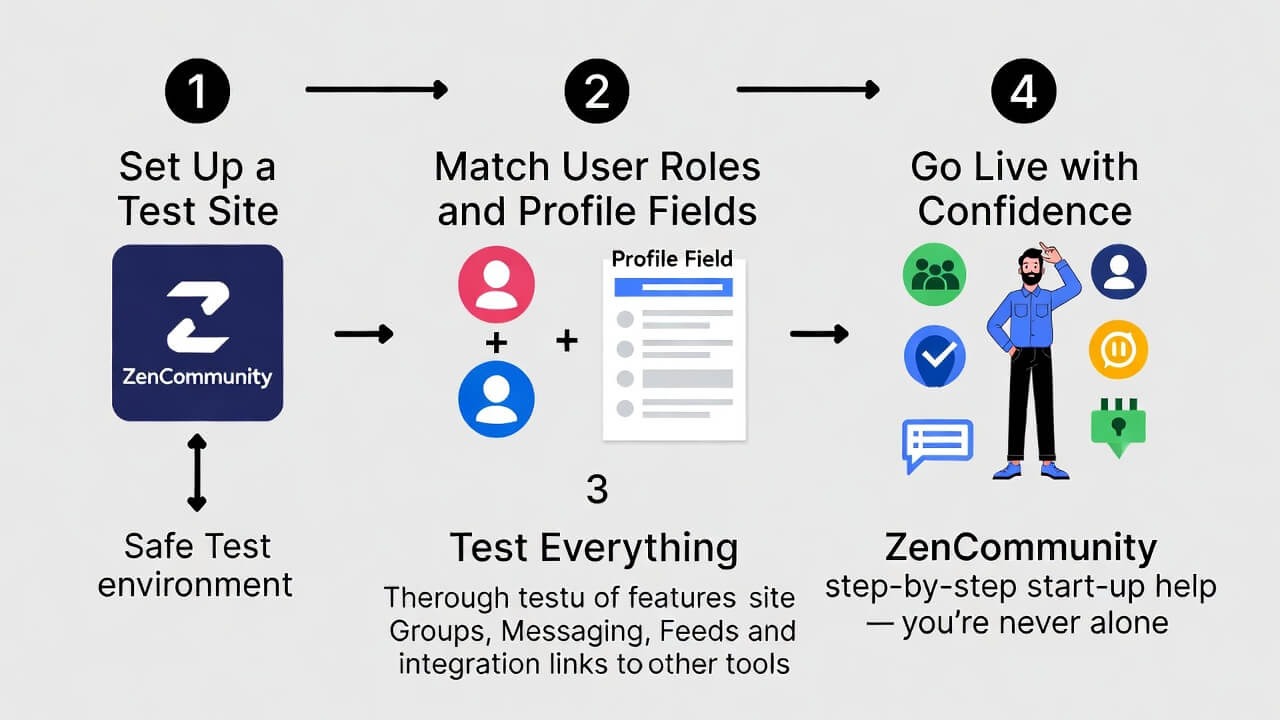
- Set Up a Test Site: Put ZenCommunity on a test site to try everything safely.
- Match User Roles and Profile Fields: Set up user roles and profile fields to match your current setup.
- Test Everything: Try all user features—test groups, messaging, feeds, and links to other tools.
- Go Live with Confidence: ZenCommunity’s step-by-step start-up help means you’re never alone.
Frequently Asked Questions
What is the best community tool for WordPress?
For fast speed, modern features, clear pricing, and great help, ZenCommunity is a top choice for 2026.
Is ZenCommunity a good replacement for PeepSo?
Yes. It gives you the same modern look but with better links to courses and online stores, clear pricing, and built-in help tickets and live chat.
Can I use ZenCommunity using my mobile?
Yes. ZenCommunity can be used using your mobile phone.
Is ZenCommunity free?
A strong basic version is available on WordPress.org. Paid plans unlock advanced features and offer great value compared to buying many PeepSo add-ons or paying high BuddyBoss fees.
How does ZenCommunity handle lots of users at once?
ZenCommunity is designed with efficient, lightweight code that keeps everything on your server, allowing your community to scale smoothly and avoiding the slowdowns seen with other platforms.
Final Thoughts: Build Your Community the Right Way
You don’t need to struggle with a mess of old add-ons or a heavy, costly system that traps your website. The days of surprise bills and worry about slow speeds are over.
ZenCommunity gives you the power and freedom of WordPress with the smooth design and connection of a modern social platform. It’s the first and only tool that brings together social networking, live chat, and a full help system into one built-in WordPress experience.
Ready to fix your community for good? Build your online community “Your Way. At your fingertips.”
Try ZenCommunity Today. Start your free trial and feel the difference that real, caring help and a truly modern platform can make.