

Think of attempting to create a successful online environment without having to tally a forum plugin on this side, a membership system on that side and a helpdesk elsewhere. It gets messy fast. This causes confusion among users about which tool to use, bloats your codebase with too many tools, and leaves you maintaining a bunch of different dashboards.
That is where ZenCommunity fits.
ZenCommunity serves as the central hub for contact, development, and communication across your WordPress site.
Rather than combining fragmented tools, it provides a unified, fully customised community plugin that evolves your once-static brochure website into a dynamic, engaging digital town square.
We are going to discuss in this post why consolidation is so important to modern site owners and, more to the point, how the three pillars of ZenCommunity, namely, Social Engagement, Support Efficiency, and LMS Connectivity, will help to increase retention, satisfaction, and revenue.
What is ZenCommunity? The “All-in-One” Advantage
In essence, ZenCommunity eliminates the need for separate forums, chat, ticketing, and social plugins — replacing them with one powerful, smooth, all-in-one platform.
But what is so problematic with this approach?
- For site owners: It’s much simpler to maintain one cohesive system than to wrestle with a collection of plugins that all need to talk to each other flawlessly.
- For educators: ZenCommunity removes the traditional separation between course content and student dialogue, evolving passive learning into rich, interactive, active learning.
- For community managers: Everything lives in one dashboard — track engagement, respond to members, and support your team seamlessly, with zero tab-switching.
The Benefits at a Glance
- To Businesses: Develop a devout tribe. Consequently, a support and feedback area minimises churn and converts customers into fans.
- To educators: Encourage powerful peer-to-peer interaction right inside your courses. The result? A more engaged student body translates into higher completion rates and greater course satisfaction.
- Online Communities: Bring the members together under a single living ecosystem where help and growth come naturally.
ZenCommunity Three Pillars
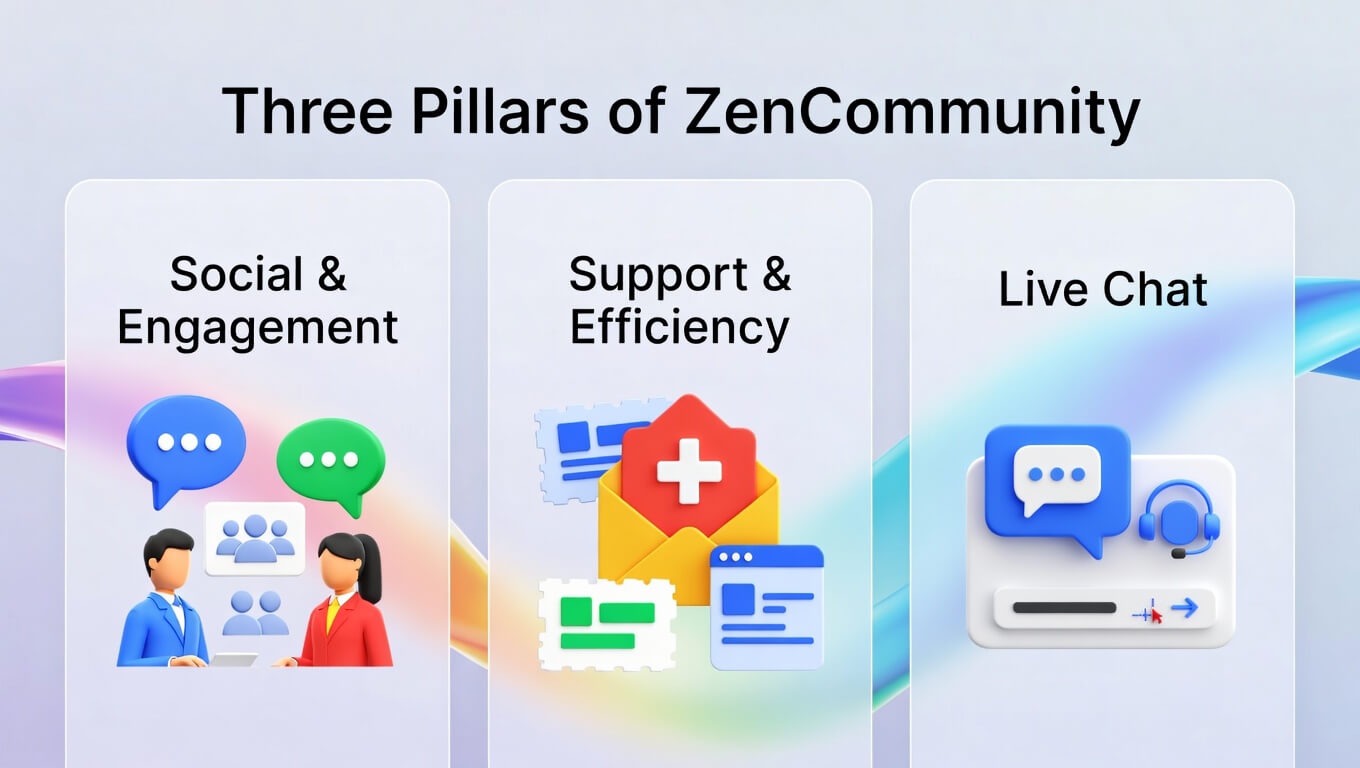
The flourishing WordPress fraternity must have the appropriate tools to remain lively, supportive and smart. It is based on this that ZenCommunity is founded on three pillars.
Social & Engagement
ZenCommunity introduces a Facebook-like social experience to your site.
- Unlike Static News Feeds: With this type, members post, respond with emojis, and comment in a thread.
- Flexible Groups: Easily launch public groups for broad, inclusive conversations or create premium-only gated groups with granular, role-based access controls.
Support & Efficiency
More importantly, a successful society is supportive. ZenCommunity can be found everywhere.
- Personal Support Chat: One-on-one, real-time communication between your team and members.
- Live Chat Widget [PRO]: Install an interchangeable live chat widget throughout your site to provide 24/7 customer support, and capture leads even when your workforce is offline.
Live Chat
Real-time communication is at the heart of modern community building.
- Instant Connections: Enable members and support staff to connect instantly, fostering immediacy and care.
- Proactive Engagement: The [PRO] live chat widget allows you to proactively reach out to visitors based on their behaviour, turning anonymous browsers into engaged community members.
LMS Connectivity
Beyond the core three pillars, ZenCommunity truly shines through its powerful integration with your Learning Management System. Best of all, it integrates smoothly with leading WordPress LMS tools through familiar, native WordPress connections — so your courses and community live harmoniously in one ecosystem.
It has deep automated feed posting and achievement syncing, which are optimised towards:
- Academy LMS
- Tutor LMS
- LearnDash
- LifterLMS
- LearnPress
- MasterStudy
This delivers a powerful, built-in connection between what students learn and how they discuss it — transforming education from an isolated experience into a vibrant, collaborative journey.
Why ZenCommunity is the Right Choice to Win Your Business
Regardless of the nature of the product or service you are selling, education, software or content, the relationships you establish are what determine your long-term success.
To Educators: Develop a Student Hub of Buzz
Traditional online courses can leave students feeling isolated, disconnected from both instructors and peers. Learners view videos independently, get stalled and simply drop out.
ZenCommunity turns static content into a dynamic student community — live lesson discussions → much higher engagement & completion rates.
To SaaS and Business Owners: Knowledge Base Turn Support into
Support tickets can be incredibly time-consuming.
Instead, ZenCommunity naturally builds a searchable, community-powered knowledge base by encouraging open discussions in public and group spaces. As a result, future users find answers instantly — dramatically reducing your support overhead.
To Creators and Influencers: Commercialise Interaction
Similarly, make gated groups to form exclusive levels of your biggest fans. Engage with badges and leaderboards to drive attendance and generate FOMO, which drives paid memberships.
The Bottom Line
- The level of involvement is enhanced as the users feel part of it.
- Strong belonging reduces churn and enhances retention.
- Quick fixes drive real satisfaction.
Core Features at a Glance
- Messaging & Real-Time Chat
- Live Support Tickets [PRO]
- Seamless LMS connection plus smart notifications equals better education and informed learners.
- Profiles that have their activities monitored.
- Community Engagement Tools (Feeds, Posts, Reactions)
- Admin Controls & Moderation
Deeper Insight: Society and Community
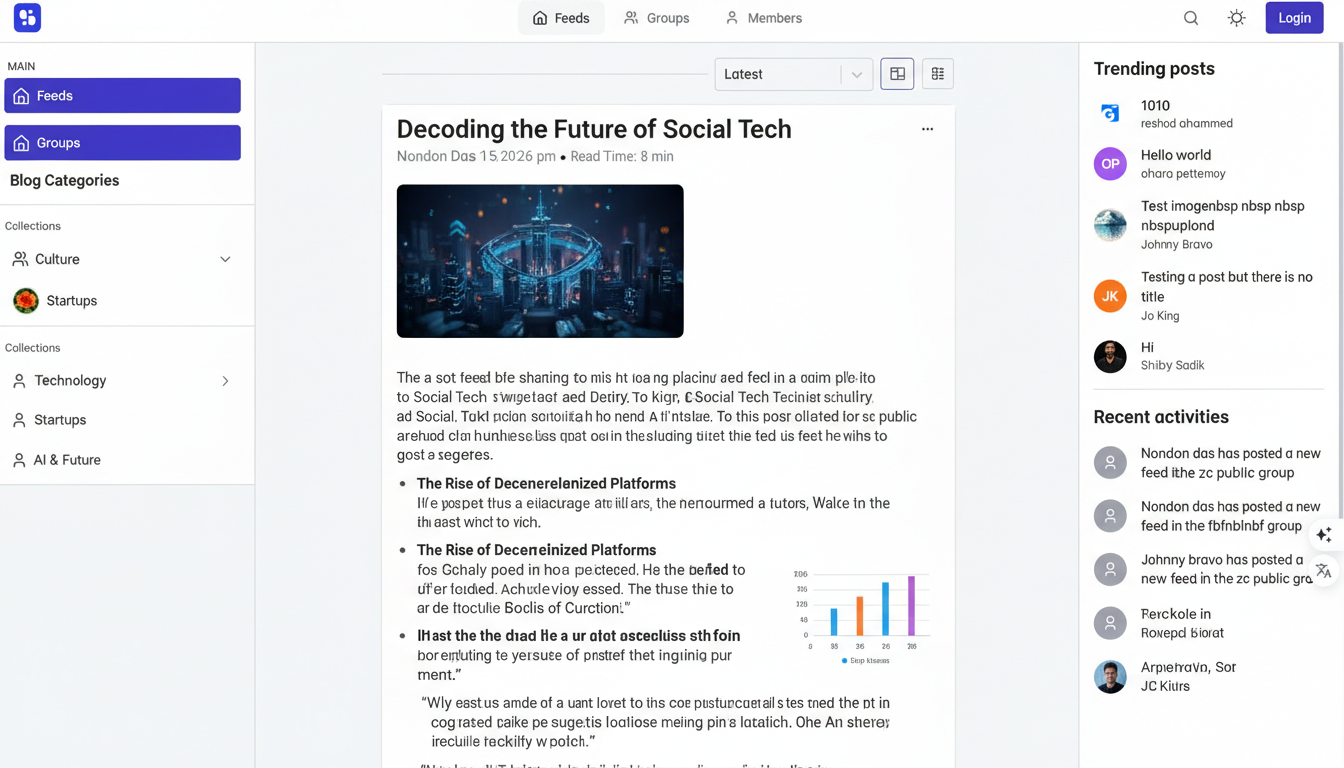
Activity Feeds and Notifications
The real-time activity feed displays recent posts, achievements, and updates at a glance.
Plus, push notifications keep members engaged and active — even if they don’t visit the site every day.
Advanced Groups
Form public community forums open to everyone or create invite-only groups exclusive to premium members.
Role-based permissions give you complete control over content visibility, posting rights, and access for every user.
Facebook-Style Posting
Members can post text, images, and videos, and engage in fully threaded comment discussions.
Built-in reporting tools help maintain a healthy, respectful community environment.
Real-Time Chat
Has group and individual chat with:
- File sharing
- Emoji support
User Profiles
Profiles are customizable, with avatars and bios. Additionally, the activity history highlights members’ contributions, helping them build credibility and establish social proof within the group.
Admin Control & Safety
- User banning tools
- Content filters
Support & Helpdesk Features
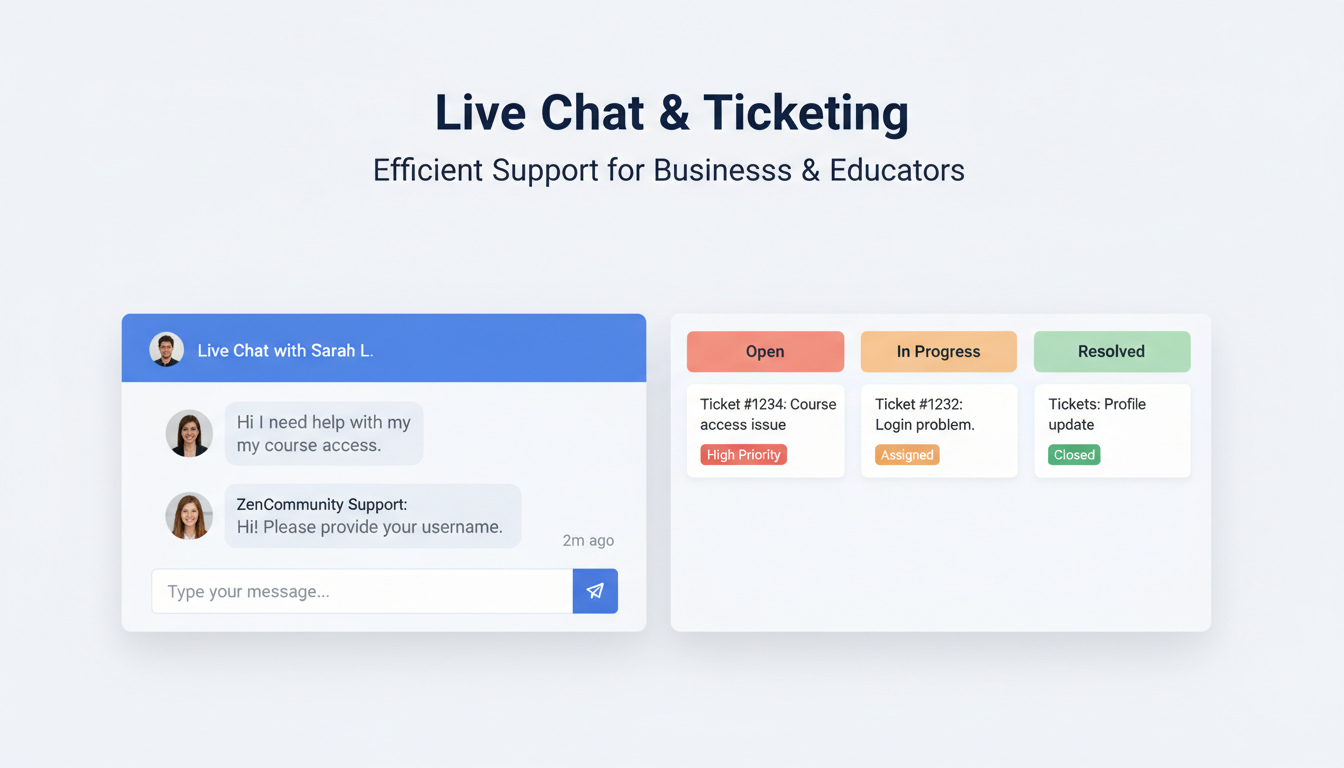
Support Ticketing [PRO]
In case of formally handled questions:
Delegate tasks to team members and monitor status instantly.
Personal Support Chat
Embedded in tickets, including 1-on-1 hands-on problem solving in real-time, file attachments and a full history of prior conversations.
Live Chat [PRO]
The ability to customise a widget that allows:
- Multi-session handling
- Instant visitor support
- 24/7 availability
LMS Integrations
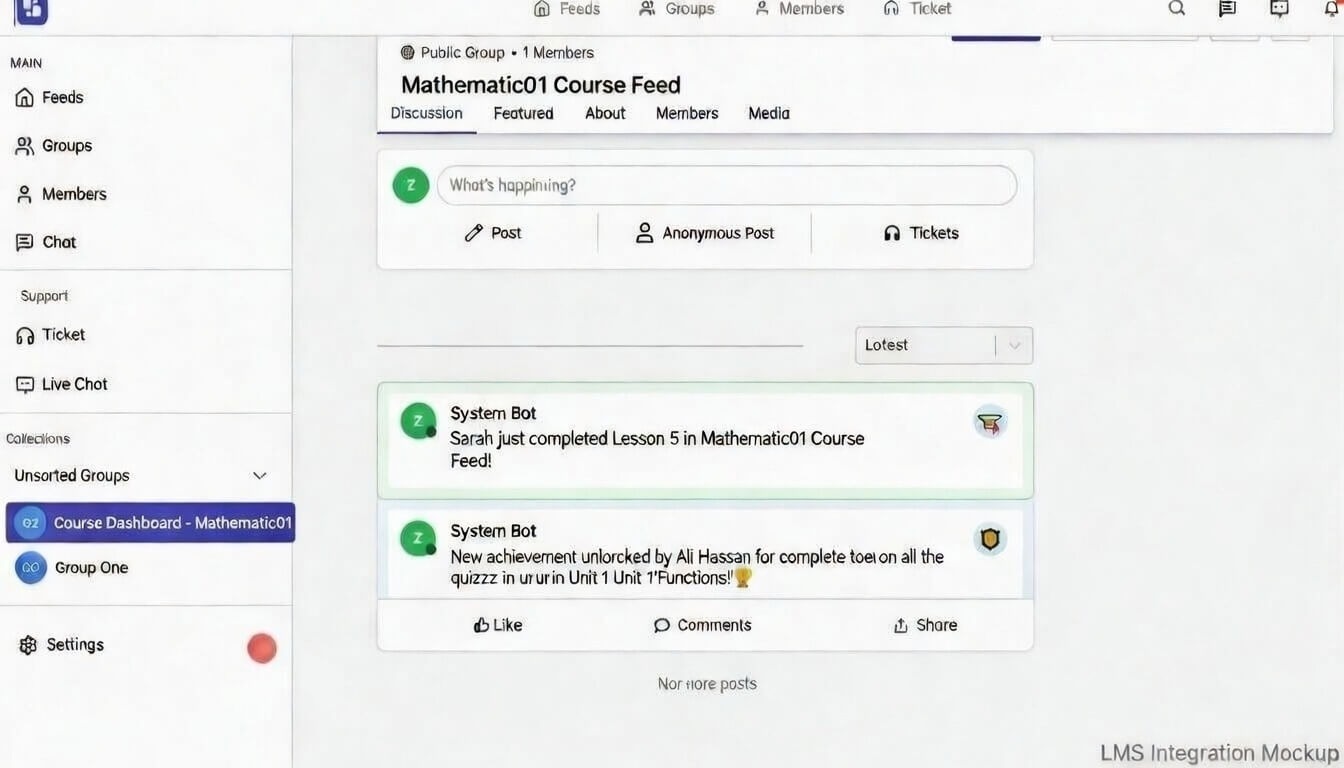
Deep Integration
ZenCommunity is a kind of continuation of your LMS:
Automated Sharing: Lesson completions and achievements will auto-share on the community feed.
Supported Platforms
- Tutor LMS
- LearnDash
- LearnPress
- MasterStudy
- LifterLMS
Consequently, there is automatic user progress that motivates and collaborates with peers.
Performance & Reliability
Scalability & Speed
You are a group of 100 or 10,000 members, and ZenCommunity is designed to scale with the best database queries and resource management.
Reliable Real-Time Updates
The current real-time technologies guarantee the delivery of instant messages and relevant notifications.
The majority of WordPress site slowdowns stem from too many plugins that don’t play well together.
ZenCommunity eliminates that risk: It unifies forum discussions, real-time chat, ticket-based helpdesk, and seamless LMS connectivity into one lightweight, cohesive platform — cutting bloat and boosting speed.
Admin Tools & Customisation
- Roles and Permissions: Determine what is visible to users, moderators, and premium members.
- Custom Branding: Match your community’s look and feel to your brand by customising layout, typography, colours, and styling — so your site feels 100% yours at first glance.
Implementation: Between Installation and Day One
Installation Steps
- Download the plugin zip file.
- Navigate to Plugins > Add New. Next, select the Upload Plugin option at the top.
- Open and use the setup wizard.
Initial Setup
The wizard takes you through group creation, profile creation and the overall settings.
Best Practices for Launch
- Introduction posts on the feed.
- Invite a power user or a moderator.
- Grow your launch through social media and email.
ZenCommunity vs. The Traditional Stack
Comparison with Common Plugins
- Unlike modern all-in-one solutions, BuddyPress and bbPress require layering on multiple add-ons just to deliver the kind of sleek, contemporary experience users now expect.
- Standalone Chat/Helpdesk Plugins: One issue, silo data.
- FluentCommunity: A powerful competitor introduced in 2024, but ZenCommunity (introduced in 2025) focuses on more extensive ticketing integration and centralised architecture.
Why Consolidate?
- Price: A single plugin vs. several premium subscriptions.
- Time: Fewer updates and conflicts.
- Speed: A single optimised codebase is smaller than multiple overlapping libraries.
A Virtual Field Trip: The ZenCommunity
The Community Feed and Chat: The Town Square
A lively calendar fully situated on your website, and a chat in real-time that connects you immediately.
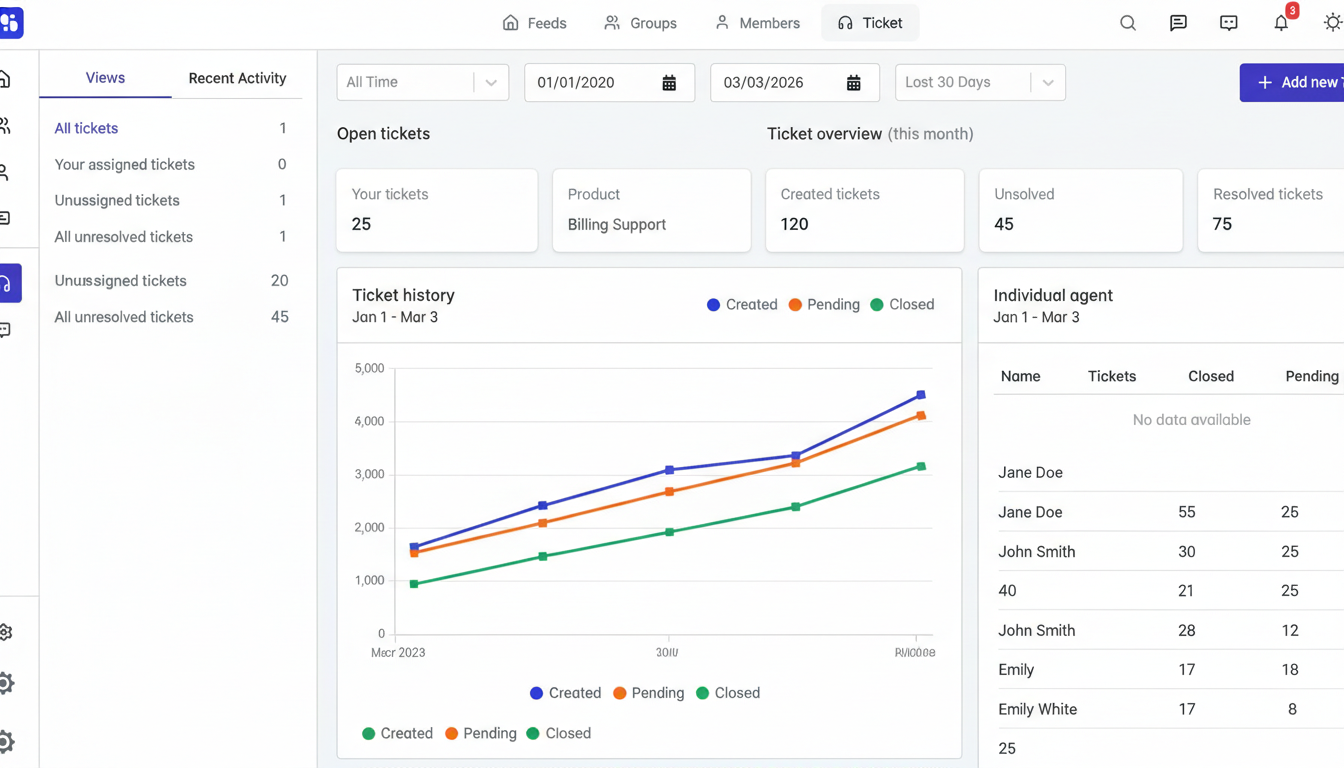
The Help Centre: Support Ticketing
Open, In Progress, and Resolved status board, with private threaded conversations.
Classroom Connection LMS in Action
When a student finishes a milestone, it will be displayed in the feed, thus making personal achievement group inspiration.
FAQs
Is ZenCommunity in favour of live chat?
Yes, and 1-on-1 and group chat with file sharing.
Is it compatible with LMS platforms?
Yes, some of them include Tutor LMS, LearnDash, LearnPress, MasterStudy, and LifterLMS.
Is live chat included?
Yes, in the [PRO] version.
Is it an all-inclusive WordPress community tool?
Yes. It replaces separate forums, chat, ticket, and social plugins with one unified, integrated solution.
Conclusion: Select Your Growth Path
Ultimately, success is about creating an online ecosystem where genuine connection thrives.
The tools you select decide whether your users feel like distant, isolated customers… or cherished, active members who truly belong.
- Just starting? ZenCommunity offers enterprise tools with no enterprise complexity.
- Growing business? It eliminates plugin chaos.
- Established brand? Its size depends on your community.
Whether you need a community was not the question; it is whether you are prepared to create the appropriate community.
Willing to change your WordPress Webpage?
- Try the Live Demo
- Purchase the Plugin
It is now time to take a step towards a buzzing, engaged and supportive online space.