


For the past decade, the playbook for real-time community was simple: drive your most engaged fans to a Discord server. It became the default destination for course creators, SaaS founders, and creators who wanted to offer their audience a place to chat. But in 2026, a fundamental shift is underway. We are moving from “rented spaces” to “owned ecosystems.”
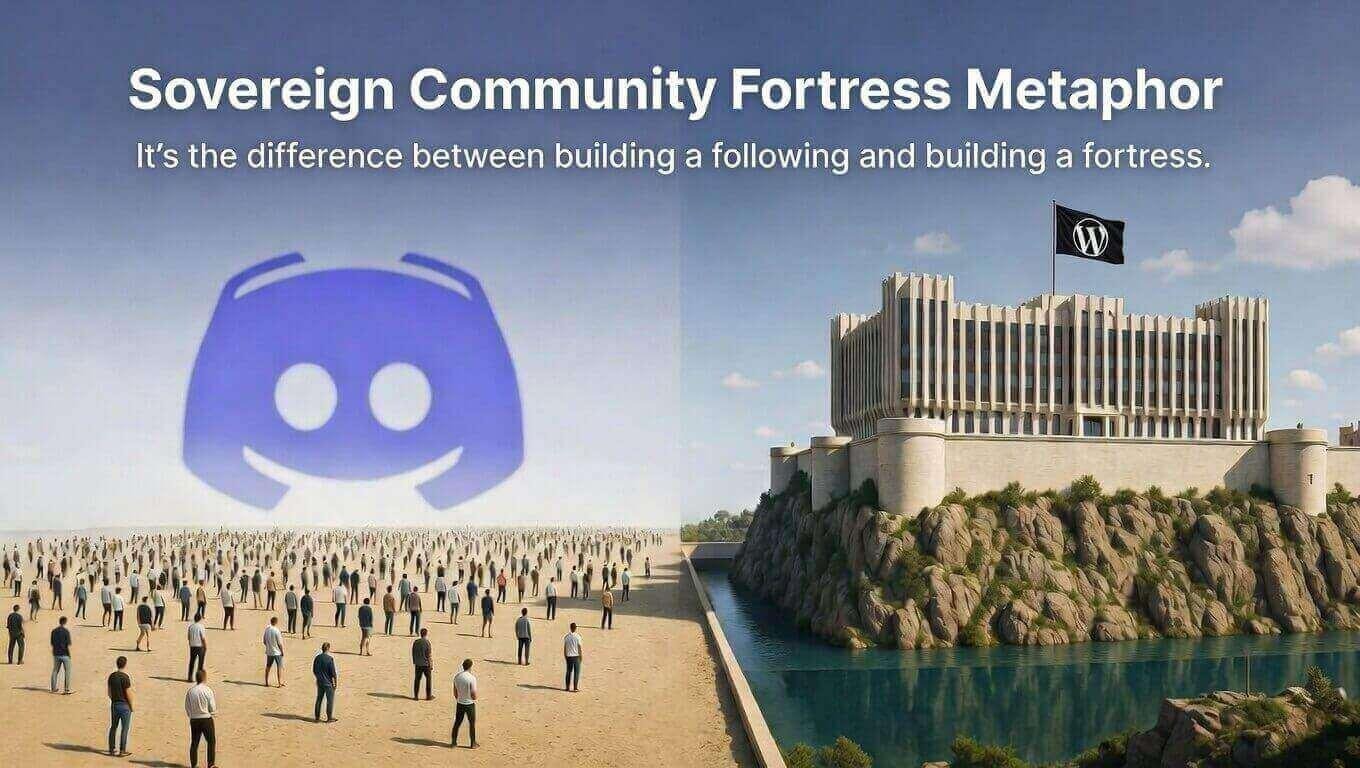
The concept of the “Sovereign Community” is taking hold. This is the idea that your engagement, your discussions, and your member data should live on your own domain, under your complete control. It’s the difference between building a following and building a fortress.
The problem with Discord? It’s the ultimate walled garden. It offers zero SEO value, keeps your best content hidden from Google, and forces your members to leave your site to engage with you — fragmenting their experience and your data.
Enter ZenCommunity. It’s not just a Discord alternative; it’s a native WordPress powerhouse that combines the best of social feeds, real-time chat, and integrated support ticketing into one seamless, sovereign platform.
Discord vs. ZenCommunity: Why the Migration is Happening
The mass exodus from Discord to native WordPress communities isn’t just a trend; it’s a strategic business move. Here’s why:
1. SEO & Discoverability
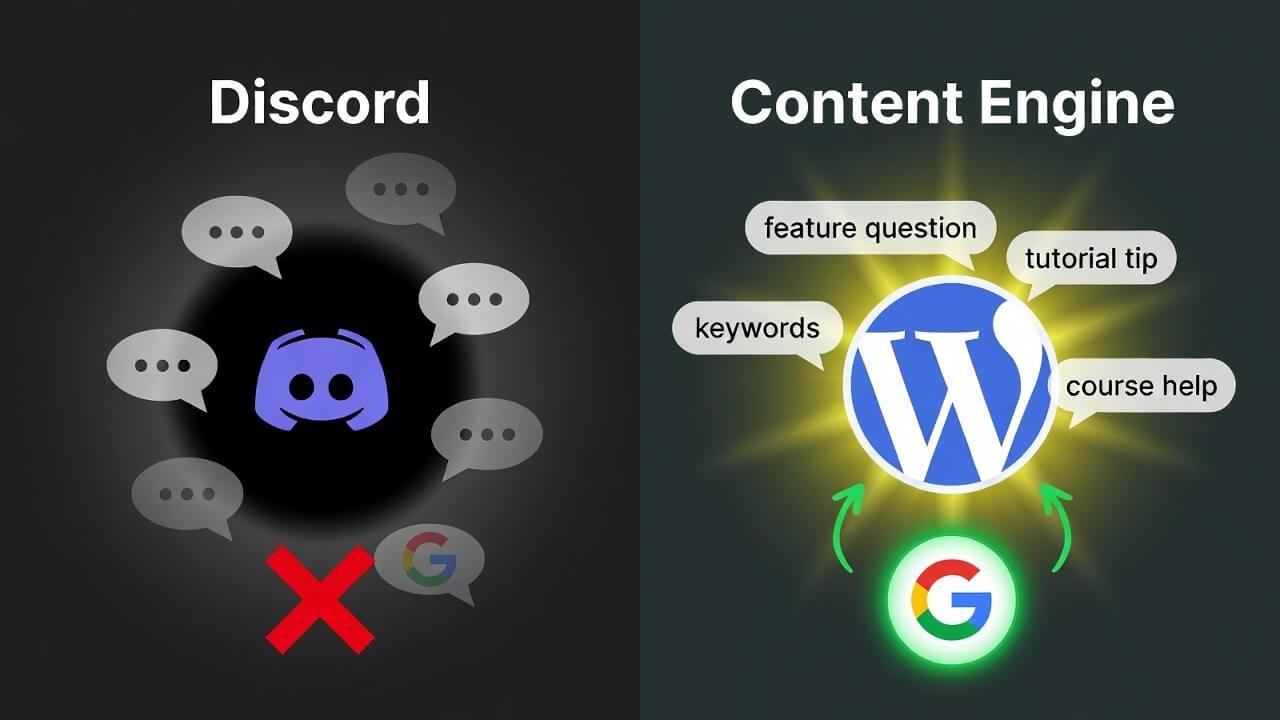
Every conversation in a Discord server is a black hole for search engines. Google can’t index it. Your members’ valuable questions and insightful answers — all that user-generated content — are invisible to the world.
With ZenCommunity, every discussion happens on your site. This means your members are actively generating long-tail, keyword-rich content for you. A question about a specific feature becomes a landing page that drives organic traffic for years to come.
2. Total Data Ownership
Discord’s terms of service can change overnight. Their platform could face outages or, worse, a security breach. If your server is compromised or deleted, your community — your business — evaporates.
With ZenCommunity, your members, messages, media, and connections are stored securely in your own WordPress database. It’s 100% yours. No one can take it away, change the rules, or hold your community hostage.
3. Unified Branding
Sending members to a “discord.gg” URL is a branding leak. It introduces a third-party UI, a different set of rules, and a generic chat experience that dilutes your hard-earned identity.
With ZenCommunity, your community lives at community.yourbrand.com. It wears your colors, your logo, and your domain. It is an extension of your brand, not a detour away from it.
4. The Death of the Context-Switching Tax
In 2026, the biggest killer of community engagement isn’t lack of interest — it’s platform fatigue. Every time a member has to leave your website to check a Discord notification, you lose them to the “red dot” distractions of ten other servers.
ZenCommunity introduces a unique architectural shift: The Layered Community. Instead of being a separate destination your members have to travel to, the community sits as an omnipresent layer over your actual content — chat panels, feeds, and notifications are accessible from any page of your site. Members can discuss a blog post, a course lesson, or a product page without ever leaving it. Engagement happens in context, not in exile.
Key Features: What Makes ZenCommunity the “Discord Killer”?
Discord nailed real-time chat, but it stopped there. ZenCommunity takes the best of that model and embeds it within a powerful, all-in-one WordPress ecosystem.
Real-Time Group & Private Chat
ZenCommunity offers a “Chat-First” feel that rivals Discord’s speed. We’re talking real-time messaging, read receipts, and seamless file sharing. But instead of opening a separate app, your members enjoy this fluid experience directly inside their member dashboard on your site. It’s fast, it’s familiar, and it keeps them on your domain.
Dynamic Social Feeds (The Facebook/Reddit Hybrid)
Discord’s biggest weakness is the “endless scroll.” Important announcements get buried under casual chatter. ZenCommunity solves this by offering structured social feeds.
Think of it as a hybrid: the real-time energy of a chat room combined with the organized, archival nature of a forum or Reddit. Users can post updates, share images, react with emojis, and comment on specific topics. It gives structure to your community conversations.
Integrated Support Ticketing (The Game Changer)
This is the feature that truly sets ZenCommunity apart. Imagine a member asks a question in a group chat or on the feed. With a single click, a moderator can convert that message into a formal support ticket. From there, ZenCommunity tracks the issue, assigns it to a team member, and manages the resolution — all without leaving WordPress. Discord simply cannot do this natively. It turns your community from a place of discussion into a powerful, organized helpdesk.
Deep LMS Integrations
For course creators, this is pure gold. ZenCommunity connects deeply with Academy LMS, Tutor LMS, and LearnDash.
Imagine the social proof: a member completes a difficult module, and a “Congratulations!” post is automatically shared to the feed. Quiz results, badge achievements — all of it becomes fuel for engagement, creating a culture of visible progress and collective motivation.
Best Alternatives for Specialized Communities
While ZenCommunity is the all-in-one champion, it’s important to acknowledge the landscape. Here are other tools and who they’re best for:
BuddyBoss: For High-End Social Learning
Best for: Large-scale enterprise communities or universities that need a fully white-labeled mobile app experience for their students. It’s powerful, but complex and costly.
Discourse: For Large-Scale Technical Forums
Best for: Communities that value long-form, archival-quality conversations over real-time chat, such as software documentation or developer Q&A.
FluentCommunity: For High-Performance Sites
Best for: Users already deeply embedded in the WPManageNinja ecosystem (FluentCRM, Fluent Forms) who want a fast, simple, and lightweight community solution without the extra features of an all-in-one platform.
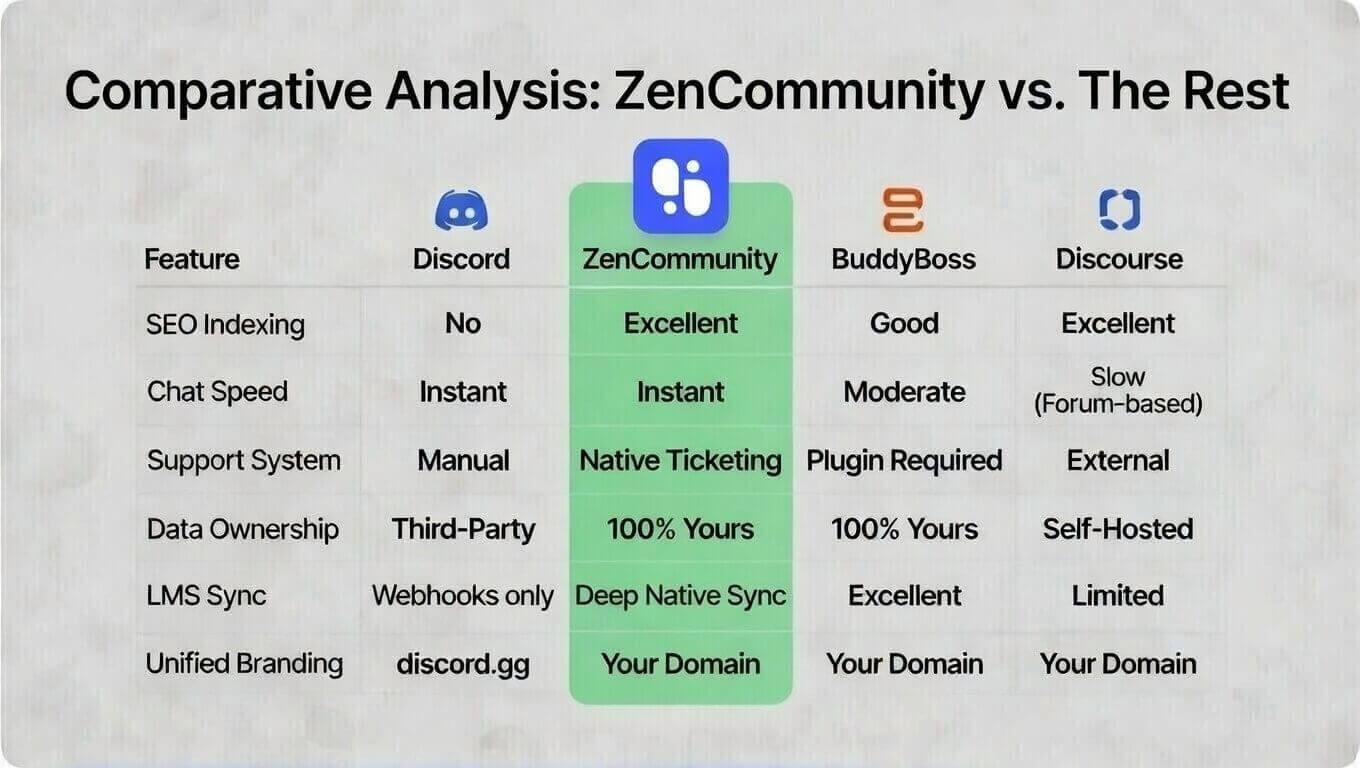
Comparative Analysis: ZenCommunity vs. The Rest
|
Feature |
Discord |
ZenCommunity |
BuddyBoss |
Discourse |
|
SEO Indexing |
No |
Excellent |
Good |
Excellent |
|
Chat Speed |
Instant |
Instant |
Moderate |
Slow (forum-based) |
|
Support System |
Manual |
Native Ticketing |
Plugin Required |
External |
|
Data Ownership |
Third-Party |
100% Yours |
100% Yours |
Self-Hosted |
|
LMS Sync |
Webhooks only |
Deep Native Sync |
Excellent |
Limited |
|
Unified Branding |
discord.gg |
Your Domain |
Your Domain |
Your Domain |
How to Successfully Move Your Discord Server to ZenCommunity
Migrating a live community can feel daunting, but with a strategic plan, you can make the transition smooth and exciting for your members.
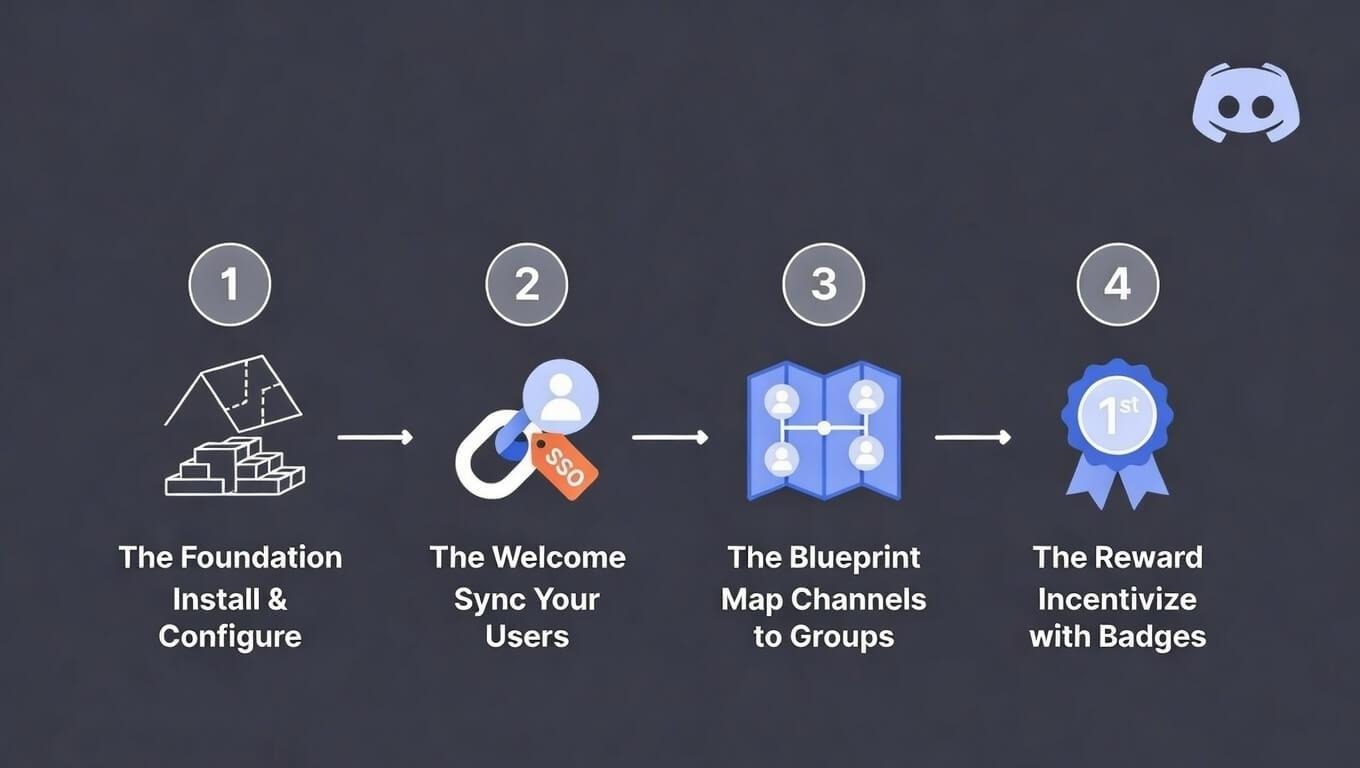
1. Setting the Foundation
Start by installing ZenCommunity on your WordPress site. Configure your “Collections” (top-level categories) and “Groups” (specific sub-communities). Think of this as building the new neighborhood before you invite people over.
2. User Synchronization
Make the move frictionless. Use Single Sign-On (SSO) if possible, or provide a simple “Claim Your Account” link for manual migration. The goal is to ensure your Discord members feel instantly at home on the new platform.
3. Mapping Channels to Groups
This is the architectural phase. Replicate your Discord structure logically:
- #announcements → A Global Feed that everyone sees.
- #general-chat → A Public Group for open conversation.
- #pro-users or #premium-support → Private Groups gated by a membership plugin.
- Ad-hoc topic channels → Individual Group Spaces or Social Feed Topics.
4. Incentivizing the Move
People are creatures of habit. You need a “why.” Announce the move and offer exclusive incentives available only on the new WordPress hub:
- Access to a private “Migration Month” live Q&A with you.
- An exclusive downloadable resource or mini-course for the first 100 members to sign up.
Frequently Asked Questions (FAQs)
Does ZenCommunity slow down my WordPress site?
Quite the opposite. ZenCommunity is built on a lightweight, React-based architecture that is optimized for performance. It’s designed to be fast and responsive, even with thousands of concurrent users.
Is it mobile-friendly?
Yes. ZenCommunity is built with a fully responsive design, so it works perfectly on smartphones and tablets. Members also receive browser push notifications for mentions and replies, keeping them engaged on the go.
Will my server crash if too many people are chatting at once?
No, and this is where ZenCommunity’s architecture differs from older WordPress plugins. Instead of hammering your database with constant page reloads, real-time messages are delivered through a dedicated, event-driven layer that runs alongside WordPress. Your server only does the heavy lifting when it needs to, so chat stays instant and your site stays stable — even during peak activity like a live launch or community event.
Conclusion: The Future of WordPress Communities is Zencommunity
In 2026, engagement is the new currency. But true wealth isn’t measured in likes or messages; it’s measured in control. If your community lives on Discord, your most valuable asset is locked in someone else’s vault.
ZenCommunity gives you the key. It provides the tools to build a Sovereign Community — a space that is searchable, ownable, and brandable. It’s where real-time chat meets structured discussion, and where social engagement meets integrated support.
Stop renting space. Start building your kingdom.
Ready to take control of your community? Download the free version of ZenCommunity from the WordPress repository today, or explore the Pro features on the ZenCommunity website to unlock the full power of a sovereign, all-in-one engagement hub.