


In 2026, building your own community platform isn’t just a good idea—it’s essential for any business. With social media algorithms constantly shifting and growing concerns over data privacy, more companies are ditching big, closed platforms and switching to self-hosted solutions they fully control.
Thousands of WordPress plugins promise to create thriving communities, but how do you figure out which ones are actually worth it? Choosing the wrong plugin could hold you back as your community grows, leave you missing important features you actually need, or make your entire website noticeably slower and less responsive.
We did the hard work for you. We looked at speed tests, features, support quality, and real user reviews. We picked the 5 best WordPress community management plugins for 2026.
At the end, you’ll know which plugin is right for you—whether you want a place for online courses, a professional network, customer support, or a membership site.
What is a WordPress Community Plugin?
A WordPress community plugin turns a normal website into a fun, interactive place. Users can sign up, make profiles, join groups, send messages, and talk in discussions.
Today’s best plugins do much more than basic forums. They add social features like member lists, activity updates, private chats, and fun rewards (gamification).
The best plugins combine community features with built-in ways to earn money, connect to learning management systems (LMS) for courses, and handle member accounts smoothly.
Everything fits together perfectly in a single plugin—so you don’t have to piece together several different ones that might cause compatibility issues or extra hassle.
How to Choose the Best WordPress Community Plugin?
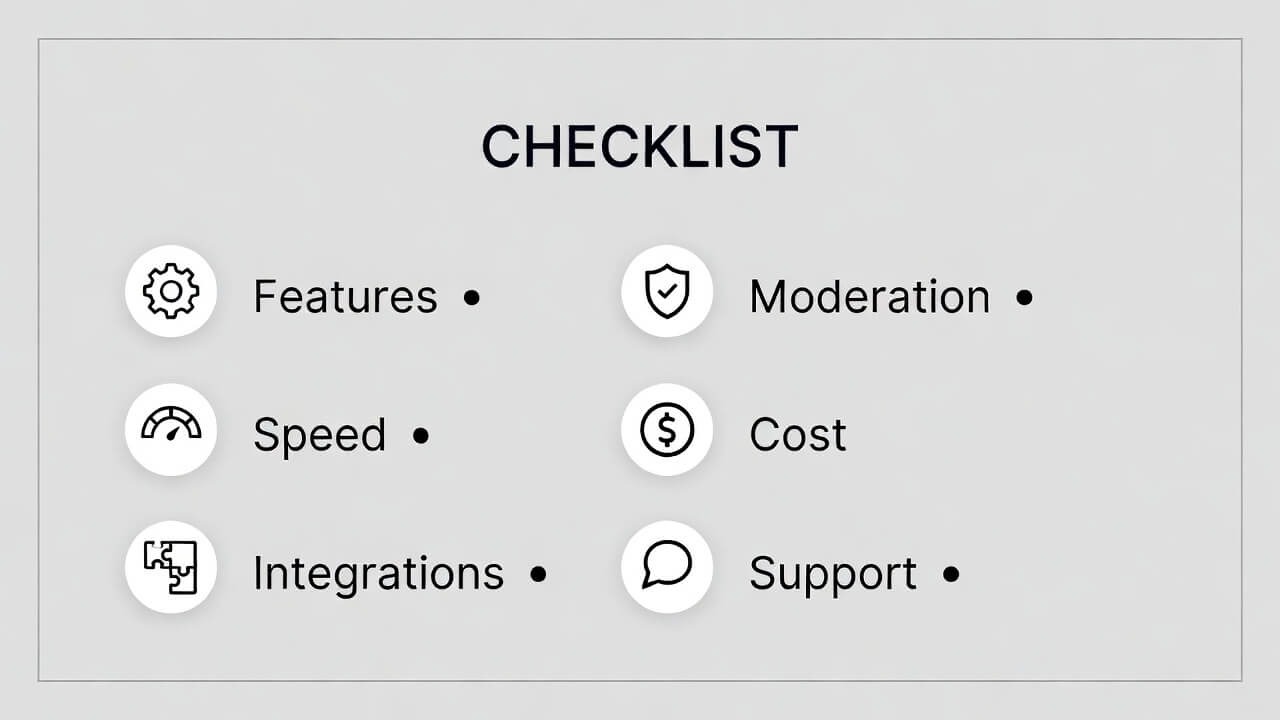
Feature Coverage Assessment
- Does it include the essential features: user profiles, member directories, groups, activity feeds, private messages, and privacy settings?
- Look for additional capabilities: live chat, or built-in course tools—or check if those require paid add-ons.
Performance & Speed
A heavy plugin makes your site slow and hurts user experience. Choose ones with clean code and smart database use. Look for recent updates—plugins updated in the last month show the team is still working on them.
Moderation & Administration Tools
- Can you create user groups with different permission levels?
- The plugin should also include spam protection, post moderation options, and simple reporting tools for problematic content.
Integration Ecosystem
Does it connect easily with WooCommerce, email tools, page builders like Elementor, and course systems? Good connections save you time and avoid problems.
Total Cost of Ownership
- Free or paid: What is locked behind extra payments?
- Are there yearly fees, or can you buy once?
Support Signals
For free plugins on WordPress.org, check how many issues have been fixed recently. For paid ones, look at how fast support replies and how good the guides are.
5 Best WordPress Community Management Plugins for Online Businesses
1. ZenCommunity – The New Innovator in Modern Community Building
Overview:
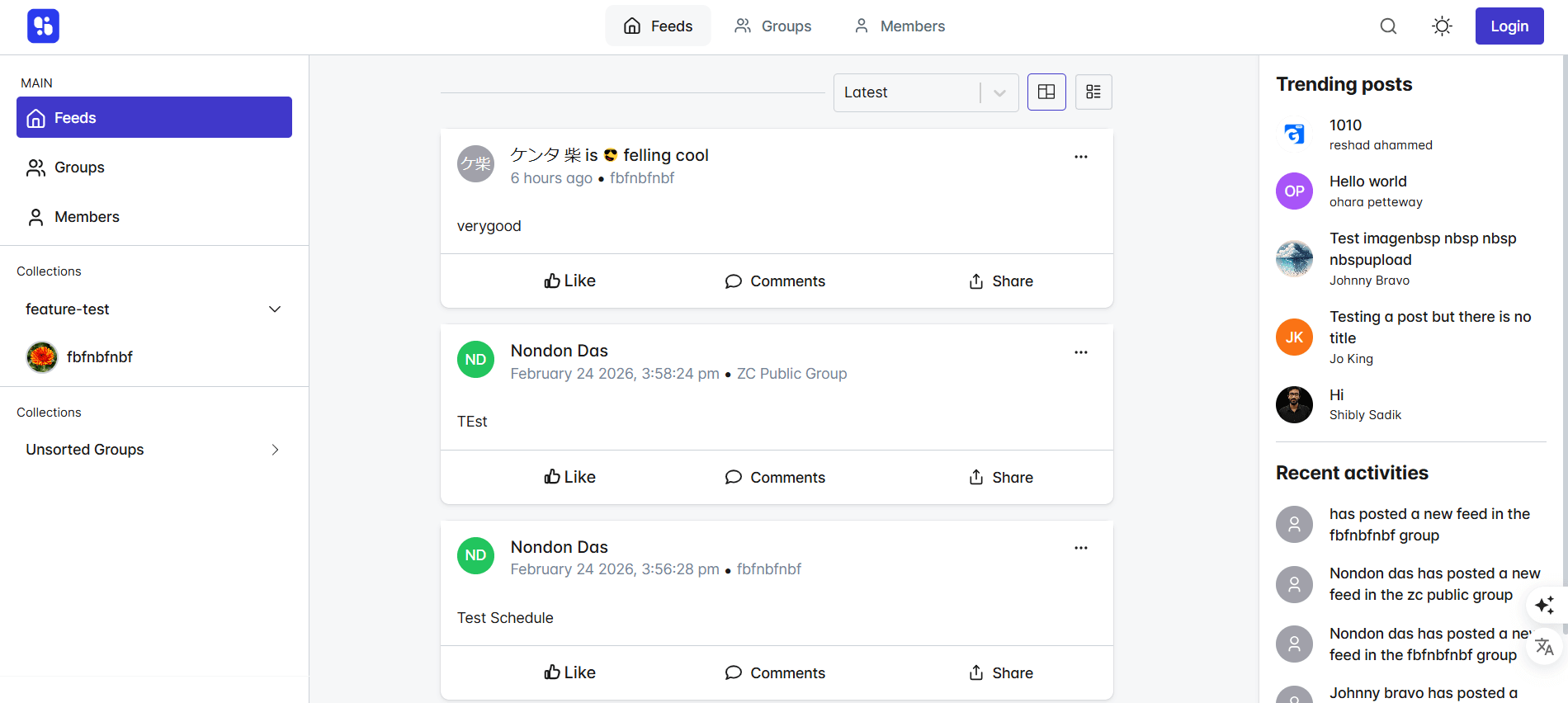
ZenCommunity is a fresh WordPress community tool built for speed, simple use, and a clean look. It avoids old problems from older plugins and focuses on real connections and easy talks. It’s great for creators, coaches, and brands that want a nice, quick space for members.
Key Features
- Minimalist Design: Clean and modern look that shows conversations first—no mess or hard menus.
- “Flow State” Engagement: Smart notifications cut out noise so members see only what matters. They control their view.
- Real-time Chats: Quick and smooth private or group conversations that support mentions, emojis, and other fun elements.
- Lightning Fast Performance: Built with up-to-date code so the plugin loads extremely quickly—even on mobile phones or when your internet connection is slow.
- Real-time Activity Feeds: Live updates with likes, comments, and shares.
- Private & Group Messaging: Easy chats with read signs and typing notices.
- Member Directories: Easy-to-search lists to find people by interests or activity.
- Content Moderation Suite: Good tools to keep talks healthy without being too strict.
Pros
- Modern build for 2026—not fixed from old code.
- Members love the easy design.
- Special calming features help keep people longer.
- Team updates are often based on feedback.
- Clear setup guides.
- Lifetime pricing option.
Cons
- Newer plugin—so fewer extra add-ons from others (but main features are strong).
- Pro version needed for advanced rewards.
Best For
Creators, coaches, forward-thinking brands, and businesses looking for a speedy, clutter-free community space. It’s especially ideal if you prioritize member happiness, a sense of calm, and meaningful engagement over constant noise and endless scrolling.
2. FluentCommunity – The Ultra-Fast Performer with Built-in LMS
Overview:
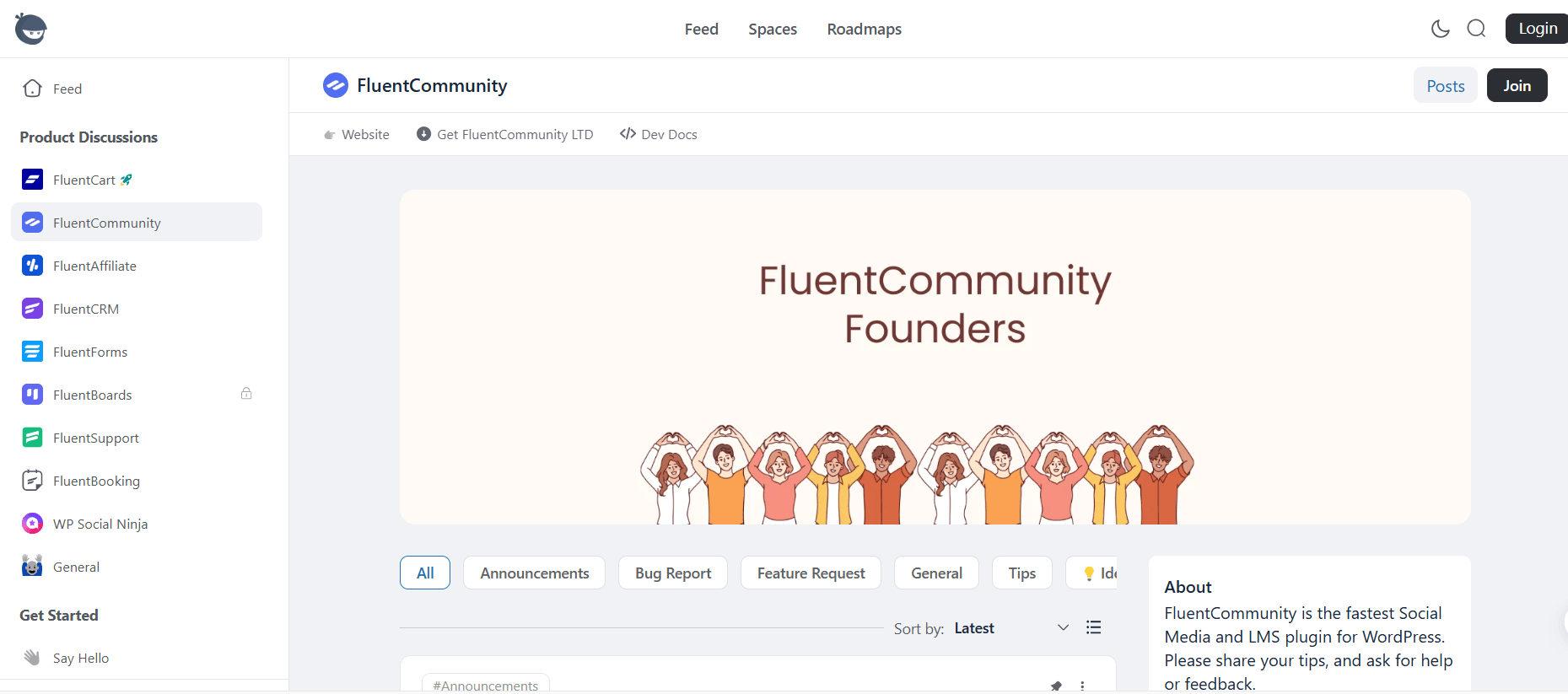
FluentCommunity comes from WPManageNinja (makers of FluentCRM). It mixes strong social tools with a built-in course system (LMS)—all in one fast plugin. Perfect for course makers, brands, or agencies.
Key Features
- Unified Community + LMS: Build courses and communities together—no extra plugins needed. Uses the easy Gutenberg editor.
- “Spaces” Architecture: Make focused groups with privacy choices.
- Activity Feeds: Live updates with comments, reactions, hashtags.
- User Profiles: Members customize profiles with interests and wins.
- Modern Interface: Clean look with dark/light mode and branding options.
- One-Click Migration: Easy import from BuddyBoss or BuddyPress.
Pros
- Super fast—better than old plugins.
- All-in-one—no separate course tool.
- Modern and easy to use.
- Frequent updates.
- Lifetime pricing option.
Cons
- Newer—so smaller add-on world (growing fast).
- Pro needed for advanced rewards.
Best For
Course creators, membership sites, teachers, and businesses need fast community + learning tools.
3. BuddyPress – The Open-Source Classic
Overview:
BuddyPress is the first big WordPress community plugin, with over 100,000 active users. Made by Automattic (WordPress team), it’s a strong base for social networks.
Key Features
- Extended User Profiles: Custom fields and avatars.
- Activity Streams: Site-wide and personal feeds.
- User Groups: Public, private, or hidden.
- Private Messaging: One-on-one chats.
- Friend Connections: Friend system.
- Notifications: Real-time alerts.
Pros
- Totally free and open-source.
- Big community and docs.
- Scales well (powers WordPress.org forums).
- Very flexible for custom work.
Cons
- Default look is old—needs theme work.
- Needs add-ons for many features.
- Harder for non-tech users.
- No built-in forum—use bbPress.
Best For
Developers, low-budget projects, and sites that want full control.
4. PeepSo – The Modern Social Network Builder
Overview:
PeepSo is a popular WordPress plugin that turns your site into a modern social network, like a private Facebook or community hub. It has a clean, user-friendly design and focuses on engagement with profiles, streams, and interactions. Great for creators and brands wanting a social feel without complexity.
Key Features
- Rich user profiles with custom fields and covers.
- Dynamic activity stream with nested comments and real-time updates.
- Groups for focused discussions and communities.
- Real-time chat and private messaging.
- Multimedia support (photos, videos, albums).
- Friend connections, notifications, and mentions.
- Easy monetization options (like paid groups or content).
Pros
- Modern, lightweight, and fast interface.
- Feels like a real social network out of the box.
- Good for engagement and user retention.
- Active updates and strong support.
- Free core with powerful paid bundles.
Cons
- Full features require paid bundles (no longer fully in the WP.org repo for premium).
- Some setup is needed for advanced tools.
- Add-ons can add up in cost.
Best For
Brands, creators, and communities want a modern social network vibe with strong engagement and easy setup.
5. BuddyBoss – The Premium All-in-One Community Platform
Overview:
BuddyBoss is a premium upgrade built on BuddyPress foundations. It offers a polished, modern experience with full social tools, mobile apps, and deep integrations. Often seen as a top self-hosted alternative to hosted platforms like Circle for full ownership and no monthly platform fees.
Key Features
- Beautiful profiles, activity feeds, and groups.
- Forums, private messaging, and friend systems.
- Mobile app support (iOS/Android).
- Real-time notifications and live chat.
- Monetization with memberships and payments.
- Strong integrations (WooCommerce, LMS, email tools).
- One-click imports from BuddyPress/PeepSo.
Performance Highlights
Optimized for speed and scale, with a modern design that looks great on all devices.
Pros
- Very modern and professional look—no heavy theming needed.
- All-in-one with mobile apps and monetization.
- Great for large or paid communities.
- Excellent support and regular updates.
- Full data ownership on your WordPress site.
Cons
- Premium only.
- Higher cost for full setup.
- Best with good hosting for big sites.
Best For
Businesses, course creators, and brands want a premium, scalable community with mobile support and full control (a great Circle alternative).
Quick Comparison Table
|
Plugin |
Best For |
Key Strength |
Community Type |
Pricing |
|
ZenCommunity |
Modern, distraction-free communities |
Speed + mindfulness |
Full social network |
Free + Pro |
|
FluentCommunity |
Course communities + integrated LMS |
Built-in courses + speed |
Full social network + LMS |
Free + Pro |
|
BuddyPress |
Custom development + flexibility |
Massive ecosystem |
Social network foundation |
Free |
|
PeepSo |
Modern social networks feel |
Engagement + clean UX |
Full social network |
Free + bundles (~$199/yr) |
|
BuddyBoss |
Premium, scalable communities |
Modern design + mobile apps |
Full social + monetization |
Premium (~$228/yr+) |
Which Plugin Should You Choose?
- ZenCommunity: Modern, fast, courses, calm-focused.
- FluentCommunity: Fast, courses, community.
- BuddyPress: Full control with tech help.
- PeepSo: Modern social feel and easy engagement.
- BuddyBoss: Premium polish, mobile, and ownership (great for replacing hosted tools like Circle).
Frequently Asked Questions
Do I need coding skills to build a WordPress community?
No. Plugins like ZenCommunity, FluentCommunity, and PeepSo come with easy setup wizards. You can get started without any coding, though some advanced customizations might benefit from it.
Which WordPress community plugin is easiest for beginners?
ZenCommunity and PeepSo stand out—they look great right away and require very little setup.
Will these plugins slow down my website?
Not if you choose wisely. ZenCommunity and FluentCommunity are designed for speed, PeepSo and BuddyBoss are well-optimized, and all of them perform smoothly with good hosting and proper caching.
Which plugin is best for an online course community?
FluentCommunity is the top pick because it combines courses and community features in one plugin. If courses aren’t your main focus, BuddyBoss or PeepSo deliver excellent engagement tools.
What plugin delivers the best user experience in 2026?
ZenCommunity leads with its calm, distraction-free design. That said, PeepSo and BuddyBoss also deliver very modern, engaging experiences that match how people interact online today.
Are there any completely free options?
Yes—BuddyPress is 100% free with no paid tiers. ZenCommunity, FluentCommunity, and PeepSo all have strong free versions that cover core needs.
Can I migrate from an existing community platform?
Definitely. Both FluentCommunity and BuddyBoss make it simple to import data from BuddyPress, PeepSo, or similar setups.
Build Your Community on Your Terms
At the end of the day, the best plugin is the one that matches your business goals, your technical comfort level, and the kind of community you dream of building. Start by asking yourself “why” you’re creating this space—then choose the tool that brings your vision to life.
Building a self-hosted WordPress community in 2026 goes way beyond just picking software. It’s about taking back control of your audience, your data, and your relationships with your members. With the right plugin as your foundation, you can build a real home where people connect deeply, learn together, and grow—completely on your own terms.
Ready to get started? Every plugin in this guide has a free version you can install right now. Pick one, set it up today, and take that first exciting step toward owning your community for good. Your audience is waiting—give them a place that truly belongs to you.